- The "LG TV Bluetooth Service Needs to Be Initialized" error happens when the TV's Bluetooth module does not start properly, which blocks Bluetooth connections with devices like headphones and soundbars. This issue usually arises from software glitches or outdated firmware rather than hardware problems.
- To fix this error, common solutions include power cycling the TV, turning Bluetooth off and on, removing paired devices, updating TV software, resetting sound settings, and disabling Quick Start+. If these methods do not work, a factory reset may be necessary.
If you are seeing the error LG TV Bluetooth Service Needs to Be Initialized, you are not alone. This issue has become more common in newer LG Smart TVs, especially after software updates or when connecting Bluetooth devices like headphones, soundbars, or keyboards.
The problem can be frustrating because it blocks Bluetooth connectivity completely. Your LG TV may fail to detect devices, refuse pairing, or show repeated connection errors. The good news is that this is usually not a hardware failure. In most cases, it is caused by a temporary software glitch, misconfigured settings, or outdated firmware.
In this detailed guide, you will learn exactly how to fix the LG TV Bluetooth Service Needs to Be Initialized error using practical, working methods that apply in 2026 and beyond.
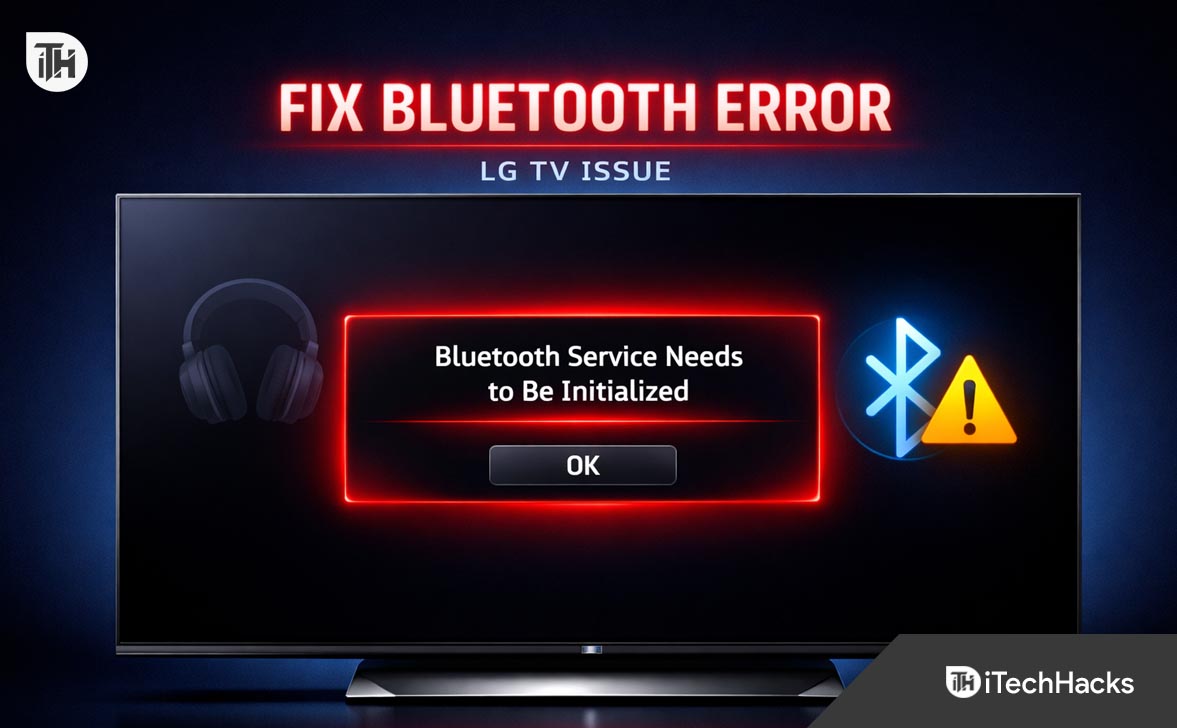
What Is “LG TV Bluetooth Service Needs to Be Initialized” Error?
This error appears when the Bluetooth module inside your LG TV fails to start properly. Think of it like a service that should run in the background but has stopped working or failed to launch.
When this happens, your TV cannot:
- Scan for nearby Bluetooth devices
- Connect to headphones or speakers
- Maintain stable Bluetooth connections
This issue typically occurs due to:
- Temporary system glitches
- Incomplete firmware updates
- Bluetooth cache corruption
- Conflicts with connected devices
- Power-related bugs in the TV system
LG Smart TV Bluetooth Service Needs to Be Initialized – Working Fixes
Understanding this helps because most fixes focus on restarting or resetting the Bluetooth service properly.
Method 1: Power Cycle Your LG TV Properly
This is the simplest and most effective fix for the LG TV Bluetooth Service Needs to Be Initialized error.
Steps to Power Cycle
- Turn off your LG TV using the remote
- Unplug the TV from the power outlet
- Wait for at least 60 seconds
- Press and hold the TV power button for 10 seconds
- Plug the TV back in and turn it on
This process clears temporary memory and forces the Bluetooth service to restart cleanly. Many users skip the unplug step, which is why the issue persists.
Method 2: Turn Bluetooth Off and On Again
Sometimes the Bluetooth module gets stuck in a faulty state. Restarting it manually can fix the issue.
Steps
- Go to Settings on your LG TV
- Select All Settings
- Navigate to Sound → Sound Out
- Switch from Bluetooth to TV speakers
- Wait 10 seconds
- Switch back to Bluetooth
This forces the system to reinitialize the Bluetooth service internally.
Method 3: Remove All Paired Bluetooth Devices
Corrupted pairing data can cause the LG TV Bluetooth Service Needs to Be Initialized error. Clearing saved devices often resolves it.
Steps
- Open Settings → Sound → Bluetooth Devices
- View the list of paired devices
- Remove each device one by one
- Restart the TV
- Reconnect your device
This works because it resets the connection database used by the Bluetooth service.
Method 4: Update LG TV Software
Outdated firmware is one of the most common reasons for this issue. LG regularly fixes Bluetooth bugs in updates.
Steps to Update
- Go to Settings → Support
- Select Software Update
- Click Check for Updates
- Install any available update
After updating, restart your TV and try reconnecting your Bluetooth device.
In 2026, LG has improved Bluetooth stability in WebOS updates, so keeping your TV updated is essential.
Method 5: Reset Sound Settings
If your audio configuration is misconfigured, it can interfere with Bluetooth initialization.
Steps
- Go to Settings → Sound
- Select Advanced Settings
- Click Reset
This restores default audio settings and removes any conflicting configurations.
Method 6: Perform a Soft Reset via Hidden Menu
LG TVs have internal processes that can be reset without doing a full factory reset.
Steps
- Press and hold the Power button on the remote
- Keep holding until the TV restarts
This forces the system to reload core services including Bluetooth without deleting your data.
Method 7: Disable Quick Start+
The Quick Start+ feature keeps your TV in a semi-active state, which can sometimes prevent proper Bluetooth initialization.
Steps
- Go to Settings → General
- Select Devices → TV Management
- Turn off Quick Start+
After disabling it, restart your TV and check if the Bluetooth error is gone.
Method 8: Factory Reset Your LG TV
If nothing else works, a full reset can fix deep software issues causing the LG TV Bluetooth Service Needs to Be Initialized error.
Steps
- Go to Settings → General
- Select Reset to Initial Settings
- Confirm the reset
This will erase all settings and apps, so use it only as a last resort.
The reason this works is because it reinstalls the system configuration from scratch, eliminating any corrupted data.
Additional Tips to Prevent Bluetooth Issues
Once you fix the issue, follow these best practices to avoid it in the future:
- Keep your LG TV updated regularly
- Avoid connecting too many Bluetooth devices at once
- Turn off unused Bluetooth devices nearby
- Restart your TV occasionally to clear system memory
- Use compatible Bluetooth devices for better stability
These simple habits can significantly reduce Bluetooth-related errors.
Common Problems and Fixes
Bluetooth Device Not Showing Up
Make sure your device is in pairing mode and within range. Restart both the TV and the device.
Bluetooth Disconnects Frequently
This can happen due to interference or outdated firmware. Updating the TV usually fixes this.
Error Keeps Coming Back
If the LG TV Bluetooth Service Needs to Be Initialized error returns frequently, it may indicate deeper firmware issues. In such cases, factory reset or service center support may be required.
Frequently Asked Questions
Why does LG TV Bluetooth service fail to initialize?
It usually fails due to software glitches, corrupted settings, or incomplete updates. Hardware issues are rare.
Is this a hardware problem?
In most cases, no. The issue is typically software-related and can be fixed using the methods above.
Will factory reset fix Bluetooth issues permanently?
Yes, in most cases it resolves persistent problems because it removes corrupted system data.
Can outdated firmware cause this issue?
Yes. Running old software is one of the biggest reasons behind Bluetooth errors in LG TVs.
Does Quick Start+ affect Bluetooth?
Yes. It can prevent proper initialization of system services, including Bluetooth.
Final Thoughts
The LG TV Bluetooth Service Needs to Be Initialized error may look serious, but it is usually easy to fix once you understand the cause. Most users resolve it with a simple power cycle or software update.
If you follow all the methods in this guide step by step, you should be able to restore Bluetooth functionality without needing professional repair.
Start with basic fixes like restarting and updating, then move to advanced solutions only if needed. This approach saves time and avoids unnecessary resets.
With the latest WebOS improvements in 2026, Bluetooth stability on LG TVs has improved, so keeping your device updated is the best long-term solution.
ALSO READ: