- WhatsApp is introducing usernames, allowing users to connect without sharing their phone number, which enhances privacy especially for businesses, creators, and anyone frequently interacting with new contacts. This can maintain a consistent identity across various online platforms.
- To reserve a username, ensure that you're using the latest WhatsApp version, navigate to Settings, and follow prompts to select a unique username. Early reservations are crucial as popular names may be claimed quickly; if a preferred name is taken, try variations.
WhatsApp usernames are finally becoming available, giving users a new way to connect without automatically sharing a personal phone number. Instead of giving someone your number, you will be able to share a unique handle such as @yourname or @yourbrand.
This is a major privacy upgrade for WhatsApp users, especially creators, small businesses, freelancers, online sellers, students, and anyone who regularly chats with new people. Since millions of people may want short, memorable usernames, reserving yours early is the best way to avoid losing it to someone else.
In this guide, we will explain how to reserve your WhatsApp username, what the feature does, how to choose a good username, and what to do if the option is not showing in your app yet.
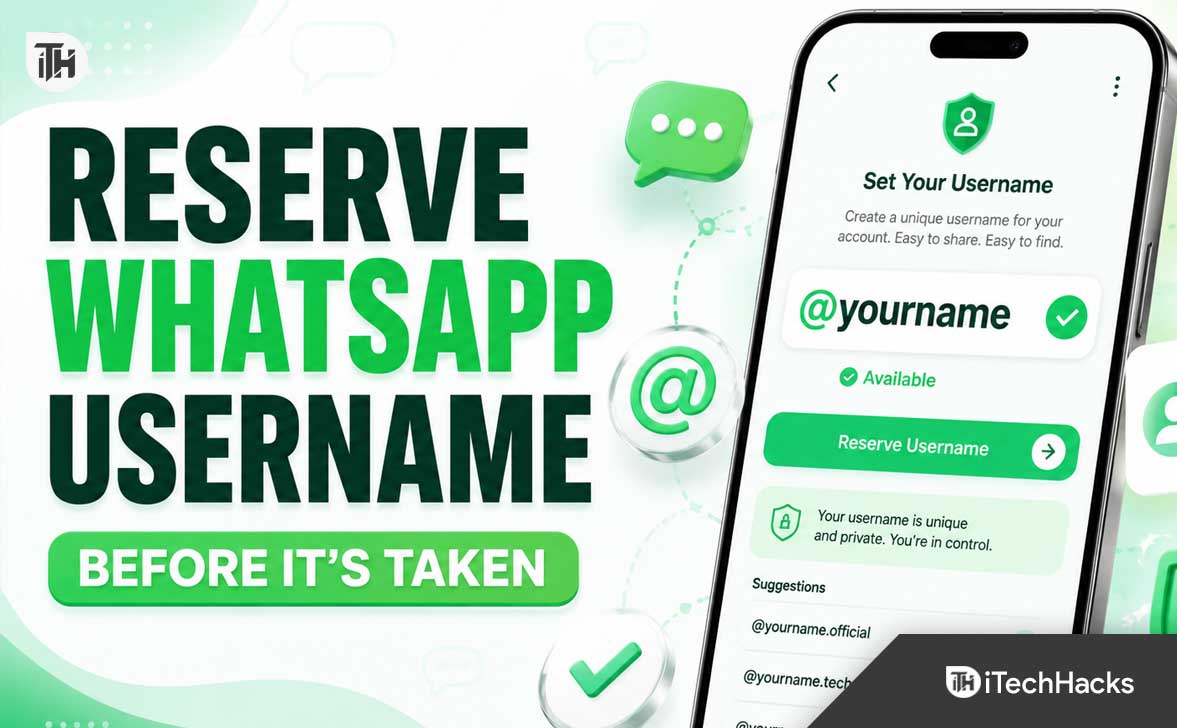
What Is a WhatsApp Username?
A WhatsApp username is a unique identifier connected to your WhatsApp account. It appears with an @ symbol, similar to usernames on Instagram, Telegram, X, or other social platforms.
The main purpose of a WhatsApp username is privacy. Once the feature is fully active, you can share your username with someone instead of sharing your phone number. This can be especially useful when chatting with customers, joining groups, buying or selling something online, or talking to people you do not know well.
For example, instead of telling someone to message you at your phone number, you may be able to say:
- Message me on WhatsApp at @mukeshtech
- Contact our support team at @brandhelp
- Send your order details to @citystore
WhatsApp usernames are optional. You can continue using WhatsApp normally with your existing phone number if you do not want to reserve or use a username.
Why You Should Reserve Your WhatsApp Username Early
Popular usernames can disappear quickly. Short names, business names, creator handles, local brand names, and common first names are likely to be claimed first.
Reserving your WhatsApp username early can help you keep the same identity you already use on Instagram, Facebook, YouTube, X, TikTok, or your website. This makes it easier for people to find and recognize you across different platforms.
It is particularly important to reserve your WhatsApp username early if you are:
- A business owner using WhatsApp for customer support or sales
- A creator, influencer, streamer, or public figure
- A freelancer who communicates with clients through WhatsApp
- An online seller using WhatsApp for orders and product inquiries
- A local business such as a restaurant, salon, clinic, gym, or store
- Someone with a unique social media username they want to protect
Once a username is reserved, other users cannot claim that same handle. That is why it is smart to check your account as soon as the feature becomes available.
How to Reserve Your WhatsApp Username
WhatsApp is rolling out username reservations gradually, so the option may not appear for every account immediately. Make sure you are using the latest version of WhatsApp before checking.
Step 1: Update WhatsApp
Open the Google Play Store on Android or the App Store on iPhone. Search for WhatsApp and install any available update.
Updating matters because username reservations are being added through newer WhatsApp versions. If your app is outdated, you may not see the username option even if it is already available in your region.
Step 2: Open WhatsApp Settings
Open WhatsApp and go to your settings area.
- On Android, tap the three-dot menu in the upper-right corner and select Settings.
- On iPhone, tap Settings from the bottom navigation menu.
You may also see username options by opening your profile section at the top of the Settings screen.
Step 3: Go to Account and Look for Username
Inside WhatsApp Settings, tap Account. Look for a setting called Username, Create Username, or Reserve Username.
WhatsApp may slightly change the wording during the rollout, but the option should be visible inside your account or profile settings once it reaches your account.
Step 4: Enter Your Preferred Username
Type the username you want to use. WhatsApp will check whether the name is available.
If the username is available, confirm it immediately. If it is unavailable, try a close variation that still looks professional and easy to remember.
For example, if @mukesh is taken, you could try:
- @mukeshb
- @mukeshtech
- @mukeshdigital
- @mukeshofficial
- @itsmukesh
Step 5: Confirm Your Reservation
Once you confirm the username, WhatsApp will reserve it for your account. You will be notified when the username feature becomes fully available for messaging in your country or region.
Remember that reserving a username is different from having it fully active immediately. WhatsApp is rolling out the feature in stages, so reservation availability may arrive before username-based messaging is enabled for everyone.
How to Claim Your Instagram or Facebook Username on WhatsApp
WhatsApp is also offering an option for people and businesses that want to use the same username they already have on Instagram or Facebook. This can be useful for maintaining a consistent brand identity.
For example, if your Instagram username is @digitalwebdia, you may be able to claim the same handle on WhatsApp if it is associated with your Meta account and meets WhatsApp’s eligibility requirements.
This is especially useful for:
- Verified creators and public personalities
- Businesses with established Facebook or Instagram pages
- Online stores and local service providers
- Brands that already use one recognizable handle everywhere
Keep your Instagram and Facebook account details accurate, secure, and connected to the correct Meta account. Do not rely on third-party websites claiming they can reserve a WhatsApp username for you. The only safe method is through the official WhatsApp app and Meta’s official account tools.
How to Choose a Good WhatsApp Username
Your WhatsApp username should be simple, recognizable, and easy to type correctly. A complicated username can make it harder for customers, friends, or followers to contact you.
Try to choose a username that follows these best practices:
- Keep it short and easy to spell
- Use the same handle you use on other social platforms
- Avoid too many numbers, dots, or underscores
- Do not include your full phone number or sensitive information
- Use your business name if you use WhatsApp for work
- Choose a name that still makes sense if your business grows later
For personal use, a good WhatsApp username could include your first name, nickname, profession, or city. For example, @rahuldesigns, @ananyawrites, or @rohitfitness.
For businesses, use your exact brand name whenever possible. If it is already taken, add a simple identifier such as support, official, shop, india, or your city name.
How WhatsApp Usernames Improve Privacy
Traditionally, WhatsApp has required users to share a phone number before starting a conversation. This can be uncomfortable when contacting a seller, service provider, event organizer, stranger, or new online contact.
With usernames, your phone number can remain hidden when someone contacts you for the first time through your username. This gives you more control over who sees your personal contact information.
WhatsApp usernames are not designed to work like a public social media directory. People generally need to know your exact username before they can contact you. This helps reduce random discovery and makes the feature more private than a searchable public profile system.
WhatsApp also includes an optional username key feature. This adds another layer of control by allowing you to decide whether someone needs an additional key before they can message you through your username.
What to Do If the WhatsApp Username Option Is Missing
If you do not see the WhatsApp username option yet, do not worry. The rollout is gradual, and it may take time before the feature becomes available on every account.
Try these fixes:
- Update WhatsApp from the Play Store or App Store
- Restart your phone after updating the app
- Check Settings, Account, and your profile section again
- Make sure you are using the official WhatsApp application
- Wait for a WhatsApp notification about username availability
- Avoid installing unofficial APK files or fake WhatsApp mods
Do not uninstall WhatsApp just to force the feature to appear. Uninstalling can create unnecessary backup and login issues. A normal app update is usually enough.
Common WhatsApp Username Problems and Fixes
Your Preferred Username Is Taken
Try adding your niche, profession, city, or a short brand word. Keep the variation clean and avoid adding long random numbers unless necessary.
WhatsApp Says the Username Is Not Available
The username may already be reserved, restricted, too similar to a protected name, or not allowed under WhatsApp’s naming rules. Try a different variation rather than repeatedly entering the same unavailable option.
You Cannot Find the Username Setting
Update WhatsApp first. If it is still missing, the feature may not have reached your account, device, or country yet. Check again after a few days and watch for in-app notifications.
You Reserved the Wrong Username
WhatsApp may allow users to manage or change usernames later. However, do not assume your old username will remain available after changing it. Reserve the username you truly want before finalizing it.
Frequently Asked Questions
Can I reserve a WhatsApp username right now?
Username reservations are rolling out gradually. Open the latest version of WhatsApp, go to Settings, then Account, and check whether the Username option is available.
When the username feature is fully available and enabled, people contacting you for the first time through your username may not see your phone number.
Is a WhatsApp username free?
Yes, WhatsApp usernames are expected to be available as a free optional feature for users. Be careful of anyone asking for money to reserve a username outside the official WhatsApp app.
Can two people have the same WhatsApp username?
No. Each WhatsApp username must be unique. Once someone reserves a username, another person cannot claim the exact same handle.
Can businesses reserve WhatsApp usernames?
Yes. Businesses, creators, organizations, and brands can use WhatsApp usernames to maintain a consistent identity and help customers contact them more easily.
Final Thoughts
WhatsApp usernames are one of the most useful privacy-focused updates coming to the platform. They make it possible to connect with new people without immediately giving away your phone number, while also helping businesses and creators build a recognizable identity.
Update WhatsApp, check the Username section in your settings, and reserve your preferred handle as soon as the option appears. A simple username that matches your existing online identity can become valuable once more people begin using WhatsApp usernames for personal chats, customer support, and business communication.
ALSO READ: