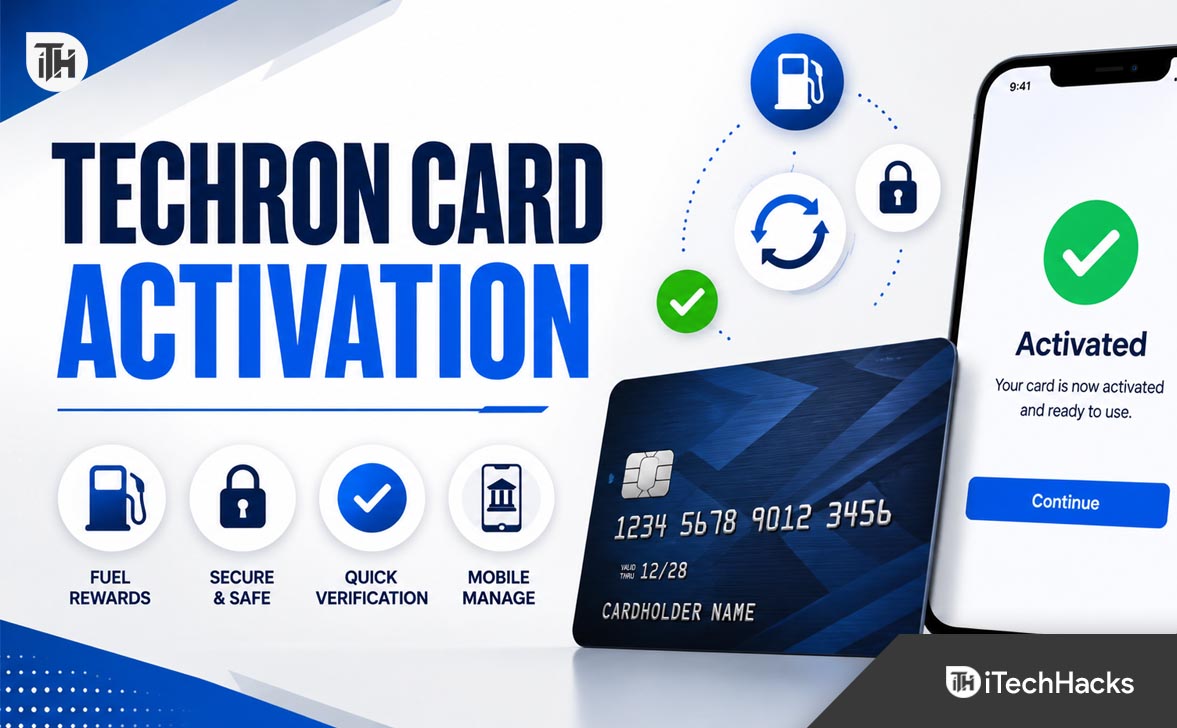
- Activating your Techron Advantage Card is important for using it at Chevron and Texaco stations. It allows access to fuel discounts and other offers. Go to techronadvantagecard.com/activate or Synchrony's page to start the process using your card and personal details.
- The Techron Advantage Card is a credit card for Chevron and Texaco purchases. It's issued by Synchrony Bank and offers two types: a regular card for fuel and a Visa version for broader use. For managing payments and offers, online registration through Synchrony is recommended.
- Common activation issues include incorrect details, page loading errors, or use at non-eligible locations. Ensure you enter details carefully and contact customer service if needed. After activation, register online for easier management
Activating a new Techron Advantage Card is a simple but important step before using it at Chevron, Texaco, or other eligible locations. Many cardholders search for techronadvantagecard.com/activate because they want the fastest way to get their card ready for purchases, fuel discounts, online account access, and mobile wallet setup.
The Techron Advantage Card program is connected with Chevron and Texaco, and the consumer credit cards are issued by Synchrony Bank. Chevron’s official card pages also direct users toward account management and card-related services through Synchrony.
This guide explains how to activate your Techron Advantage Card online, what details you may need, what to do if the activation page does not load, and how to avoid common mistakes that can delay card activation.
What Is the Techron Advantage Card?
The Techron Advantage Card is a Chevron and Texaco credit card designed for customers who regularly buy fuel at participating Chevron and Texaco stations. Depending on the card type, users may receive fuel discounts, access to special cardholder offers, and account management features through Synchrony.
There are generally two consumer card options associated with the program: the Techron Advantage Credit Card and the Techron Advantage Visa Credit Card. The standard card is mainly for Chevron and Texaco fuel-related purchases, while the Visa version may be accepted wherever Visa is accepted, depending on the card terms.
Chevron states that Techron Advantage cards are issued by Synchrony Bank, and the Techron Advantage Visa Credit Card is issued by Synchrony Bank pursuant to a Visa license. This matters because activation, payments, online registration, and account support may route through Synchrony rather than Chevron directly.
How to Activate Techron Advantage Card Online
The easiest way to activate your Techron Advantage Card is usually through the official activation link provided with your card or through the Synchrony activation page connected to the Chevron and Texaco card program.
Step 1: Visit the Official Activation Page
Open your browser and go to the official activation page mentioned on your card sticker, welcome letter, or Synchrony account materials. Many users search for techronadvantagecard.com/activate, but the activation process may redirect you to a Synchrony-hosted card activation page.
Do not enter your card details on random third-party pages. Since activation involves sensitive details such as card information and identity verification, always confirm that the page belongs to Synchrony, Chevron, Texaco, or an official card management portal.
Step 2: Enter Your Card Details
On the card activation page, you may be asked to enter your account number, security code, last four digits of your Social Security number, date of birth, and income information. Synchrony’s card activation page uses these details to verify the account holder before activating the card.
Your account number is usually printed on the front of your card or included in your statement or welcome material. The three-digit security code is normally printed on the back of the card.
Step 3: Verify Your Identity
After entering the required details, the system checks whether the information matches the card account. This step helps prevent unauthorized activation and protects the cardholder from misuse.
Make sure the name, date of birth, and last four digits of SSN match the details used when applying for the card. Even a small typing mistake can stop the activation from going through.
Step 4: Submit the Activation Request
Once all details are correct, select the activation button and wait for the confirmation message. Do not refresh the page while the activation is processing.
After successful activation, your Techron Advantage Card should be ready to use according to the card terms. If you recently received the card, it is still a good idea to register for online account access so you can manage payments, statements, and account activity.
How to Register Your Techron Advantage Card Online
Activation and registration are not always the same thing. Activation allows the physical card to be used. Online registration gives you access to your account dashboard where you can manage payments, view statements, and check account activity.
Synchrony explains that cardholders can register online by looking up the account using details such as the account number, last four digits of SSN, and date of birth.
Steps to Register Your Account
- Go to the Synchrony registration page or the official account management link from Chevron or Texaco card pages.
- Select the option to register or create online access.
- Enter your Techron Advantage Card account number.
- Provide the last four digits of your SSN and date of birth.
- Create a username and password.
- Set up security questions or verification options if requested.
- Log in to confirm that your account is active.
Once registered, you can manage your Techron Advantage Card online more easily instead of relying only on paper statements or customer service calls.
Activate Techron Advantage Card Through Synchrony
Because the Techron Advantage Card is issued by Synchrony Bank, many activation and account management tasks are handled through Synchrony’s systems. Synchrony’s partner page for Chevron includes options such as activating the card and managing the account.
This is normal and not a sign that you are on the wrong page. Many retail, fuel, and store credit cards use Synchrony as the issuing bank, so the activation page may show Synchrony branding even though the card itself is connected to Chevron and Texaco.
What You Can Do After Synchrony Registration
- View recent transactions
- Check current balance
- Make or schedule payments
- View statements
- Update account information
- Manage alerts and communication preferences
- Access cardholder offers when available
Registering online is highly recommended after using techronadvantagecard.com/activate or the official Synchrony activation link because it gives you better control over your card account.
How to Add Techron Advantage Card to Chevron or Texaco App
After activation, some users also want to add the card to the Chevron or Texaco mobile app. This can make it easier to pay from the phone, manage payment methods, and use eligible rewards or offers at participating locations.
Chevron’s mobile app guide explains that users can add a payment method from the Wallet section, choose the payment type, and enter card information. It also notes that Techron Advantage cardholders may receive a phone call or SMS verification code during validation.
Steps to Add the Card in the App
- Download or open the Chevron or Texaco app.
- Sign in or create an account.
- Go to the Wallet section.
- Select Payment Methods.
- Choose Add Payment Method.
- Enter your Techron Advantage Card details.
- Complete phone or SMS verification if required.
- Save the card as a payment method.
If the app does not accept the card immediately, confirm that your card is already activated. Some users try adding the card to the app before activation, which may cause verification errors.
Common Problems While Activating Techron Advantage Card
Most activation issues are caused by incorrect details, browser problems, expired links, or confusion between activation and online registration. Here are the most common problems and practical fixes.
1. Activation Page Not Loading
If the activation page does not open, first check your internet connection and browser. Try opening the page in Chrome, Edge, Safari, or Firefox. Disable VPN temporarily because some financial websites may block unusual traffic patterns.
Also check whether you typed the URL correctly. Many users search for techronadvantage card.com/activate with a space, but the actual domain format is usually written without spaces as TechronAdvantageCard. If you are unsure, start from the official Chevron, Texaco, or Synchrony card page instead of typing a random URL.
2. Card Details Not Accepted
If your account number or security code is not accepted, carefully recheck the numbers printed on your card. Make sure you are not confusing the card number with another account reference number from your welcome letter.
If the issue continues, the card may not be fully loaded in the issuer’s system yet, or the details may not match your application record. In that case, customer service can usually verify the account manually.
3. Last Four Digits of SSN Not Working
Synchrony may ask for the last four digits of your SSN to confirm identity. If the number is rejected, confirm that the card was issued under your name and not another household member’s name.
If you recently changed your name, address, or personal details, there may be a mismatch in the account record. Do not keep retrying too many times because repeated failed attempts may temporarily lock access.
4. Date of Birth Error
Date of birth errors usually happen because of wrong format or incorrect typing. Use the format shown on the activation page. If the page asks for month, day, and year separately, enter each field carefully.
Also check browser autofill. Sometimes autofill inserts old or incorrect personal details without you noticing.
5. Activation Successful but Card Still Declined
If your Techron Advantage Card activation was successful but the card is declined, wait a short time and try again. Some systems may need a little time to update after activation.
Also confirm that you are using the card at an eligible location and that the card account is open, not restricted, and within the available credit limit. For the non-Visa Techron Advantage Card, acceptance may be more limited than the Visa version.
Security Tips Before Using techronadvantagecard.com/activate
Card activation pages collect sensitive details, so security matters. A fake activation page can be used to steal card numbers, identity details, or login credentials.
- Use only official Chevron, Texaco, Synchrony, or card-sticker links.
- Never activate the card through links from unknown emails or text messages.
- Check the browser address bar before entering card details.
- Do not share your full card number over chat or social media.
- Use a private internet connection instead of public Wi-Fi.
- Create a strong password when registering for online access.
- Enable account alerts after registration if available.
If you believe you entered your card details on a suspicious page, contact Synchrony or the card issuer immediately. It is better to report the issue early than wait for unauthorized activity to appear.
Benefits of Activating and Registering Your Techron Advantage Card
Activating the card allows you to start using it, but registering the account online gives you more control. For regular Chevron or Texaco customers, online access can make account management much easier.
Fuel Discounts and Cardholder Offers
Techron Advantage Cardholders may receive fuel discounts and special offers depending on the card type, promotional period, and terms. Chevron’s card pages mention fuel discounts and cardholder benefits for Techron Advantage users.
Always read the latest terms before assuming a specific discount amount. Promotional offers can change, and fuel discount terms may depend on billing cycle, card usage, location, and eligible purchases.
Easy Online Payments
Once your account is registered, you can pay your Techron Advantage Card bill online. This helps avoid missed payments and late fees.
Online access is also useful if you want to check payment due dates, statement balances, or recent transactions before making a payment.
Better Account Monitoring
With online access, you can monitor card activity more frequently. This is useful for spotting unauthorized charges, tracking fuel spending, and confirming that payments have posted correctly.
If you use the card for regular fuel purchases, checking your account at least once a week is a good habit.
What Details Do You Need to Activate Techron Advantage Card?
Before starting the activation process, keep your card and personal details nearby. Having everything ready helps avoid session timeout or repeated failed attempts.
- Techron Advantage Card account number
- Three-digit security code
- Last four digits of SSN
- Date of birth
- Monthly net income, if requested
- Phone number or email for verification
- Stable internet connection
The activation page may not ask for every detail in every case, but these are commonly used for identity verification and account setup.
Is techronadvantagecard.com/activate Safe?
The safest approach is to use the activation link printed on your card sticker or official welcome material. If you search online, use official Chevron, Texaco, or Synchrony pages rather than third-party guides that ask you to click unknown links.
Because the card is issued by Synchrony, it is normal for the activation process to involve Synchrony pages. However, you should still check the browser address bar and avoid entering details on pages that look suspicious, broken, or unrelated to the card program.
What to Do After Activating Your Techron Advantage Card
After activation, do not throw away the card documents immediately. Keep the welcome letter, terms, and customer service information in a safe place until you have registered your online account and confirmed that the card works.
Set Up Online Access
Create your online account through Synchrony so you can manage the card easily. This is especially important if you want to pay bills online, track statements, or update account information.
Review Card Terms
Check the APR, payment due date, fees, rewards terms, and fuel discount rules. Many cardholders focus only on activation and miss important details about billing and eligible purchases.
Add Payment Reminders
Set a reminder before the payment due date. Even if you use the card mainly for fuel, missing a payment can lead to fees and interest.
Test the Card With a Small Purchase
After activation, make a small eligible purchase to confirm that the card works correctly. If it fails, contact support before relying on it during travel or daily commuting.
Frequently Asked Questions
How do I activate my Techron Advantage Card?
You can activate your Techron Advantage Card through the official activation link provided with your card or through the Synchrony activation process connected to the Chevron and Texaco card program. You will usually need your card number, security code, last four digits of SSN, and date of birth.
Is Techron Advantage Card issued by Synchrony Bank?
Yes. Chevron states that Techron Advantage Cards are issued by Synchrony Bank. The Techron Advantage Visa Credit Card is also issued by Synchrony Bank pursuant to a Visa license.
Can I use techronadvantagecard.com/activate on mobile?
Yes, you can usually open the activation page on a mobile browser. For fewer errors, use a stable internet connection and avoid public Wi-Fi. If the page does not work properly on mobile, try a desktop browser.
Why is my Techron Advantage Card activation not working?
Activation may fail because of incorrect card details, wrong SSN digits, date of birth mismatch, browser issues, VPN blocking, or temporary issuer system problems. Recheck your information carefully and try again from the official page.
Do I need to register after activating the card?
Activation makes the card usable, while registration gives you online account access. It is smart to register after activation so you can view statements, make payments, and manage account details.
Can I add my Techron Advantage Card to the Chevron app?
Yes, after activation you may be able to add it as a payment method in the Chevron or Texaco app. Chevron’s app guide says Techron Advantage cardholders may receive a phone or SMS verification code when validating the card.
What should I do if I activated the card but it still does not work?
Wait briefly and try again. If the card still fails, check whether you are using it at an eligible merchant, confirm your available credit, and contact card support if needed.
Final Thoughts
Using techronadvantagecard.com/activate or the official Synchrony activation page is the first step to using your new Techron Advantage Card. The process is straightforward when you have your card number, security code, SSN details, and date of birth ready.
After activation, register your account online, review your card terms, set payment reminders, and add the card to the Chevron or Texaco app if you want easier mobile payments. Most activation problems can be fixed by checking the URL, re-entering card details carefully, switching browsers, or contacting Synchrony support for account-specific help.
ALSO READ:
- How to Activate a New Rogers SIM Card on Phone or Online
- How to Activate Aetna Nations Benefits Card at aetna.nations benefits.com
- How to Activate Joker Visa Card & Check Balance at jokercard ca
- How to Activate YouTube TV via tv.youtube tv/start
- How to Activate Paramount Plus on Roku, Firestick, Smart TV, Apple TV, Xbox