
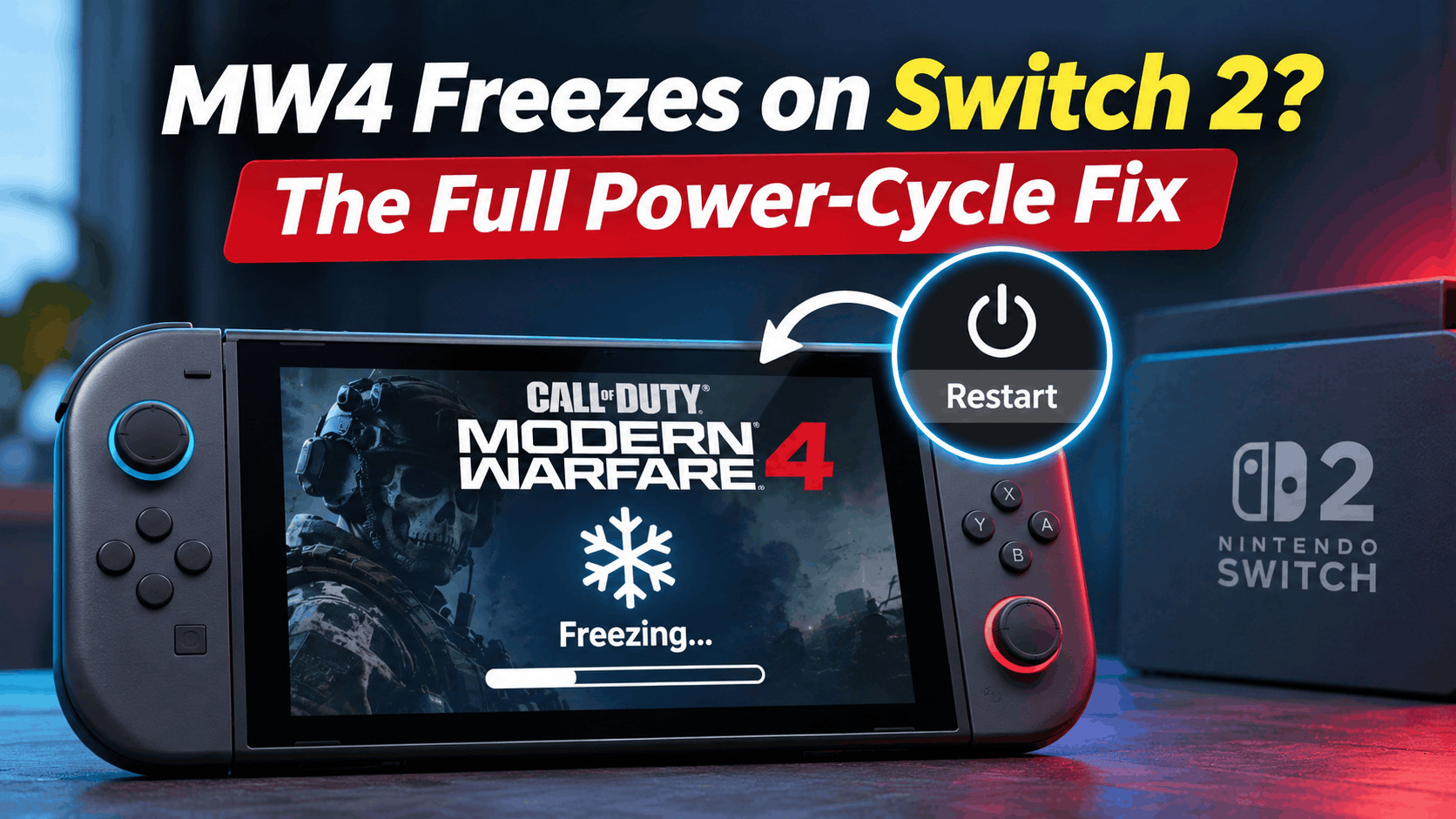
- If your Call of Duty: Modern Warfare 4 game freezes on Nintendo Switch 2, the recommended first step is to fully restart the console by holding the POWER button for at least three seconds and choosing Restart from the Power Options menu. Avoid putting the console in Sleep Mode, as it will not resolve software issues.
- If the Switch 2 is completely unresponsive, perform a forced shutdown by holding the POWER button for 20 seconds, then wait 30 seconds before turning it back on. This can help clear any persistent software problems affecting the game.
- To address recurring MW4 freezes, update both the Nintendo Switch 2 system software and the game itself, check for corrupted game data, and consider reinstalling MW4. Ensuring your
Is Call of Duty: Modern Warfare 4 (MW4) freezing or crashing on your Nintendo Switch 2? You might be playing a multiplayer match, waiting for a game to load, or navigating the menus when everything suddenly stops responding. Sometimes, the game closes unexpectedly, while other times, the entire console becomes unresponsive.
The good news is that Activision has provided an official troubleshooting method for MW4 crashes on Switch 2. The recommended solution is to completely restart the console rather than simply putting it into Sleep Mode.
Although this sounds like a basic fix, there is an important difference between restarting your Nintendo Switch 2 and waking it from Sleep Mode. A proper power cycle can clear temporary software problems that may continue affecting the game after the screen turns back on.
In this guide, we’ll explain how to perform the full power-cycle fix, what to do when your Switch 2 is completely frozen, and which additional troubleshooting steps are worth trying if Modern Warfare 4 keeps crashing.
Why Does Modern Warfare 4 Freeze on Nintendo Switch 2?
Modern Warfare 4 can freeze or crash for several reasons. A game might encounter an unexpected software error, a temporary system problem, corrupted installation data, or an issue while loading game resources.
However, a freeze does not automatically mean that your Switch 2 is damaged or that there is a widespread problem with MW4.
According to Activision’s official Modern Warfare 4 troubleshooting guidance, Switch 2 players experiencing crashes should completely restart their consoles before launching the game again.
Some common symptoms include:
- MW4 freezes during gameplay and stops responding to controller inputs.
- The game crashes while loading a multiplayer match.
- The screen becomes stuck while opening Modern Warfare 4.
- MW4 unexpectedly closes and returns to the Switch 2 HOME Menu.
- The Nintendo Switch 2 becomes completely unresponsive while the game is running.
- The game freezes again after the console wakes from Sleep Mode.
These symptoms can have different causes. If the issue appears only in MW4, a game-specific problem is more likely. However, if multiple games freeze or the HOME Menu also becomes unresponsive, you should investigate the console itself.
Fix 1: Perform the Full Power-Cycle Fix for MW4 on Switch 2
This is the first troubleshooting method Activision recommends for Modern Warfare 4 crashes on Nintendo Switch 2.
Instead of putting the console into Sleep Mode, you need to restart it properly so that the system can start a fresh session.
Step 1: Close Modern Warfare 4
If your console still responds, return to the Nintendo Switch 2 HOME Menu by pressing the HOME button on your controller.
Highlight Modern Warfare 4, press the X button, and select Close if prompted. This closes the running game rather than leaving it suspended.
If the game has frozen so badly that you cannot access the HOME Menu, skip this step and follow the forced shutdown method in the next section.
Step 2: Open the Power Options Menu
Locate the physical POWER button on the top edge of your Nintendo Switch 2, near the volume buttons.
- Press and hold the POWER button for at least three seconds.
- Wait for the power menu to appear.
- Select Power Options.
- Choose Restart.
Your Switch 2 should shut down and restart automatically.
Important: A quick press of the POWER button normally activates Sleep Mode. This is not the same as restarting the console and is not the fix Activision recommends.
Step 3: Launch MW4 Again
Once the Nintendo Switch 2 has restarted, open Modern Warfare 4 from the HOME Menu.
Try the same activity that previously caused the game to freeze, such as entering a multiplayer match or loading a particular game mode.
If the game now runs normally, the restart may have cleared a temporary system or software issue. However, if MW4 freezes again, continue with the additional fixes below.
Fix 2: Force Restart Nintendo Switch 2 When MW4 Is Completely Frozen
Sometimes, Modern Warfare 4 may freeze so severely that pressing the HOME button does nothing. The screen might remain stuck on a single frame, and you may be unable to open the power menu.
In that situation, you can force the Nintendo Switch 2 to shut down using its physical POWER button.
Steps to Force Shutdown Your Switch 2
- Remove the Nintendo Switch 2 from its dock if it is currently docked.
- Press and hold the physical POWER button for at least 20 seconds to force the system to turn off.
- Release the POWER button once the shutdown process is complete.
- Wait at least 30 seconds before turning the console back on.
- Press the POWER button to start your Switch 2 again.
- Launch Modern Warfare 4 and check whether the freezing issue returns.
Activision specifically recommends waiting at least 30 seconds before restarting a Switch 2 that required a forced shutdown. Nintendo’s troubleshooting guidance for a frozen console also describes holding the POWER button for at least 20 seconds.
Note: Forcing a shutdown can result in the loss of unsaved progress. Use this method when the console is genuinely unresponsive rather than as your normal way of closing games.
Fix 3: Update Nintendo Switch 2 System Software
If MW4 continues freezing after a proper restart, check whether a Nintendo Switch 2 system update is available.
System updates can include stability improvements, compatibility changes, and fixes for known console problems. Running an outdated system version can sometimes contribute to unexpected software behavior.
How to Check for Switch 2 Updates
- Open the HOME Menu on your Nintendo Switch 2.
- Select System Settings.
- Scroll down and choose System.
- Select System Update.
- Allow the console to check for an available update.
- If an update is available, follow the on-screen instructions to install it.
After the update finishes, launch Modern Warfare 4 and test the game again.
Make sure your console has sufficient battery power or is connected to its power adapter during the update.
Fix 4: Check for Modern Warfare 4 Game Updates
Game developers can release updates to address crashes, loading problems, and other software bugs. If your Switch 2 is updated but MW4 still freezes, checking for a game update is the next sensible step.
To update Modern Warfare 4:
- Return to the Nintendo Switch 2 HOME Menu.
- Highlight Modern Warfare 4 without launching it.
- Press the + or – button on your controller to open the software options.
- Select Software Update.
- Choose Via the Internet.
- Install any available update.
Once the installation completes, restart the console and try playing MW4 again.
Keep in mind that an available update does not necessarily contain a fix for your particular crash. However, updating ensures you are testing the latest game version rather than troubleshooting an older build.
Fix 5: Check Modern Warfare 4 for Corrupted Data
If MW4 repeatedly crashes at the same loading screen or freezes immediately after launching, damaged software data could be contributing to the problem.
Nintendo provides a built-in Check for Corrupt Data feature that can help identify issues with installed software.
How to Check for Corrupt Data
- Open System Settings from the HOME Menu.
- Scroll down to Data Management.
- Select Manage Software.
- Choose Modern Warfare 4.
- Select Check for Corrupt Data.
- Wait for the system to complete its check.
If the console identifies corrupted data, follow its instructions to redownload the affected software.
If no corruption is detected, that does not completely rule out a game bug. It simply means the system did not identify corrupted software data during the check.
Fix 6: Reinstall MW4 if It Keeps Crashing
If updating and checking for corrupted data have not resolved the issue, reinstalling Modern Warfare 4 is another option worth considering.
Reinstallation replaces the local game files with a fresh download. It may help when an installation problem is responsible for repeated crashes.
Before proceeding, make sure you have a stable internet connection and sufficient storage space.
- Open System Settings and select Data Management.
- Choose Manage Software.
- Select Modern Warfare 4.
- Choose Delete Software and confirm your selection.
- Download the game again using the Nintendo Account associated with the purchase.
- Allow the installation and any required updates to finish.
- Restart your console before testing MW4.
Deleting software through Nintendo’s software management options does not normally delete the game’s separate save data. Nevertheless, verify your save data and backup options before making changes.
Tip: Do not use Delete Save Data as a troubleshooting shortcut. It is a separate option and may permanently remove locally stored game progress.
Fix 7: Check Storage and microSD Express Card Issues
If Modern Warfare 4 is installed on a microSD Express card, storage problems are another possibility to investigate.
Nintendo recommends testing problematic downloaded software using the console’s internal storage when removable storage might be contributing to freezes.
Try the following:
- Check whether sufficient storage space is available for MW4 and its updates.
- Power off the console before removing a microSD Express card.
- If practical, reinstall the game directly to the Switch 2’s internal system memory.
- Test whether the freezing continues without relying on the removable storage card.
If the game works normally from internal storage but consistently freezes when installed on the microSD Express card, investigate the card further.
Do not immediately format the storage card. Formatting erases the information stored on it, so it should be considered only after simpler troubleshooting methods have failed.
How to Report MW4 Crashes on Nintendo Switch 2
If Modern Warfare 4 continues freezing, Activision recommends enabling the console’s error information sharing feature.
This allows diagnostic information about crashes to be shared through the system’s reporting mechanism, which can assist investigations into software problems.
- Open Settings on your Nintendo Switch 2.
- Go to System.
- Find the Share Error Information setting.
- Enable the option.
- Restart your console.
Activision’s MW4 troubleshooting instructions state that restarting the Switch 2 will send the crash report when error information sharing is enabled.
Reporting crashes is useful, especially if the same issue happens repeatedly, but enabling this setting does not directly repair the game.
Additional Tips to Prevent MW4 From Freezing Again
Although a full restart is the primary official recommendation for Switch 2 crashes, a few additional precautions can make troubleshooting easier.
Keep the Console Properly Ventilated
Make sure the Nintendo Switch 2 has enough airflow while playing demanding games. Avoid blocking its ventilation openings or using the console in an enclosed area where heat can build up.
If the console becomes unusually hot or displays a temperature warning, stop playing and allow it to cool before trying again.
Test Another Game
Open another game and play for a while to see whether the console remains stable.
If only Modern Warfare 4 freezes, focus on MW4 updates, installation data, and game-specific support. If several games experience similar crashes, the problem may be related to the console, storage, or system software.
Check for Error Codes
If your Switch 2 displays an error code when MW4 crashes, write down the exact code before restarting the console.
Error codes can help narrow down the problem. Nintendo recommends searching for the specific error when one is displayed rather than relying entirely on general troubleshooting.
Check Your Dock Setup
If freezes or display problems occur only while playing in TV mode, test the console in handheld mode.
Nintendo recommends verifying that you are using the official Nintendo Switch 2 dock, model BEE-005, when investigating console freezing in TV mode.
This is particularly useful when troubleshooting behavior that changes depending on whether the system is docked.
What if MW4 Still Freezes After a Full Power Cycle?
If Modern Warfare 4 continues crashing after a complete restart, game updates, system updates, and an installation check, the problem may require further investigation.
Activision’s Switch 2 troubleshooting guidance directs players to Nintendo Support if the recommended restart does not resolve the crashing issue.
When contacting support, prepare the following information:
- Your Nintendo Switch 2 system software version.
- The installed Modern Warfare 4 game version.
- Whether the freezing happens in handheld mode, TV mode, or both.
- The exact location or activity where MW4 freezes.
- Any error code displayed before the crash.
- The troubleshooting methods you have already tried.
This information can help support identify whether the issue is related to the console, game installation, or a software problem requiring an update.
A factory reset should not be your first solution. Nintendo provides an option to restore system settings while keeping user data for persistent console-level problems, but that is a more advanced troubleshooting step best considered after following official guidance.
Frequently Asked Questions
Why does MW4 keep freezing on Switch 2?
Modern Warfare 4 may freeze because of a temporary software error, installation problem, outdated software, or another console-related issue. Activision recommends completely restarting the Nintendo Switch 2 as the first troubleshooting step.
How do I fully restart Nintendo Switch 2 to fix MW4?
Hold the physical POWER button for at least three seconds, select Power Options, and choose Restart. After the console restarts, open Modern Warfare 4 again. Simply pressing the POWER button once to enter Sleep Mode is not sufficient.
What should I do if my Switch 2 is completely frozen?
Press and hold the POWER button for at least 20 seconds to force a shutdown. Wait at least 30 seconds before turning the console back on. This combines Nintendo’s frozen-console shutdown guidance with Activision’s recommended waiting period.
Will restarting Switch 2 delete my MW4 progress?
A normal restart does not delete saved game data. However, if the game freezes before recent progress has been saved, that unsaved progress may be lost. Avoid forcing a shutdown unless the system is unresponsive.
Is putting Switch 2 into Sleep Mode the same as restarting?
No. Sleep Mode suspends the console without performing a complete restart. Activision specifically recommends restarting the Nintendo Switch 2 when troubleshooting MW4 crashes because waking it from Sleep Mode does not provide the same reset of the running system session.
Should I reinstall MW4 if the power-cycle fix fails?
Reinstalling is worth considering after checking for game updates, updating the console, and checking for corrupted data. It can help if damaged installation files are contributing to the crashes, but it will not necessarily resolve a game software bug.
Final Thoughts
If Modern Warfare 4 keeps freezing on Nintendo Switch 2, start with the official full power-cycle fix. Hold the POWER button for at least three seconds, select Power Options, and choose Restart. If the entire console is unresponsive, force it to shut down and wait at least 30 seconds before restarting.
For persistent crashes, update your console and game, check for corrupted data, and consider reinstalling MW4. You can also enable Share Error Information to help report recurring crashes.
The most important thing is to distinguish between Sleep Mode and an actual restart. Activision specifically recommends a proper restart for MW4 crashes on Switch 2, making it the best first step before attempting more extensive troubleshooting.