

- Email from [email protected] is legit, but beware of phishing attempts mimicking it
- Phishing emails aim to steal personal info through fake links or attachments
- Tips to identify fake emails, prevent phishing, and secure Instagram accounts
Have you ever opened your inbox to find a message from [email protected]
and paused for a second, unsure whether to trust it? This hesitation is understandable. Scammers frequently disguise their emails to look like official Instagram alerts, and thousands of users have reported receiving similar messages.
Phishing continues to be one of the most effective tactics used by attackers to steal Instagram accounts. A fake email may push the user to click a link, verify account details, or reset a password. The page looks identical to the real Instagram login screen, and the moment credentials are entered, access is handed to the attacker. Because these emails look so convincing, even experienced users can fall into the trap.
If you have recently received an email from [email protected]
and are unsure whether it is genuine or part of a phishing attempt, you are not the only one questioning it. This guide explains how to verify whether the email is legitimate, how to recognize phishing red flags, and what steps you should take to keep your Instagram account secure.
Is s[email protected] Legit?
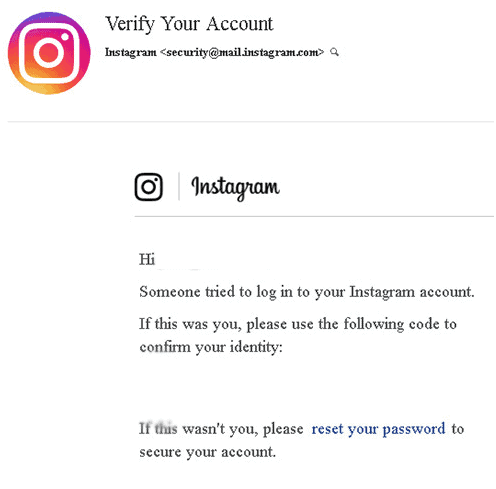
Many users have reported receiving mail from this email, and they wonder whether it is legit mail or not. Well, answering your question, we would like to say that this is an official mail from Instagram, and there are fewer chances of receiving fake phishing links from this email.
What are Phishing Emails?
Phishing emails are designed to convince you to reveal personal information such as your username and password. They usually appear to be a replica of the original, but a few indicate that they aren’t genuine. Phishing emails, for example, frequently contain errors in grammar and spelling. They may also use fear or urgency to persuade you to act quickly.
The good news is that [email protected] is an official Instagram email address. However, phishing emails have been reported to be sent from this address, so it’s important to be aware of the warning signs of a scam.
Please note that while this email is legitimate, you may receive emails from other addresses that are not. You could, for example, receive an email from the address [email protected]. This email has rnail, which is similar to mail if you look closely. If not addressed, anyone can become a victim of such emails that appear to be official.
If you receive an email from [email protected], be sure to check for the following signs before taking any action:
- The email address may be slightly different than the one listed above. If you see an email from [email protected], for example, this is likely a phishing attempt.
- Fake emails may contain grammar or spelling errors. This is often a sign that the email is not legitimate.
- A phishing email may ask you to click on a link or download an attachment. Do not do this! Instagram will never ask you to do this in an email.
- The email may contain threatening language or try to scare you into taking action. For example, the email may say that your account will be deleted if you don’t take action immediately. This is a scam tactic known as “scareware.”
However, If you’re ever unsure about an email you’ve received from Instagram, the best thing to do is to simply delete it. You can also contact Instagram directly to ask if the email is legitimate. Remember, never click on links or download attachments from emails that you’re not sure about!
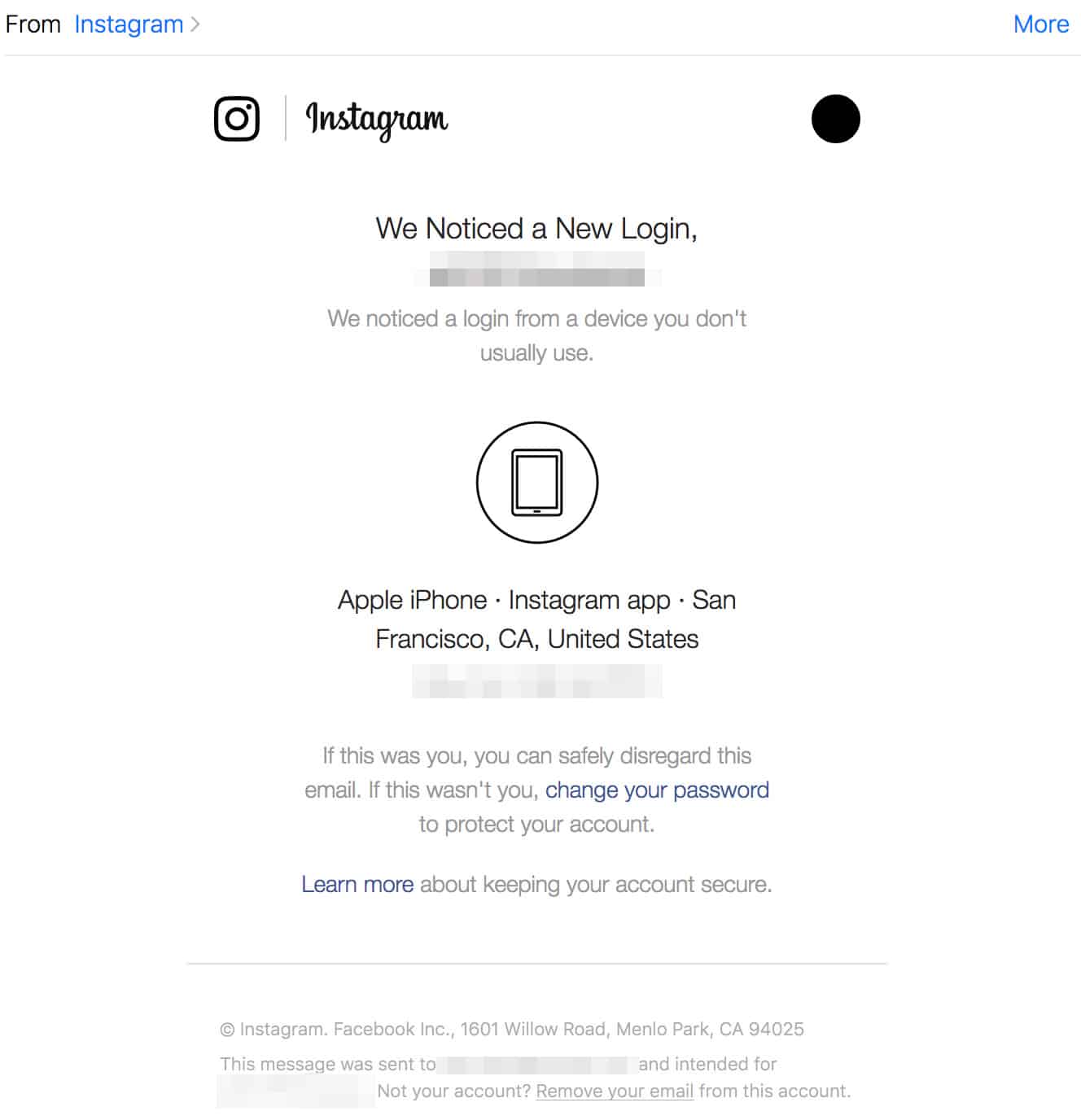
How To Identify Fake Mail Or Phishing Link?
Well, fake mail or the phishing link sent to you on your Instagram is easily recognizable if looked at closely. Well, they have certain issues which one can easily identify if they look at the mail closely.
- Check for incorrect grammar, as the fake mails will have incorrect grammar.
- Fake links are generally shortened links, so you should stay away from them if you get them from an unknown sender.
- You will get an official Instagram notification through your inbox.
- If the link or the mail request money or has an alarming tone, then stay clear of them.
- The attachments sent along with the mail won’t fully load.
Ways to Prevent Phishing Attacks on Instagram
Reducing the risk of phishing on Instagram requires smart habits and a security-first mindset. The following measures can significantly strengthen your account’s safety:
• Use a strong password. Create a password that is at least 14–16 characters long and includes a mix of uppercase and lowercase letters, numbers, and special symbols. Avoid predictable passwords such as your name, birth year, pet name, or anything commonly used across the internet. Weak passwords are the easiest entry point for attackers.
• Turn on two-factor authentication (2FA). Once enabled, Instagram will require a verification code along with your password whenever you log in. Even if someone manages to get your password, they won’t be able to access your account without the second verification step.
• Avoid sharing personal information publicly or privately with unknown users. Details like your email address, phone number, or answers to security questions can be misused by scammers to impersonate you or bypass authentication.
• Be cautious with unexpected links and emails. Never click on login pages or “security alerts” received through random emails or direct messages unless you are absolutely sure of the source. If something looks suspicious, open Instagram manually through the app or official website instead of using the link.
• Do not grant unnecessary permissions to third-party apps. Many apps claim to boost engagement, automate tasks, or promise free followers. Granting access can expose your account to cyberattacks, data theft, and unauthorized logins.
• Avoid using bots to increase followers or likes. Bots and “growth services” often require login access and dramatically increase the chances of an account breach. They also violate Instagram’s Terms of Use and can lead to permanent bans.
By following these practices consistently, you make it significantly harder for attackers to manipulate your login credentials or exploit your account.
FAQs
1. What is Instagram phishing?
Phishing is when someone sends you a message or link requesting personal information in order to gain access to your account. (The most common way to hack any account)
2. How can you tell if an email from [email protected] is legitimate?
If you get an email from similar-looking address ‘[email protected]’, be wary of any requests for personal information or threats of account suspension if you don’t comply. These could be indicators of a phishing scam.
3. How do hackers use phishing to steal Instagram account information?
Hackers can use phishing to create a fake login page that looks identical to the real Instagram login page. By hosting this page on a public server, they can trick users into entering their account information, which the hackers can then use to access other online accounts.
4. What to do if you think you’ve been phished on Instagram?
If you think you’ve been phished on Instagram, change your password immediately and report the incident to Instagram. You should also be vigilant about any other online accounts you have that use the same username and password, as these may also be at risk.
Conclusion – [email protected] Legit or Scam?
Finally, we’d like to point out that [email protected] is a legitimate and official Instagram email address. However, you may receive fake mail that appears to be official. However, there are some indicators that you may be dealing with a phishing attempt, such as requests for personal information or threats of account suspension. If you believe you’ve been phished, change your password right away and notify Instagram. If you found this article useful, please share it with your friends and leave a comment below about your experience.
RELATED ARTICLES:





![Fix Phone Screen Unresponsive Touch on Android & iPhone [Step-by-Step]](https://itechhacks.com/wp-content/uploads/2025/10/Fix-Phone-Screen-Unresponsive-Touch-150x150.jpg "Fix Phone Screen Unresponsive Touch on Android & iPhone [Step-by-Step]")
Please 🙏 recover my account instgram id
Meri Instagram ke I’d khul nhi Rahi ha please kholne ke ati kripa kare
Meri Instagram ke I’d khul nhi Rahi ha please kholne ke ati kripa kare