- JioHotstar replaced Disney+ Hotstar in India in 2026, combining content from Hotstar and JioCinema into one platform.
- You can now stream JioHotstar on Windows 10 or 11 directly through the official website, install it as a PWA, or use the Microsoft Store app where available—no emulator required.
- Streaming on PC supports HD and 4K quality with a stable internet connection, though offline downloads remain limited to the mobile apps.
If you enjoy movies, cricket, or binge-worthy web series, chances are you’ve already heard of JioHotstar — the new streaming service that replaced Disney+ Hotstar in India after merging with JioCinema in early 2026. It now brings everything under one roof: IPL and other live sports, blockbuster films, originals, and premium international content.
The good news is you don’t need an Android emulator or complicated tricks to enjoy JioHotstar on your computer anymore. Whether you’re on Windows 10 or Windows 11, there are now simple, official ways to stream directly from your laptop or desktop. This guide walks you through them step by step.
Why JioHotstar on PC?
- Bigger screen experience compared to mobile.
- HD and Ultra HD quality with stable internet.
- Easier multitasking while working or browsing.
- Keyboard and mouse navigation for convenience.
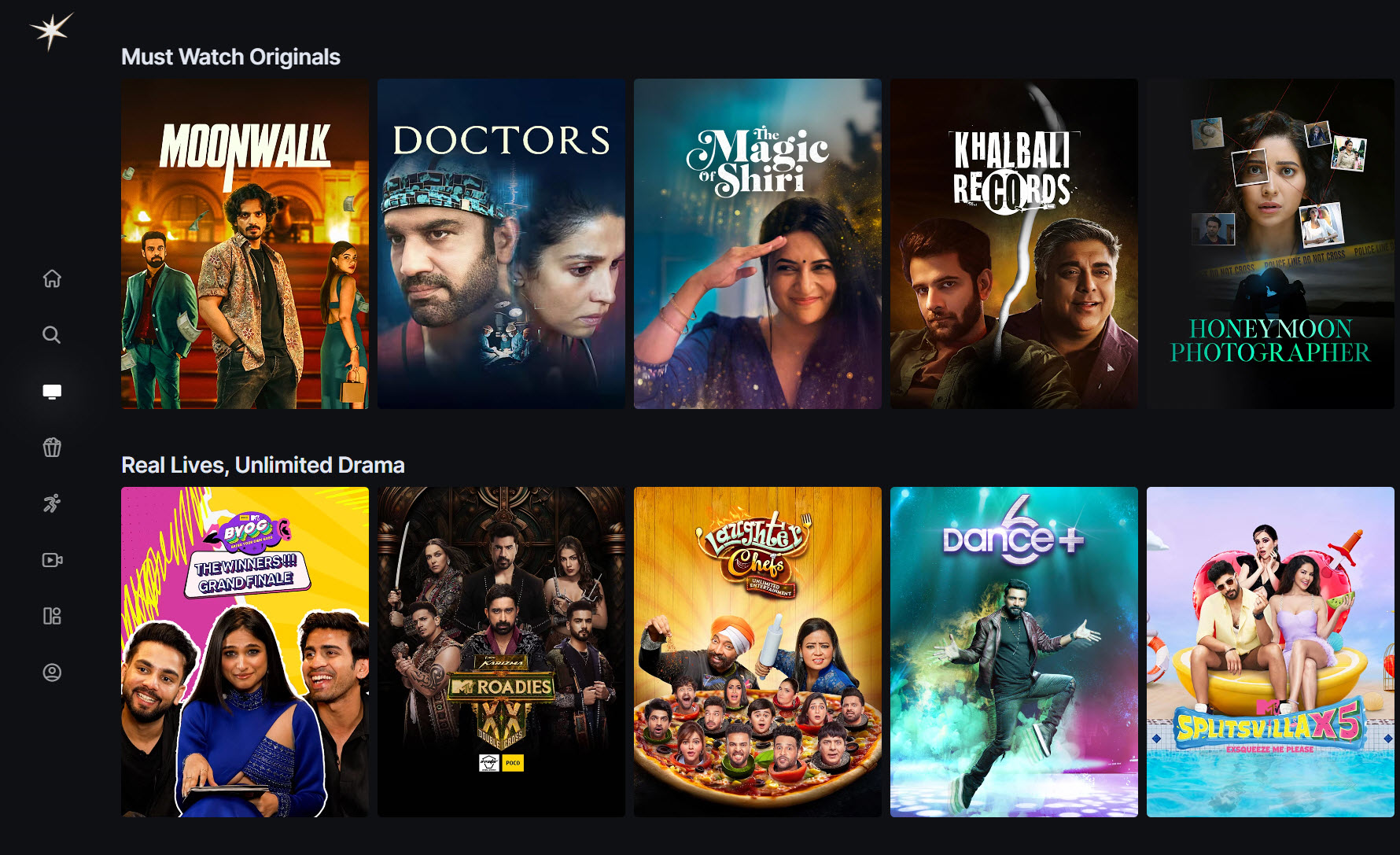
Method 1: Stream JioHotstar via Browser (Recommended)
The easiest way to watch JioHotstar on your computer is through its official website.
- Open www.jiohotstar.com in Chrome, Edge, or Firefox.
- Sign in with your mobile number or Jio ID linked to your subscription.
- Browse categories like Sports, Movies, TV Shows, or Jio Specials.
- Click play — streaming starts instantly.
👉 Browser playback supports HD (1080p) and, on some titles, 4K HDR, provided your subscription and internet speed allow it.
Method 2: Install JioHotstar as a Desktop App (PWA)
If you’d like the feel of a standalone app without cluttering your browser, you can install JioHotstar as a Progressive Web App (PWA).
- Open JioHotstar in your browser.
- Click the three-dot menu in the top-right.
- Choose “Install App” (Chrome) or “Apps → Install This Site as an App” (Edge).
- JioHotstar will open in its own window, just like a native app, and create a desktop shortcut.
👉 PWAs launch faster, support notifications, and give you a distraction-free experience.
Method 3: Microsoft Store App (If Available)
In 2026, Jio is gradually rolling out a Windows Store version of JioHotstar in select regions.
To check:
- Open the Microsoft Store on your Windows 10/11 PC.
- Search for “JioHotstar”.
- If available, click Install and log in with your Jio account.
👉 The advantage: it updates automatically and runs lighter than browser streaming. However, availability may vary depending on your region.
Do You Still Need an Emulator like Bluestacks?
Back in the day, people installed the Hotstar APK using Android emulators such as Bluestacks. That’s no longer necessary in 2026.
-
Why it’s not recommended now: Emulators consume heavy system resources, slow down your PC, and the APK versions can be outdated.
-
When it might still help: If you specifically want mobile-exclusive features (like offline downloads, which are not supported on PC). Otherwise, stick to the web or PWA methods.
Subscription & Plans in 2026
Since the rebrand to JioHotstar, subscription options have been simplified. Existing Disney+ Hotstar and JioCinema users have been migrated.
- Basic (Ad-Supported): Free access to select shows and sports highlights.
- Premium: Full access to movies, live sports (including IPL), originals, and international content in HD/4K.
- Family Plan: Multiple profiles and screens for shared use.
👉 Plans and pricing may vary — always check the official site or Jio app for the latest offers.
Tips for the Best Experience
- Use a stable internet connection (at least 5 Mbps for HD and 15 Mbps+ for 4K).
- Keep your browser updated for smoother playback.
- Use wired headphones or speakers for delay-free sound during live matches.
- If streaming lags, lower the video quality manually to “High” or “Medium.”
Frequently Asked Questions
1. Can I download JioHotstar movies or shows on my laptop?
No. Downloads are still restricted to the mobile apps (Android/iOS). On PC, you can only stream online.
2. Does JioHotstar work on Windows 11?
Yes, it works perfectly on Windows 11 (and Windows 10) via browser, PWA, or Microsoft Store.
3. Can I use my old Hotstar login?
Yes, existing Disney+ Hotstar accounts in India have been migrated to JioHotstar. Just log in with the same details.
4. What about international users?
Outside India, the Disney+ Hotstar brand still exists in some countries. But in India, it’s now JioHotstar.
Final Thoughts
JioHotstar has made it much easier to watch content on your computer in 2026. Instead of fiddling with APKs and emulators, you can now stream safely through the official website, install it as a PWA, or use the Microsoft Store app where available.
If you haven’t tried the new JioHotstar yet, give it a go on your laptop — the bigger screen makes live cricket, movies, and series even more enjoyable.
ALSO READ: