

- Google Calendar is a top choice for Android users due to its simplicity, attachment capabilities, and multiple views.
- SolCalendar offers widget options, to-do lists, and cloud syncing for a productive experience.
- Jorte Calendar features reminders, themes, stickers, and export options for a comprehensive organizer.
Today i will review few perfect replacement for your miserable default android Calendar App for Android. All of the Calendar App mentioned down in the list are free to download and they are fully functional, so lets jump in to the list.there for android we have top 5 best PDF app readers which helps you to read PDF Files.
#1. Google Calendar : Calendar App
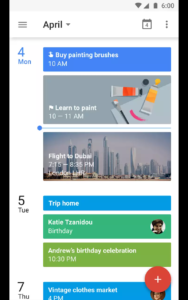 I know you are not aware of Google calendar, so it happen to be google has launched their own Calendar to serve your schedule. The reason why it is on the list because it is simple and straight forward to use. Since it is a google app obviously you can add attachment and you can add notes from google drive for calendar entry. Creating as new schedule made easy with google calendar further more you can view five different views such as days, weeks and monthly .Google calendar is good for a traveler as it updates flights, events automatically, If you don’t wish to download third party app then go for Google calendar.
- It runs smooth on all Android devices, Which is a positive sign for older version devices like Wildfire S.
- User interface is up to date and easy to use.
#2. SolCalendar & Calendar / To Do
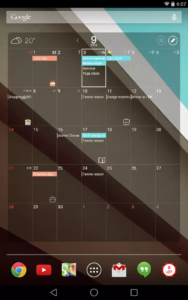
- Solcalendar has several widget options.
- It supports To-do, Month ,Week and day.
- UI is cool with several decorative homescreen widgets.
- Cloud syncing is possible , supports several cloud providers.
#3. Jorte Calendar & Organizer
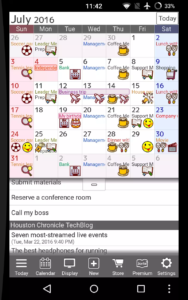 Jorte comes filled with features like to schedule reminders and events, it also compatible with older versions of android from 2.1 to higher. Jorte offers widget support with multiple views and you can set many themes to make your calendar look beautiful, With Jorte you can add stickers to shine your important occasions coming up . Exporting is made easy as it can export your reminders to a CSV format file. Looking at the other apps, to save your trouble it can export or sync with Exchange, Google calendar.
- The icons used in reminders are easy to understand and most comprehensive organizer .
- You can export from CSV files.
#4. aCalendar
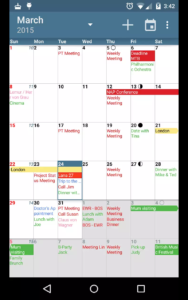 aCalendar is another excellent app has everything what you’re looking for in calendar app for android. This terrific app does not consume around 1.8MB space ,making it lightest calendar app and it won’t effect quality of the calendar app. It has availability settings and privacy so you can make changes the way you like. You don’t want to settle in some one else terms so it has offered in several colors for your awesome events. Sync function is also possible between devices and apps. You can even share your file and text it.
CONS: App plays ads, which is quite annoying. To get rid of ads you have to pay few bucks and subscribe to PRO version.
#5. Cal
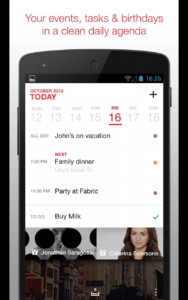 Cal is high rated productivity app so you use it for your facebook and you will never forget your friends b’day. In case if you are using google calendar or Microsoft exchange then you can import data directly to Cal Calendar App. This is a good app for managing your events, reminders and important meetings. It performs task smoothly on android devices so you won’t feel lag or slowing down your device. It has very good user interface so it won’t bore you even after using for a month or so.
- With cal you can sync all your data from exchange to Google calendar.
- You can manage stuff with a widget on your home screen without even firing up the app.
- Facebook friends sync is enabled, so you won’ miss any friends b’days.
- Rich graphics to keep you motivated all the time.
Also Read: Top 5 FTP Clients for Android
Wrap Up :
I have tested many Calendar apps from Google app store from low rated to high rated. There are plenty of free calendar apps which are attract us by ratings at first but many have disappointed in terms of speed and performance.
What i reviewed above are 5 out of 20 or so, you can choose any of em which fits your taste.If i have missed any point or you consider any app worthy being in the list then be sure to comment.








The Underground Social Network