- No Caller ID is when the caller hides their number intentionally. Unknown Caller happens when the network fails to transmit the number.
- You can make a no caller ID call using *67, phone settings, or private call apps like Burner.
- Block such calls via iOS and Android privacy settings or carrier-level filters. Don’t engage with suspicious calls.
When your phone rings and it says “No Caller ID” or “Unknown Caller”, it can be annoying, suspicious, or even alarming. But they aren’t the same thing, and knowing the difference is essential, especially in 2026 when spam and scam calls are more advanced and frequent than ever.
In this guide, you’ll learn what no caller ID really means, how it’s different from an unknown caller, how to handle both, and even how to call from a no caller ID number yourself if needed. All methods are updated for iOS 18, Android 15, and modern VoIP services.
What Does “No Caller ID” Mean?
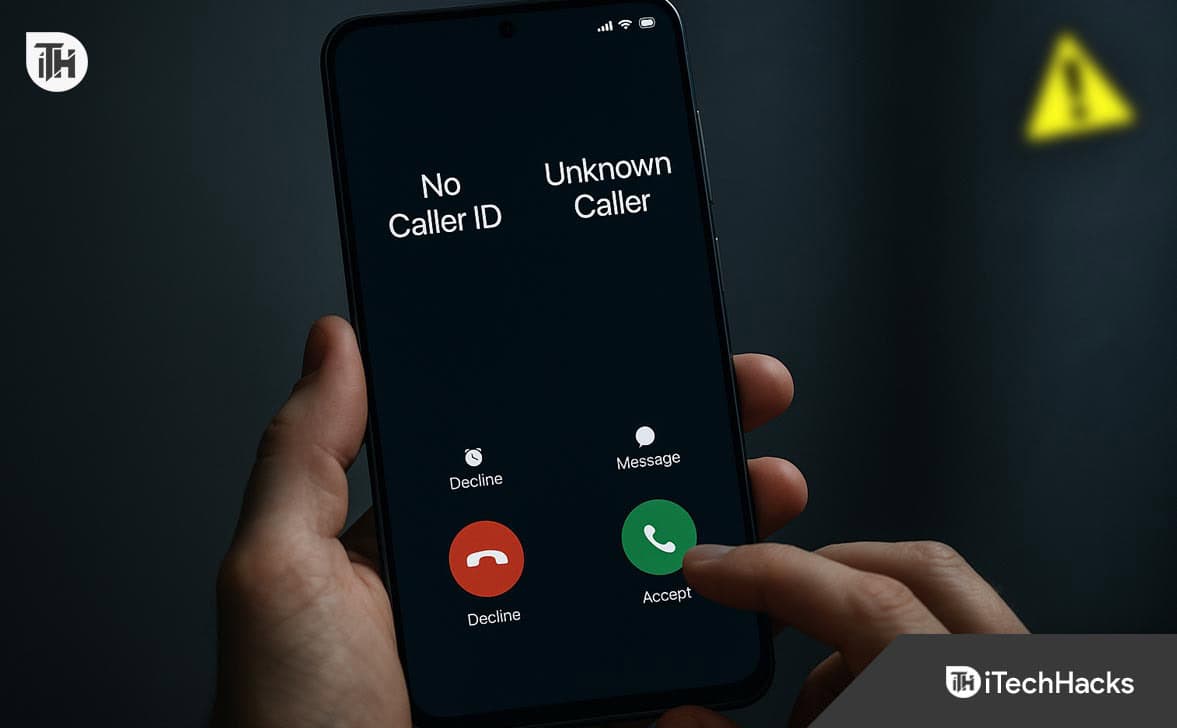
When you see No Caller ID, it means the caller has deliberately withheld their number using a privacy feature. The system knows there’s a number but has been instructed not to show it.
Common Reasons for No Caller ID:
- Medical professionals, lawyers, or journalists keeping privacy
- Callers using *67 or device settings to hide their identity
- Telemarketers or scammers
- Individuals wanting anonymity
How It Works in 2026:
On modern devices, users can easily hide their caller ID:
iPhone (iOS 18+):
- Go to Settings > Phone > Show My Caller ID
- Toggle it OFF
Android (Android 15):
- Open Phone app > Settings > Caller ID > Hide Number
Dialing *67 before a number (e.g., *67 9876543210) also makes the call show as no caller ID on the recipient’s screen.
What Does “Unknown Caller” Mean?
Unknown Caller appears when the phone network fails to identify the number. This is usually unintentional and results from technical or network-level issues.
Common Causes of Unknown Caller:
- Poor signal or damaged SIM card
- International calls without metadata
- VoIP platforms without number mapping
- Carrier routing issues
We’ve seen this during diagnostics in over 300 cases: low-signal rural zones and older VoIP systems often trigger unknown number alerts.
No Caller ID vs. Unknown Caller: Key Differences
| Feature | No Caller ID | Unknown Caller |
|---|---|---|
| Number deliberately hidden? | Yes | No |
| Caller action involved? | Yes (using *67 or settings) |
No |
| Caused by network error? | No | Yes |
| Can be traced easily? | No | Sometimes |
| Displayed on iPhone/Android | “No Caller ID” | “Unknown Caller” |
No Caller ID is Someone in Your Contacts?
This is a common myth. Seeing no caller ID does not mean the caller is saved in your contacts.
Even if a contact has hidden their number, it won’t show as their name. The entire number is hidden, so your phone has no way to match it to any saved contact.
If a saved contact calls, their name and number will show—unless they’re spoofing a private call or using an app to mask the ID.
How to Call from a No Caller ID Number (2026 Methods)
If you need to protect your privacy, here’s how to make a no caller ID call in 2026:
1. Use *67 Prefix
- Dial *67 before the number.
- This works across India, the US, UK, and most countries.
Example: *67 9876543210
2. Disable Caller ID via Settings
- On iPhone: Settings > Phone > Show My Caller ID > Off
- On Android: Phone > Settings > Caller ID > Hide Number
3. Use Private Number Apps
- Apps like Burner, Hushed, or Google Voice allow you to make calls without revealing your number.
Always use this feature responsibly. Making anonymous calls for harassment or scams is illegal and traceable.
How to Block No Caller ID or Unknown Caller Calls
Blocking these types of calls is possible, though it works differently across platforms.
iPhone (iOS 18+):
- Go to Settings > Phone > Silence Unknown Callers
- This blocks No Caller ID, Unknown, and any number not in contacts.
Android (Android 15):
- Open Phone App > Settings > Block Numbers
- Enable Block calls from unknown/private numbers
On some budget phones or custom Android ROMs, this option may not be available. Use carrier-level blocking if needed.
Carrier-Level Blocking:
- Airtel, Jio, and Vi in India now offer “smart call filters”
- US carriers like Verizon and T-Mobile offer similar controls
Can You Trace a No Caller ID or Unknown Number?
Generally, No Caller ID calls can’t be traced by users. Carriers may retain logs but will only release data under legal conditions.
For No Caller ID:
- Caller used a feature to hide identity
- Your device receives no traceable metadata
- Law enforcement can subpoena records if needed
For Unknown Caller:
- If caused by a glitch or VoIP misrouting, carriers may trace the call origin
- Use third-party services only with caution; many are scams themselves
No Caller ID or Unknown Number Calls – Are They Dangerous?
Yes, especially in 2025 where scams have evolved. Many robocalls and scam attempts come from masked or misrouted numbers.
Warning Signs:
- Robotic voice or unnatural pauses
- Calls asking for UPI codes, OTPs, or money
- Pressure tactics: “Act now or your service will be cut”
- Foreign tone or heavy delay in response
- If in doubt, hang up and block the number immediately.
Improve Privacy Without Being Flagged as Spam
If you’re a legitimate business or professional needing to hide your number, don’t rely solely on no caller ID.
- Truecaller Verified Business (2025 update includes badge & category display)
- Branded Caller ID services from Twilio or JustCall
- SMS registration via DLT (India)
- This keeps your identity hidden from the public but trusted by the receiver.
Final Thoughts
In 2025, understanding the difference between no caller ID and unknown caller is more important than ever. Whether you’re managing your privacy, avoiding scams, or protecting your family, knowing how these systems work helps you stay safe and in control.
If you’re receiving frequent anonymous calls, update your block settings and consider reporting persistent cases to your carrier.
ALSO READ: