- Refilling HP 83A/88A toner cartridges at home can save money but requires careful handling to avoid mess and defects like leaks or faded print, and it's best done when the cartridge is in good condition.
- These cartridges contain fine toner powder that needs to be refilled carefully, along with inspecting and cleaning parts like the drum and waste section to avoid problems like black streaks or grey backgrounds after refilling.
- refilling is not advisable if the cartridge is damaged, heavily leaking, or has been refilled multiple times, as this can cause poor print quality; instead, it may be better to purchase a new or remanufactured cartridge.
Refilling an HP 83A or HP 88A toner cartridge at home can save money, especially if you print invoices, school worksheets, office documents, shipping labels, or photocopies regularly. These cartridges are widely used in older HP LaserJet printers, and many users still prefer them because the printers are simple, reliable, and cheaper to maintain than many newer cartridge-based models.
Before you open the cartridge, it is important to understand one thing clearly: HP 83A and HP 88A cartridges were sold as replaceable toner cartridges, not official consumer-refill cartridges. HP lists the HP 83A as CF283A with an approximate black page yield of 1,500 pages, and the compatible printer list includes models such as HP LaserJet Pro MFP M127fw, M127fn, M225dw, M201dw, and M225dn. HP’s yield report for the HP 88A CC388A cartridge also declares an ISO yield of 1,500 standard pages for HP LaserJet Pro MFP M126 and M128 series cartridges.
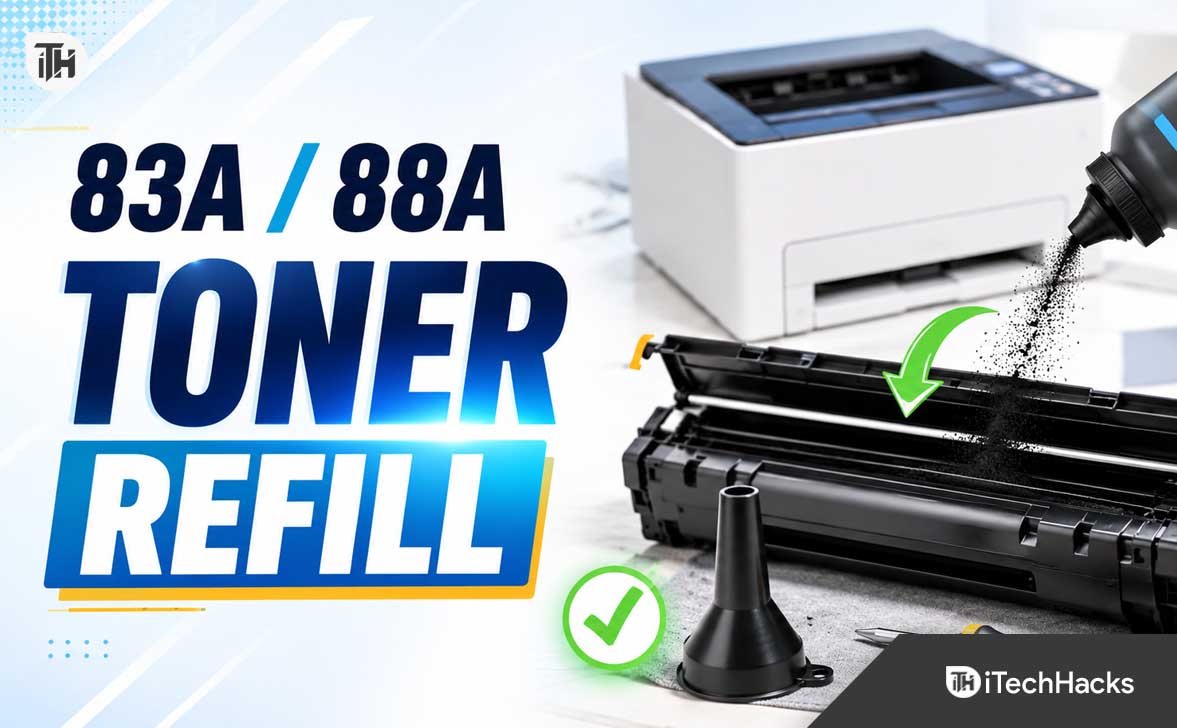
What Is an HP 83A/88A Toner Cartridge?
The HP 83A and HP 88A are black LaserJet toner cartridges used in many compact HP monochrome laser printers. Unlike inkjet cartridges, these cartridges do not contain liquid ink. They use fine black toner powder, which is transferred to paper using the printer’s laser, drum, charge roller, and fuser system.
The HP 83A cartridge is commonly known by its part number CF283A. The HP 88A cartridge is commonly known by its part number CC388A. Both are all-in-one style cartridges, meaning the toner supply, drum area, waste toner section, cleaning blade, and several moving parts are inside the cartridge body.
This is why refilling is not just about pouring toner powder into a hole. A proper HP 83A toner refill or HP 88A toner refill should also include basic inspection and cleaning. If you ignore old waste toner, a worn drum, or a damaged wiper blade, the cartridge may print faded pages, black lines, grey background, toner spots, or smudges even after fresh toner is added.
Should You Refill HP 83A/88A Toner at Home?
You can refill these cartridges at home, but it is not the right choice for everyone. If your cartridge is physically damaged, leaking toner, printing heavy black lines, or already refilled multiple times, buying a new original, compatible, or professionally remanufactured cartridge may be the better option.
Refilling makes the most sense when the cartridge is still mechanically healthy and the only real issue is low toner. If the printed page is getting light, faded in the middle, or uneven after months of use, the toner hopper may be empty or near empty. In that case, a refill can often bring the cartridge back to usable condition.
It may not be worth refilling if the cartridge has a scratched green or blue drum, broken plastic side cover, missing spring, damaged gear, or toner leakage around the edges. These are mechanical problems, and toner powder alone cannot fix them.
Important Safety Notes Before Refilling
Toner powder is very fine and messy. You should not treat it like normal dust. Work slowly, avoid shaking the bottle aggressively, and never refill near food, children, fans, open flames, or a running air conditioner.
HP says Safety Data Sheets contain information about cartridge materials, toxicological properties, regulatory details, and safe handling recommendations, and HP directs users to identify the product part number before looking up the relevant SDS. This is a good reminder that toner handling should be done carefully, even if you are doing a small home refill.
- Wear a mask: Use at least a basic dust mask, and preferably a better respirator if you are sensitive to dust.
- Wear gloves: Toner sticks to skin and can stain clothes, tables, and floors.
- Use newspaper or a plastic sheet: Cover the work area before opening the cartridge.
- Avoid household vacuum cleaners: Fine toner can pass through normal vacuum filters and spread into the air. Use a toner-safe vacuum only if you have one.
- Do not use compressed air: It can blow toner into the room and inside cartridge parts.
- Keep away from heat: Toner is designed to fuse with heat, so avoid hot water and hot surfaces.
Tools Needed to Refill an HP 83A/88A Toner Cartridge
You do not need expensive workshop tools for a basic home refill, but you do need the right items. Using random tools can damage the cartridge clips, drum, or side gears.
- Compatible toner powder for HP 83A CF283A or HP 88A CC388A
- Small Phillips screwdriver
- Flat plastic pry tool or small flat screwdriver
- Needle-nose pliers
- Lint-free cloth
- Soft brush
- Waste paper or plastic sheet for the table
- Disposable gloves and dust mask
- Small container or sealed bag for waste toner
- Electrical tape or refill-hole plug if using the refill-hole method
Always buy toner powder made for the exact cartridge family. Do not use random copier toner, ink powder, color toner, or powder meant for a different printer engine. Toner formulation affects print darkness, fusing, page background, and cartridge performance.
Before You Start: Check the Cartridge Condition
Before refilling, remove the cartridge from the printer and inspect it under good light. Do not touch the drum surface with your fingers. HP’s support guidance for LaserJet toner care warns users not to touch the surface of the photoconductive drum, and HP replacement instructions commonly recommend gently rocking cartridges to distribute toner.
Look for toner leakage around the seams. A little dust near the opening is normal on an old cartridge, but heavy toner leakage usually means the cartridge seal, wiper blade, or waste section may be failing. Also check the drum. If it has scratches, dents, rough patches, or shiny worn areas, the cartridge may not print cleanly even after a refill.
Print one test page before opening the cartridge. Keep it beside you. It tells you what problem you are trying to fix. A faded page usually points to low toner. Vertical black lines often point to drum, wiper blade, or waste toner issues. Grey background may be caused by wrong toner, worn PCR roller, humidity, or contamination.
Method 1: Proper HP 83A/88A Toner Refill by Opening the Cartridge
This is the cleaner and more reliable method because it lets you inspect the cartridge, empty waste toner, and refill the toner hopper properly. The exact screw position may vary slightly depending on whether your cartridge is original HP, compatible, or previously remanufactured, but the general process is similar.
Step 1: Prepare the Work Area
Place newspaper, cardboard, or a plastic sheet on a flat table. Keep all tools nearby. Wear gloves and a mask before opening the cartridge. Toner powder spreads quickly, so avoid working under a fan.
Keep your phone nearby and take photos while disassembling. This helps when reinstalling gears, springs, and side covers. Many people make mistakes during reassembly because they forget the position of a spring or gear.
Step 2: Remove the Cartridge From the Printer
Turn off the printer and let it cool for a few minutes. Open the cartridge access door and pull out the toner cartridge carefully. Hold it level so remaining toner does not shift suddenly or leak from worn edges.
Place the cartridge on the covered surface. Do not place it directly on a white desk, bed, sofa, or kitchen counter. Toner stains are annoying and difficult to clean from fabric.
Step 3: Locate the Side Cover and Screws
On most HP 83A and HP 88A cartridges, the side covers are held with small screws and plastic clips. Remove the visible screws with a small Phillips screwdriver. Keep the screws in a small cup so they do not roll away.
Use a plastic pry tool to loosen the side cover gently. Do not force it. If it does not open, check for another screw or hidden clip. Forcing the cover can crack the cartridge body and cause toner leakage later.
Step 4: Separate the Toner Hopper Side Carefully
The cartridge has two main functional areas: the toner hopper that stores fresh toner and the waste toner section that collects unused toner from the drum cleaning process. Some home refillers only add toner, but that can create print defects if the waste section is already full.
Move slowly while separating parts. Watch for small springs near the shutter and drum area. If a spring comes loose, put it aside safely and use your photos during reassembly.
Step 5: Empty Old Waste Toner
If you can access the waste toner area, gently empty the waste toner into a sealed bag or container. Do not dump toner openly into a dustbin. Do not blow into the cartridge.
Use a soft brush and lint-free cloth to clean loose toner around the waste section. Avoid scraping the wiper blade aggressively. If the blade edge is damaged or curled, the cartridge may print black streaks after refilling.
Step 6: Inspect the Drum and PCR Roller
The drum is the shiny cylindrical roller, often green or blue depending on the cartridge. It is sensitive to scratches, oil from fingers, and strong light exposure. Do not clean it with rough cloth or harsh chemicals.
The PCR roller is usually a soft black roller near the drum. If it is dusty, wipe it very gently with a clean lint-free cloth. Do not use oily cleaners. A dirty PCR roller can cause grey background, repeated marks, or uneven printing.
Step 7: Open the Toner Fill Area
Now locate the toner hopper. Some cartridges have a plastic fill plug under the side cover. Others may require opening the hopper section more carefully. If your cartridge has a round plastic plug, remove it gently with pliers or a pry tool without breaking it.
If there is no refill plug, do not randomly drill unless you know the internal layout. Drilling in the wrong place can damage the agitator, seal, or internal blade. For beginners, it is safer to use a cartridge-specific refill guide or have the first refill done by a local cartridge shop and observe the correct hole position.
Step 8: Shake the Toner Bottle Gently
Before pouring, gently shake or rotate the toner bottle to loosen the powder. Do not shake it like a cold drink bottle. Open the cap slowly and keep the nozzle close to the fill opening.
Pour toner slowly into the hopper. Stop once the recommended amount is reached. Overfilling is a common mistake. Too much toner can jam the internal mixing mechanism, leak from the seals, or create grey background on printed pages.
Step 9: Close the Fill Plug or Seal the Refill Opening
After adding toner, close the original fill plug firmly. If the plug is loose, replace it or seal it carefully. If you used a refill-hole method, apply a proper refill plug or strong heat-resistant tape designed for cartridge work.
Do not use weak paper tape. If the seal opens inside the printer, toner can spill inside the printer body and create a much bigger cleaning job.
Step 10: Reassemble the Cartridge
Put the side cover back in place. Reinstall all screws, springs, and gears exactly as they were. Rotate any visible gear gently by hand to check that nothing is jammed. Do not force rotation if it feels stuck.
Wipe the outside of the cartridge with a dry lint-free cloth. Gently rock the cartridge side to side a few times to distribute toner evenly. Do not turn it upside down repeatedly.
Step 11: Install the Cartridge and Print a Test Page
Insert the cartridge back into the printer and close the printer cover. Print one test page first. If the first page has a little extra toner dust, print 3 to 5 more pages. Sometimes the cartridge settles after a few pages.
If the output is clean and dark, the refill worked. If the page is faded, streaked, or dirty, check the troubleshooting section below before opening the cartridge again.
Method 2: Quick Refill Hole Method
The quick refill method is popular because it is faster. In this method, the user opens or creates a refill hole in the toner hopper, pours toner, seals the hole, and reinstalls the cartridge. It can work, but it is not always the best method.
The biggest problem is that the waste toner section is not cleaned. If the cartridge has already printed many pages, the waste section may be near full. Adding fresh toner without cleaning waste toner can lead to black streaks, toner spots, or leakage.
If your cartridge is a compatible cartridge designed with a refill plug, this method is safer. If it is an original cartridge with no visible refill plug, avoid drilling unless you are confident about the exact fill location. One wrong hole can ruin the cartridge.
How Much Toner Powder Should You Add?
The exact quantity depends on the refill powder brand and cartridge condition. Many HP 83A/88A refill kits come premeasured, which is the safest option for home users. If your kit is not premeasured, follow the refill kit instructions rather than guessing.
Do not think more toner means more pages. Laser toner cartridges need space for toner movement inside the hopper. Overfilling may make the cartridge print worse, not better.
What About Cartridge Chips and Firmware Warnings?
Many newer HP printers use chip-based cartridge checks, and HP explains that some printers are intended to work only with cartridges that have a new or reused HP chip or electronic circuitry. HP also notes that original HP cartridges retaining the original HP chip or circuitry can allow refilling, reuse, or remanufacturing and are unaffected by dynamic security.
For many older HP 83A and HP 88A printer setups, users mainly deal with low toner messages, not hard blocking. However, cartridge behavior can vary by printer model, region, firmware, and whether the cartridge is original, compatible, or remanufactured. If your printer shows a warning after refilling but still prints, it may simply not know the cartridge has been refilled.
If your specific cartridge has a small chip or contact area, do not damage it during refilling. Clean the contact gently with a dry lint-free cloth. Do not scratch it, wash it, or cover it with tape.
Common Problems After HP 83A/88A Toner Refill and Fixes
Problem 1: Print Is Still Faded
If the print is still faded after refilling, the toner may not be distributed properly. Remove the cartridge and gently rock it side to side. Print a few test pages again.
If it remains faded, the toner powder may be low quality or incompatible. Another possibility is that the magnetic roller or doctor blade is dirty or worn. In that case, simple refilling may not be enough.
Problem 2: Black Vertical Lines on the Page
Black vertical lines usually indicate a drum, wiper blade, or waste toner issue. Open the cartridge only if you are comfortable doing so and inspect the drum surface. A scratch on the drum often repeats as a line on every page.
If the wiper blade is worn, toner will not be cleaned properly from the drum. Replacing the blade is possible, but for home users, buying a fresh cartridge may be easier.
Problem 3: Grey Background on the Whole Page
Grey background can happen because of wrong toner powder, excess toner, high humidity, dirty PCR roller, or a worn cartridge. First print 5 to 10 pages and see if the background reduces.
If it does not improve, remove the cartridge and check for overfilling or toner leakage. A poor-quality refill powder is also a common cause of grey background.
Problem 4: Toner Smudges or Rubs Off
If toner rubs off the page after printing, the issue may be toner compatibility, paper type, or the printer fuser. Make sure you are using normal laser printer paper and not glossy inkjet paper.
If the same printer worked fine before refill, suspect the refill powder first. Toner must be suitable for the printer’s fusing temperature. Wrong toner may not bond correctly to paper.
Problem 5: Toner Leaks Inside the Printer
Stop printing immediately if toner leaks inside the printer. Remove the cartridge carefully and place it in a plastic bag. Clean loose toner from the printer using a dry lint-free cloth or toner-safe vacuum.
Do not use a wet cloth inside the printer’s hot or electrical areas. Do not use compressed air. If toner has spread deep inside the printer, professional cleaning is safer.
Problem 6: Printer Shows Low Toner After Refill
This can happen because many printers estimate toner usage based on page count, cartridge memory, or previous usage, not by physically measuring the new toner powder. If the printer still prints properly, you can usually continue using it until the print quality drops.
If the printer refuses to print, check whether your cartridge has a chip, whether the chip is damaged, or whether the printer firmware is rejecting that cartridge type. This is more common on newer chip-based systems than on many older HP 83A/88A setups.
Best Practices for Longer Cartridge Life
A refilled HP 83A/88A toner cartridge can work well if handled carefully. The goal is not just to add toner, but to keep the internal parts clean and aligned.
- Do not refill unlimited times: After 2 to 3 refills, drum and blade wear may reduce print quality.
- Use good toner powder: Cheap powder can cause faded print, background shading, or poor fusing.
- Keep the cartridge level: Tilting too much can cause leakage from weak seals.
- Store in a dry place: Moisture can affect toner flow and print quality.
- Protect the drum from light: Do not leave the cartridge open in sunlight.
- Print regularly: Long idle periods can make toner settle unevenly.
When You Should Not Refill the Cartridge
Do not refill if the cartridge is cracked, leaking heavily, missing parts, or already producing severe lines. Also avoid refilling if you need important business documents with perfect print quality and cannot risk a messy failure.
If the cartridge has been refilled several times, the drum and cleaning components may already be near the end of life. In that case, a professional remanufactured cartridge with replaced wear parts can be a better option than another home refill.
If you decide not to refill, recycling is a better option than throwing the cartridge in normal waste. HP says used ink and toner cartridges can be recycled through HP Planet Partners and local retailer partnerships, and HP accepts many Original HP and Samsung toner cartridges for recycling.
HP 83A vs HP 88A Refill: Is the Process the Same?
The basic idea is similar, but the cartridges are not identical. HP 83A CF283A and HP 88A CC388A belong to different printer families, so do not mix cartridges, parts, or refill instructions blindly.
Use toner powder specifically sold for your cartridge number. If your printer uses HP 83A, buy powder labeled for CF283A/83A. If your printer uses HP 88A, buy powder labeled for CC388A/88A. Some sellers list powder as compatible with multiple HP and Canon cartridge engines, but you should still confirm before buying.
Frequently Asked Questions
Can I refill an HP 83A toner cartridge at home?
Yes, you can refill an HP 83A toner cartridge at home if the cartridge is in good physical condition and you use toner powder compatible with CF283A/83A. The refill should be done carefully because the cartridge also contains delicate parts like the drum, PCR roller, wiper blade, and waste toner section.
Can I refill an HP 88A toner cartridge at home?
Yes, HP 88A CC388A cartridges are commonly refilled by home users and cartridge shops. For best results, clean the waste toner area and inspect the drum instead of only adding toner powder.
How many times can I refill HP 83A/88A toner?
Many cartridges can be refilled 1 to 3 times, depending on drum condition, blade wear, toner quality, and how carefully the cartridge is handled. After repeated refills, print defects become more likely.
Will refilling damage my HP LaserJet printer?
A clean and properly sealed refill usually works fine, but a badly refilled cartridge can leak toner into the printer. Toner leakage can cause dirty prints, internal contamination, and extra cleaning work. This is why sealing the refill opening and checking for leaks is very important.
Why is my printer still showing low toner after refill?
The printer may estimate toner level based on previous cartridge usage, page count, or cartridge memory. A refill adds physical toner, but it may not reset the toner level message. If the printer still prints normally, the warning may not matter.
Can I use any black toner powder?
No. Toner powder is not universal. You should use powder made for HP 83A CF283A or HP 88A CC388A, depending on your cartridge. Wrong toner can cause faded output, grey background, poor fusing, smudging, or internal leakage.
Should I clean the waste toner before refilling?
Yes, if you are doing a proper refill. Waste toner buildup can cause black lines, toner spots, and leakage. Quick refills that skip waste cleaning may work once, but they are less reliable.
Is it better to refill or buy a compatible cartridge?
If your old cartridge is healthy and you are comfortable with the process, refilling is cheaper. If the drum is scratched, the cartridge is leaking, or you need reliable business-quality printing, a good compatible or remanufactured cartridge may be more practical.
Final Thoughts
Refilling an HP 83A/88A toner cartridge at home is possible, affordable, and useful for people who print regularly. The key is to avoid shortcuts. Use the correct toner powder, work in a clean area, protect yourself from toner dust, clean the waste section when possible, and handle the drum carefully.
If your cartridge is only low on toner, a refill can bring it back to life. If it has worn mechanical parts, toner powder alone will not solve the problem. For the best results, treat HP 83A and HP 88A toner refill as a basic cartridge maintenance job, not just a powder-filling task.
Done properly, a home refill can extend cartridge life and reduce printing costs. Done carelessly, it can create leaks, messy pages, and printer cleaning headaches. Take your time, use the right supplies, and test the cartridge with a few pages before using it for important documents.
ALSO READ: