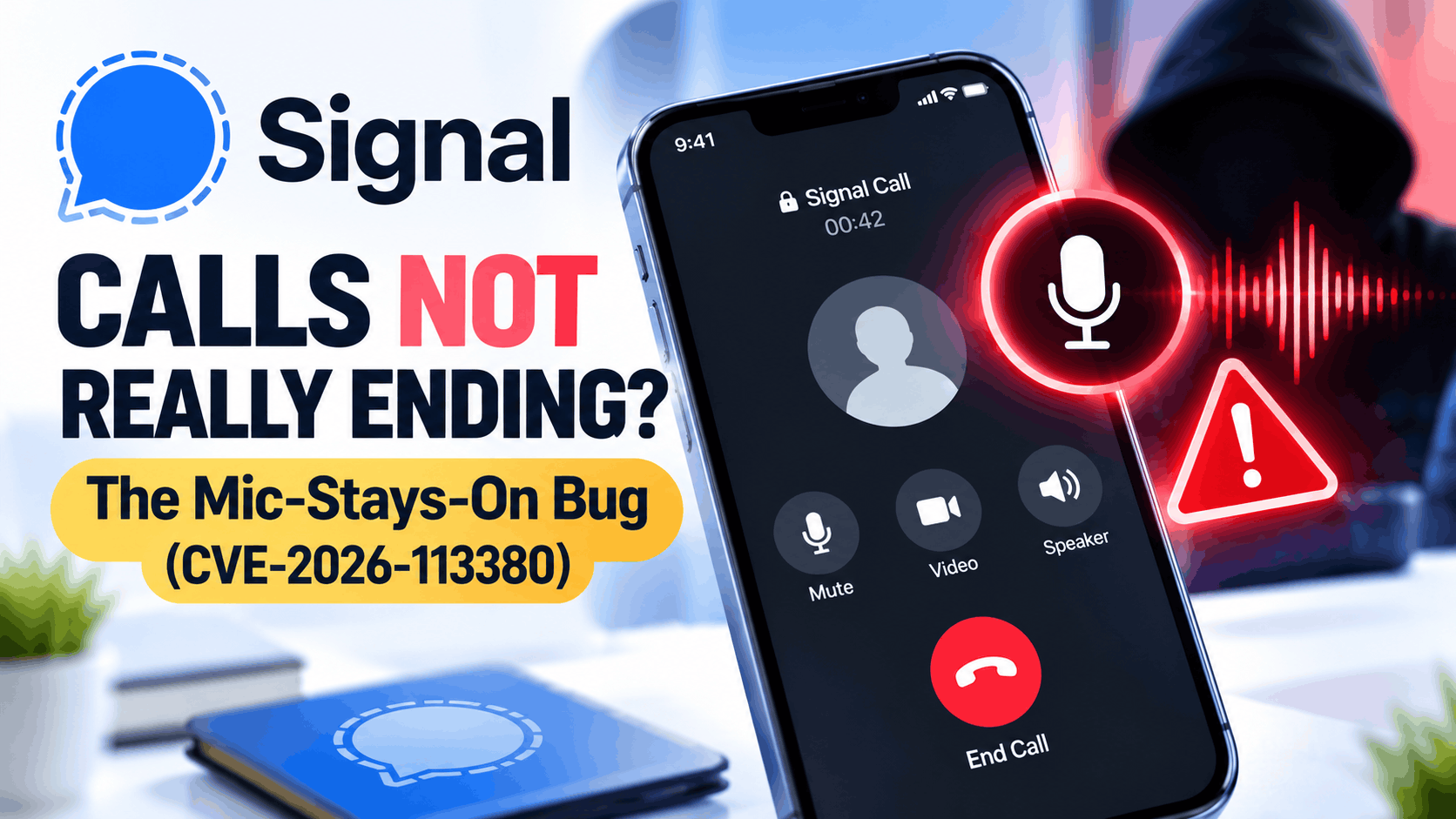
- The Signal app has a security flaw (CVE-2026-113380) where, under certain conditions, your microphone might remain on after a call, causing potential privacy issues. This issue affects versions of Signal before a specific update (RingRTC 2.72.0) and can potentially allow a caller to keep hearing you even after you hang up.
- The bug is considered very serious, with a severity score of 9.3 out of 10, but it doesn't mean Signal is always recording users or that it can access your messages. Instead, the flaw relates to how a call ends and can be exploited only under specific conditions involving another call participant.
- To stay safe, update your Signal app to the latest version on
Imagine finishing a private Signal call, tapping the hang-up button, and continuing your conversation with someone nearby. You assume the call has ended, but a newly disclosed security vulnerability suggests that, under certain conditions, your microphone might still be transmitting audio.
This issue, identified as CVE-2026-113380, affects RingRTC, the technology responsible for handling Signal’s voice and video calls. The vulnerability was publicly disclosed on October 20, 2026, and received a critical severity score of 9.3 out of 10.
Fortunately, a security fix is available. However, users running older Signal versions should update their apps immediately to reduce the risk of unwanted audio exposure.
In this guide, we explain how the Signal mic-stays-on bug works, which devices may be affected, how to check whether your microphone is still active, and what you can do to protect your privacy.
What Is the Signal Mic-Stays-On Bug (CVE-2026-113380)?
CVE-2026-113380 is a security vulnerability in Signal’s RingRTC library that can interfere with the normal process of ending a voice or video call.
RingRTC is an open-source calling library built on WebRTC technology. It helps Signal establish connections, transmit encrypted audio and video, and disconnect calls when participants hang up.
Normally, pressing the hang-up button triggers several internal processes that close the connection and stop media transmission. The vulnerability makes it possible for another participant to interfere with those processes.
By overwhelming a particular internal event queue, a malicious participant could potentially prevent the call from shutting down correctly.
This creates a concerning situation:
- You tap the hang-up button and believe the conversation has ended.
- The internal process responsible for terminating the call becomes blocked.
- The audio connection may remain active despite the attempted hang-up.
- The other participant could potentially continue receiving microphone audio.
- The vulnerability description also mentions possible video exposure, although that behavior is less clearly established.
Important: This does not mean Signal is constantly recording users or that every call is affected. The documented attack requires a specific condition involving another participant in an active call.
How Serious Is CVE-2026-113380?
The vulnerability carries a CVSS 4.0 severity score of 9.3, classified as Critical. Its potential impact is particularly concerning because people use Signal for conversations they expect to remain private.
Unlike vulnerabilities that steal passwords or compromise accounts, this issue affects how a call terminates.
For example, someone could finish a confidential work discussion and immediately begin speaking about another sensitive topic. If an attacker successfully prevented the call from terminating, that subsequent audio could potentially be exposed.
However, there are several important limitations to understand:
- The attacker needs to participate in the affected call.
- The flaw does not provide general access to your microphone whenever Signal is installed.
- It does not mean attackers can read your Signal messages.
- It does not indicate that Signal’s end-to-end encryption has been broken.
- As of October 22, 2026, no confirmed widespread exploitation has been publicly documented.
Although the vulnerability is serious, it should not be confused with a general-purpose spying tool. The primary risk is that an existing call might not disconnect when expected.
Which Signal Versions Are Affected?
The published vulnerability record identifies RingRTC versions earlier than 2.72.0 as affected. RingRTC 2.72.0 includes the fix for the call termination problem.
An October 20, 2026, advisory reproduced by Italy’s CSIRT Toscana also identifies the following Signal app versions as affected:
- Signal for Android: Versions earlier than 8.27.0.
- Signal for iOS: Versions earlier than 8.30.0.
- Signal Desktop: Versions earlier than 8.29.0.
These app version thresholds come from that security advisory. The exact dates on which the corrected RingRTC library reached every mobile and desktop release have not been independently confirmed across all platforms in publicly available reporting.
For this reason, the safest recommendation is to install the latest available stable version of Signal, rather than relying only on a particular version number.
How to Fix the Signal Calls Not Ending Bug
1. Update Signal on Android
If you use Signal on an Android phone, start by checking for updates in the Google Play Store.
- Open the Google Play Store.
- Search for Signal Private Messenger.
- Open its official app listing.
- Tap Update if the option is available.
- Allow the update to install completely.
- Restart Signal after updating.
You can also check the installed version by opening Signal, tapping your profile icon, and selecting Help followed by Version.
Updating is important because the underlying security fix changes how RingRTC handles call termination. Restarting the app ensures the updated calling components are loaded.
If Google Play does not show an Update button, your device may already have the latest release available to it.
2. Update Signal on iPhone
iPhone users should also verify that Signal is fully updated, especially if automatic app updates are disabled.
- Open the App Store on your iPhone.
- Tap your profile picture.
- Check the available app updates.
- Find Signal and tap Update if available.
- Alternatively, search for Signal directly in the App Store.
- Open Signal after the update finishes.
To view the installed app version, open Signal and navigate to your profile settings, then Help and Version.
If you are concerned about microphone activity after a call, you can temporarily disable Signal’s microphone permission until the app is updated.
3. Update Signal Desktop on Windows, Mac, or Linux
The vulnerability is not limited to mobile devices because Signal Desktop also uses RingRTC for calls.
On Windows and macOS, Signal normally checks for updates automatically. When an update is available, the app may display a blue notification banner above the chat list.
- Launch Signal Desktop.
- Look for an update notification.
- Choose the option to download or restart and install the update.
- If no notification appears, quit and reopen Signal to trigger an update check.
- Check the About section to verify the installed version.
On supported Debian and Ubuntu Linux installations using Signal’s official APT repository, updates are managed through the system package manager. Use your software updater or install the latest available signal-desktop package.
Remember that updating Signal on your phone does not automatically update a separate desktop installation. Check each device individually.
How to Check If Signal Is Still Using Your Microphone After a Call
Modern smartphones include privacy indicators that show when applications access the microphone or camera. These indicators are useful for identifying unexpected activity after ending a Signal call.
Check Microphone Activity on iPhone
Apple displays privacy indicators at the top of the screen when applications access sensitive hardware.
- An orange indicator means an application is using the microphone.
- A green indicator means the camera is active, possibly alongside the microphone.
- Open Control Center to identify an application that is currently or recently using these features.
After ending a Signal call, check whether the indicator disappears. If microphone access continues unexpectedly, open Control Center and review the application information.
Keep in mind that another app, voice assistant, or legitimate background activity could also trigger the indicator. An illuminated microphone indicator alone does not prove that CVE-2026-113380 has been exploited.
Check Microphone Activity on Android
Android 12 and later include privacy indicators that appear when applications use the microphone or camera.
- End your Signal call normally.
- Look for the green privacy indicator near the top-right corner.
- Swipe down to open Quick Settings.
- Tap the privacy indicator to see which application is accessing the microphone or camera.
- Open Settings and find Privacy Dashboard to review recent permission usage.
The exact location of these controls varies between Samsung, Google Pixel, and other Android phones.
If Signal appears to be using the microphone long after the call should have ended, close the app and investigate further.
Check Signal Microphone Activity on Desktop
Desktop operating systems also provide ways to inspect microphone permissions and usage.
On Windows 11, open Settings, select Privacy & security, and then Microphone. You can review microphone permissions and the available recent-activity information.
On macOS, a microphone indicator appears when an application accesses the microphone. You can also inspect application permissions under System Settings, Privacy & Security, and Microphone.
If Signal unexpectedly continues using the microphone after a call, fully quit the application rather than simply minimizing its window.
What to Do Immediately If a Signal Call Appears Stuck
If you suspect a call has not ended properly, you do not need to wait for another update before taking protective action.
1. Fully Close Signal
On Android, open Settings, find Signal under Apps, and use Force stop if necessary. On an iPhone, open the app switcher and swipe Signal away to close it.
On Windows, fully exit Signal. If the application is unresponsive, use Task Manager to end the process. Mac users can quit Signal normally or use Force Quit if required.
Terminating the application process should also terminate its active calling session and stop ordinary microphone capture by that process.
2. Temporarily Disable Microphone and Camera Permissions
If microphone access still concerns you, revoke Signal’s permissions at the operating-system level.
On Android: Open Settings, select Apps, choose Signal, and open Permissions. Disable microphone and camera access. Many Android devices also provide system-wide microphone and camera toggles in Quick Settings.
On iPhone: Open Settings, select Privacy & Security, and choose Microphone. Turn off access for Signal. Repeat this under Camera if necessary.
On desktop: Use your operating system’s privacy settings to disable Signal’s microphone or camera permissions.
Revoking permissions prevents normal microphone or camera access until you enable them again. Remember that Signal voice and video calls will not function properly without the permissions they require.
3. Restart Your Device If Needed
If the app remains unresponsive or privacy indicators behave unexpectedly, restart your phone or computer.
A restart ends existing application processes and reinitializes the operating system’s audio and camera services. However, rebooting is only an immediate protective measure, not a replacement for installing the corrected Signal version.
What Caused the Signal RingRTC Vulnerability?
The technical problem involves a component called a finite-state machine, or FSM, which manages the different stages of a call.
These stages include connecting, ringing, active communication, and termination. RingRTC uses an internal event queue to process transitions between those states.
In affected versions, another call participant could potentially saturate that queue with events. When the queue became blocked, the application could have difficulty processing the request to terminate the call.
Signal’s published RingRTC patch improves shutdown handling so termination requests are not dependent solely on the normal event queue. It also introduces timeout handling to prevent certain stalled operations from blocking shutdown indefinitely.
These changes address the underlying problem rather than merely hiding its symptoms.
Additional Tips to Keep Signal Calls Private
Installing the security update is the most important precaution, but a few additional habits can help improve your overall calling privacy.
- Enable automatic updates: Security fixes are most useful when installed promptly.
- Keep linked devices updated: Check Signal Desktop and other devices separately.
- Review microphone indicators: Pay attention to unexpected hardware access after calls.
- Limit unnecessary permissions: Disable camera access if you do not use video calling.
- Avoid unofficial downloads: Get Signal from official app stores or Signal’s website.
- Verify call termination: During particularly sensitive conversations, confirm the call has disconnected before discussing unrelated private information.
You do not need to uninstall Signal, reset your Signal PIN, or delete your conversations to address this particular vulnerability. Those actions do not correct the affected RingRTC calling code.
Frequently Asked Questions
Can Signal listen to me after I end a call?
CVE-2026-113380 could allow a malicious participant to interfere with call termination, potentially leaving audio transmission active after an attempted hang-up. This does not mean Signal normally listens after calls or that someone can remotely activate your microphone at any time.
Is CVE-2026-113380 fixed?
Yes. The underlying RingRTC vulnerability was addressed in version 2.72.0. Users should install the latest available Signal release for their platform to receive the relevant security improvements.
Does this Signal vulnerability affect video calls?
Potentially. The vulnerability description specifically discusses the audio track and mentions that video might also remain active. However, the precise conditions and practical extent of video exposure have not been fully established in public reporting.
Can hackers access my Signal messages through this bug?
The published vulnerability does not describe access to message histories, account credentials, or Signal’s encrypted message database. Its documented impact concerns interference with call termination and possible continued media transmission.
How do I know whether someone exploited this bug against me?
There is no simple user-facing test that can conclusively determine whether this vulnerability was exploited during a previous call. Unexpected microphone activity may justify investigation, but it is not proof of an attack.
Should I stop using Signal until the issue is fixed?
Most users do not need to abandon Signal. The appropriate response is to update every installation. If you cannot update an affected device immediately, consider avoiding sensitive Signal calls on that device until you can install a corrected version.
Does muting the microphone fix the vulnerability?
Muting during a call is not a reliable substitute for the security patch. It does not repair the underlying call termination behavior. Fully closing the application or disabling its microphone permission provides a more direct temporary precaution.
Final Thoughts
The Signal calls not ending vulnerability, CVE-2026-113380, highlights an important privacy concern: a secure communication app must not only encrypt conversations but also reliably terminate them when users choose to disconnect.
Although the vulnerability received a critical severity rating, it involves a specific attack scenario and should not be interpreted as evidence that Signal routinely records conversations after users hang up.
The good news is that the problem has been addressed in RingRTC 2.72.0. Updating Signal on Android, iPhone, and desktop is the most effective way to protect yourself.
If you notice unexpected microphone or camera activity after a call, fully close Signal, review your device’s privacy indicators, and temporarily disable permissions if necessary.
Bottom line: Keep Signal updated, pay attention to unusual call behavior, and use your device’s built-in privacy controls whenever you need additional reassurance that a conversation has ended.