- When your desired WhatsApp username is already taken, consider creating a variation that is still recognizable and easy for people to remember; you can include your profession, niche, or location to make it unique.
- To maintain consistency and help followers identify your account more easily, match your WhatsApp username with your existing handles on Instagram, Facebook, or your website.
- If your preferred username is taken by someone else, you usually cannot get it back, but using WhatsApp's official options to claim a matching Facebook or Instagram name can help secure your preferred handle if it is linked to an existing account.
Getting a “username already taken” message on WhatsApp is frustrating when the name matches your handle, business, or profile on other apps. As reservations open ahead of the wider rollout, popular choices are disappearing quickly. You can still choose a clean alternative people remember and trust.
What Does a Taken WhatsApp Username Mean?
A WhatsApp username is an optional, unique name that lets new contacts start a chat without seeing your phone number. One exact username can belong to only one account, so common names, brands, and well-known handles are difficult to get.
Reservations are rolling out gradually before usernames become more widely available. There is no public username directory, so people need to know your exact username before messaging you for the first time.
If a name is taken, another account may have reserved it or it may be unavailable for protection reasons. Retyping it will not release it or create a waiting list.
Why Your WhatsApp Username Is Already Taken
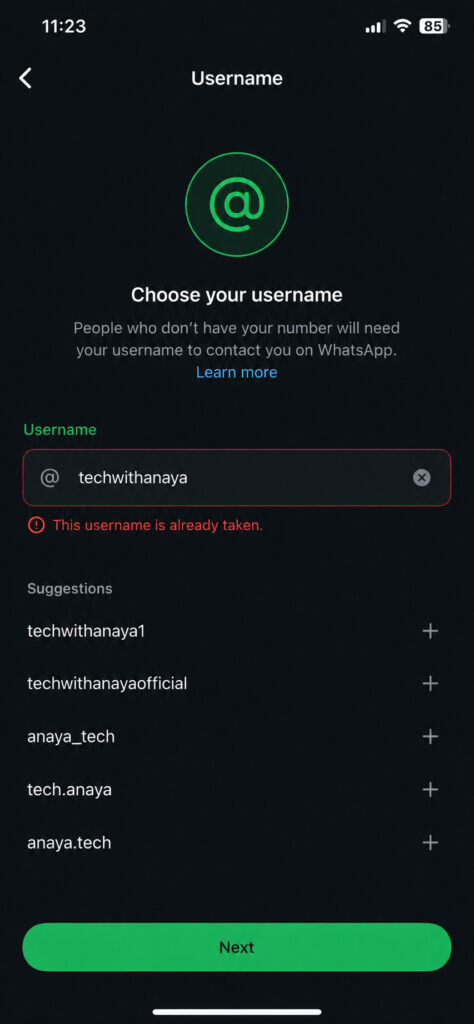
Another User Reserved It First
This is the usual reason, especially for a first name, nickname, city, or simple brand word. Availability is based on the exact handle, not on who feels they have the strongest claim.
It Matches an Existing Facebook or Instagram Username
WhatsApp offers eligible people, creators, businesses, and organisations an option to claim an existing Facebook or Instagram username. A name linked to an established account there may not be freely available to another user.
It May Be Restricted to Prevent Impersonation
Some names can be restricted to reduce impersonation or confusion, including those linked to public figures or organisations. Avoid copying an account with one tiny spelling change. It can confuse contacts and hurt credibility.
What to Do When Your WhatsApp Username Is Already Taken
1. Check the Spelling and Use the Official App
Check for an extra character, a spelling mistake, or an unwanted space. Then test useful alternatives instead of random versions of the same name. On Android, when the feature is available, go to Settings > Account > Username.
Do not use third-party username checkers or websites that ask for your WhatsApp login details. Reservations should be handled only inside the official app.
2. Create a Clear, Meaningful Variation
Keep the core name people recognise, then add a useful detail such as your profession, niche, service, or location. Do not default to a random string of digits.
- Personal: rahulverma, rahulvdesigns, rahultravels
- Creator: techwithanaya, anayaexplains, anayatips
- Business: acme_support, shopacme, acme_delhi
Choose a username that someone can spell after hearing it once. Avoid long strings, repeated punctuation, confusing abbreviations, and unnecessary numbers.
3. Match Your Existing Online Identity
Keep your WhatsApp username close to your Instagram, Facebook, YouTube, TikTok, or website handle. Consistency helps customers and followers identify the real account and makes a similar-looking impersonation profile less believable.
For example, a business using greenleafstudio might try greenleafstudio.in, greenleafstudiohelp, or greenleafstudioofficial.
4. Claim Your Existing Facebook or Instagram Handle
If you own the exact username on Instagram or Facebook, look for WhatsApp’s official option to claim it. This is the best route for a creator, organisation, or company with an established online identity. Make sure you control the relevant account before starting.
A display name and a username are different. Having the exact handle on an established profile gives you the clearest connection to it.
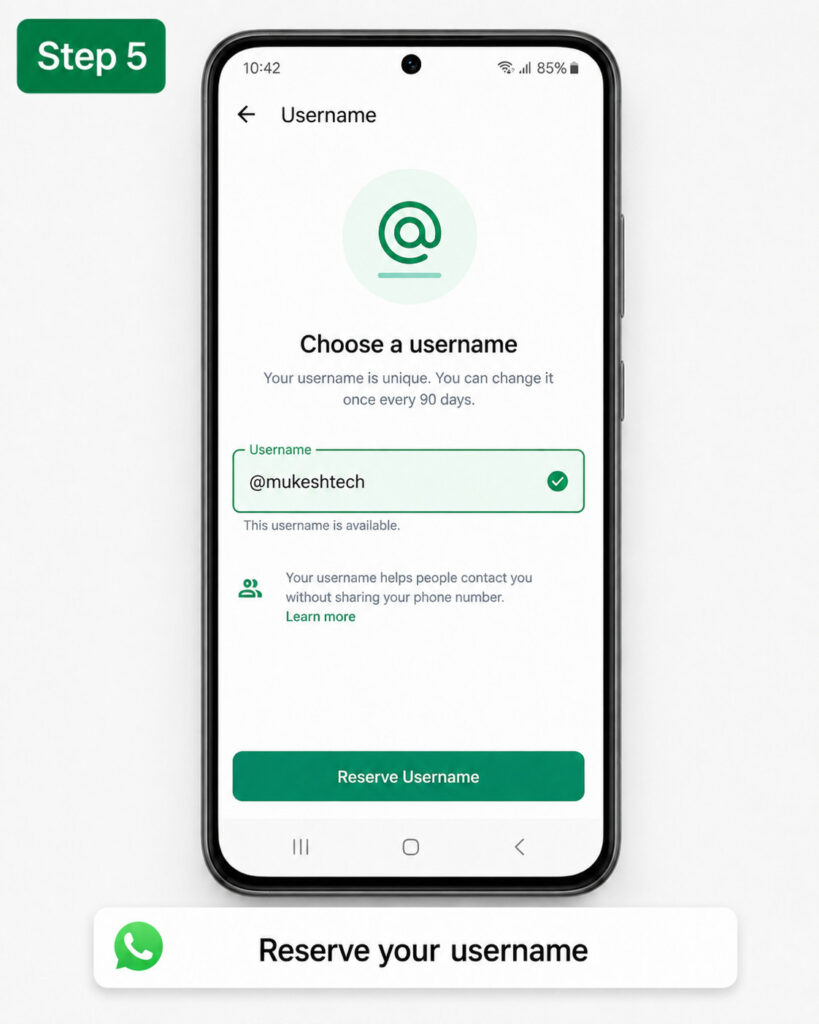
5. Reserve a Good Alternative Quickly
Do not wait for days hoping the original name becomes free. Once you find a second or third option that is simple, professional, and close to your identity, reserve it. Good alternatives may disappear while you focus on one unavailable choice.
Ask yourself: Does it represent me clearly? Can new contacts spell it? Will it still suit me next year? If yes, it is probably a good choice.
Can You Recover a WhatsApp Username Someone Else Has Taken?
Usually, no. There is no normal process for forcing another user to give up a name because you want it. Never pay anyone claiming they can unlock, transfer, or reserve a WhatsApp username. These offers can be scams meant to steal money, verification codes, or your account.
Impersonation is different. If an account is using your company name, public identity, or brand in a misleading way, report it through WhatsApp’s in-app support. Keep screenshots, your official website, and links to established profiles. Reporting does not guarantee a transfer, but it is the safe route.
Protect Your New WhatsApp Username
Treat your username as part of your public identity. WhatsApp is also introducing an optional username key to help control who can message you with that username. Use it when posting your handle publicly.
- Turn on two-step verification in WhatsApp.
- Never share your six-digit WhatsApp verification code.
- Use the same trusted handle on public profiles where practical.
- Ignore links asking you to confirm or secure your username.
- Review privacy settings before promoting your username.
A username can improve privacy for new chats, but it does not replace account security. Contacts who already have your phone number may still have access to it.
Frequently Asked Questions
Can two people use the same WhatsApp username?
No. Each exact WhatsApp username belongs to one account.
Can I search for people by username on WhatsApp?
No public username directory is available. You need to know the exact username before contacting someone for the first time.
Do I need a WhatsApp username to use the app?
No. Usernames are optional. WhatsApp still requires a phone number for registration, and normal chats work without a username.
Can I change my WhatsApp username later?
Username controls may develop as the rollout expands. Choose a name you can use long term, then check the latest options inside the app before making changes.
Final Thoughts
A WhatsApp username already taken message is not the end of your options. Choose a readable variation, match it to your existing online identity, and reserve it before the next best choices disappear. If the exact name belongs to your Instagram or Facebook presence, use WhatsApp’s official claim route, not unofficial tools or sellers.
The best username is the one people can remember, type accurately, and recognise as yours.
ALSO READ: