

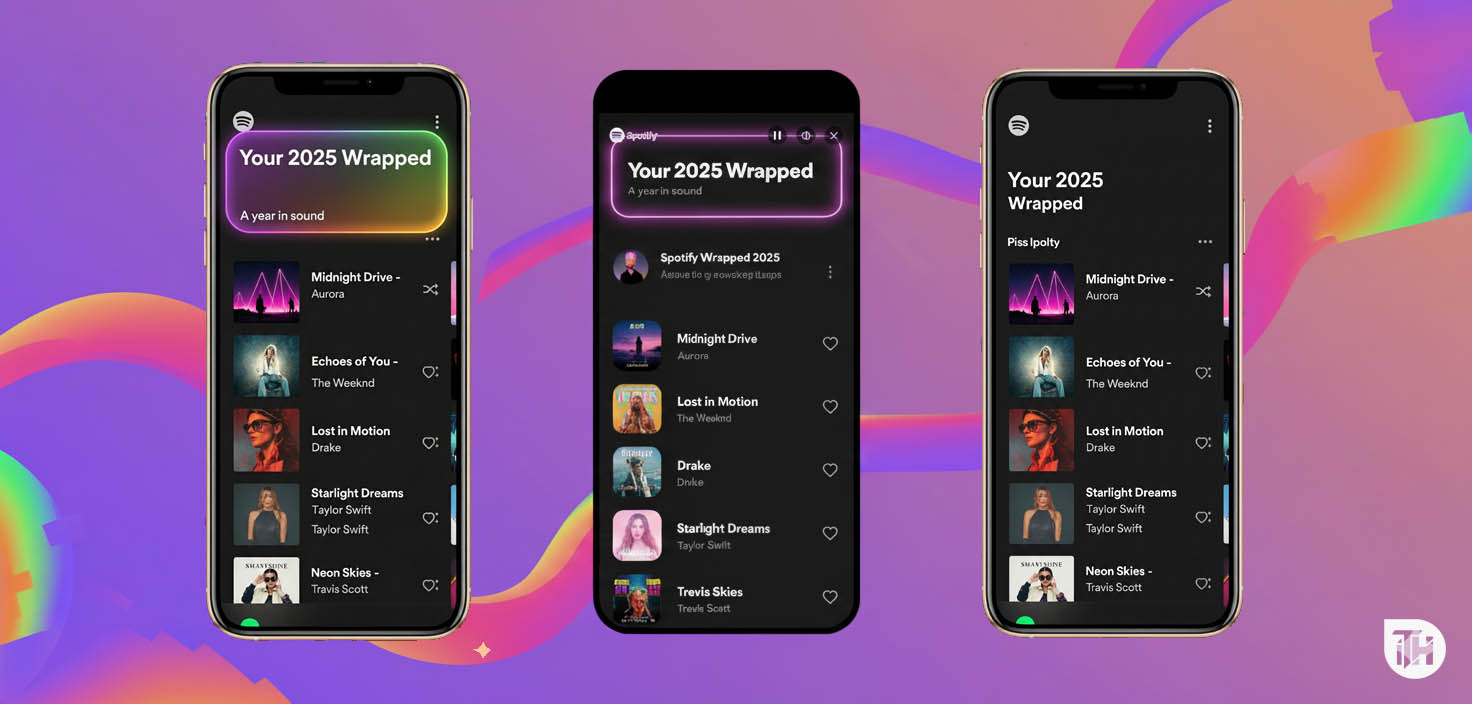
- Spotify Wrapped 2025 gives users a personalized recap of their top artists, genres, and most-streamed songs of the year.
- If Spotify Wrapped isn’t working or the slideshow isn’t showing, try searching for it in the app, clearing the cache, updating the app, logging out and back in, or reinstalling the app from the Google Play Store or App Store.
- These troubleshooting steps usually fix the Spotify Wrapped not working issue, helping you access and enjoy your year-end music highlights smoothly.
Spotify Wrapped is one of the platform’s most anticipated features, giving listeners a yearly recap of their favorite artists, top genres, and most-played songs. It’s a fun, personalized way to look back at your music journey, but sometimes the Wrapped experience doesn’t show up as expected.
If your Spotify Wrapped 2025 playlist or slideshow isn’t loading in the app, you’re not alone. Many users report issues such as the Wrapped banner missing from the homepage, the cards not opening, or the playlist failing to appear.
This updated guide walks you through effective fixes to get Spotify Wrapped working again on both Android and iOS so you can enjoy your end-of-year recap without missing out.
Common Reasons Why Spotify Wrapped Isn’t Working
- Outdated App: An older version of the app might not support the Wrapped feature.
- Cache Overload: Excessive app cache can cause glitches in features like Wrapped.
- Account Issues: Temporary account login problems may prevent Wrapped from loading.
- Banner Not Visible: Wrapped may not show on the homepage but can be accessed elsewhere.
Fix Spotify Wrapped or Slideshow Not Working 2025
Try out the solutions below to fix the Wrapped Not Working issue on Spotify. So, here we go:

Try to Search Spotify Wrapped 2025 in the App
It has been observed that most people are facing Wrapped 2025 issues. Well, the Wrapped 2025 is available on the Spotify app itself. You just have to find the Wrapped by following these basic steps:
- Open the Spotify app on your smartphone and you may find the same banner on the homepage.
- If the banner of Wrapped 2025 is not working, tap on the search button.
- Type ‘Spotify:special:2025’ in the search field.
- Now, you will be able to see Wrapped in the form of cards on your screen.
Clear the App Cache
Most Android apps save a lot of cache data to provide better performance but it causes issues. It may happen with the Spotify app too since we stream a lot of songs and the app keeps more cache data. Clearing the cache data of Spotify will be a good move to get rid of the issue.
To do so, you have to open the Spotify app’s settings and clear the cache data from there. Now, check whether your issue is resolved or not. If the issue still persists, try out the other methods given below.
Update the Spotify App
If you are not able to see your Wrapped Playlist, then it might be possible that you are using the older version of the Spotify app. You should check whether the app frequently crashes as the older version never runs appropriately.
Spotify launches its app updates frequently. So, just check the app updates in the Play Store. After updating the app, now just check whether you can see the Wrapped Playlist now or not. If the issue still exists, try out the other given solutions.
Logout and Login again into your account
There might be an issue with your account if you are unable to find the Wrapped Playlist on Spotify. You can try logging out and then logging in again to your account. To do so, follow the basic steps given below:
- Launch the Spotify app on your phone and tap on the Settings icon, which is available at the top right corner of the screen.
- Find the Logout option at the bottom side of the screen, just tap on it.
- Once you have logged out of your account, you will be sent back to the main page.
- Now just tap on the Login option and enter your login details correctly.
That’s it, after following the above steps, launch the app and check whether the Wrapped Playlist is available or not.
Reinstall Spotify from their official website
After trying all the above methods, if Spotify Wrapped is not working, uninstall the current Spotify app from your device. You need to reinstall the app, but not from the Play Store; just visit their official website and download the Spotify app apk file. You need to make sure that you download the file from Chrome or Safari.
After downloading it to the device, simply install it. Now, log in to your account with the credentials you have added before. You can now find the Wrapped Playlist on your Spotify app.
Conclusion | Spotify Wrapped 2025 Slideshow Missing
So, these were the easy fixes to get rid of the Spotify Wrapped Not Working issue. Hopefully, the given solutions are helpful to you; still, if you have any questions regarding the same, feel free to ask us in the comments section.
RELATED ARTICLES:




![Fix Phone Screen Unresponsive Touch on Android & iPhone [Step-by-Step]](https://itechhacks.com/wp-content/uploads/2025/10/Fix-Phone-Screen-Unresponsive-Touch-150x150.jpg "Fix Phone Screen Unresponsive Touch on Android & iPhone [Step-by-Step]")

