- Many PS5 display issues labeled as “HDMI not working” are caused by bad cables, wrong TV input, or resolution conflicts — not a faulty port.
- If the port is loose, bent, or has broken pins, software fixes won’t work — only a proper PS5 HDMI port replacement will restore display functionality.
- Use 90° adapters, avoid tension on the cable, and keep the PS5 in a stable position to extend the lifespan of your repaired HDMI port.
If your PS5 HDMI port is not working, you’re likely dealing with one of three core problems: a damaged HDMI port, a faulty cable, or a system-level handshake failure between your PS5 and TV. Based on hands-on repair experience with hundreds of PlayStation 5 units, the HDMI port on the PS5 is a known weak point, especially for users who frequently unplug and move their console.
This guide covers how to fix HDMI port on PS5 — from basic checks to professional PS5 HDMI port repair and replacement procedures, including symptoms, tools, and safety precautions. All methods are updated for 2025.
Common Signs Your PS5 HDMI Port Is Not Working
- No signal on the TV when the PS5 is powered on
- TV shows “No Input” or “Unsupported Format”
- Console turns on (white light) but no display output
- Loose or recessed HDMI port that wiggles when touched
- Flickering screen, static output, or brief signal dropouts
- Persistent black screen, even after the PS5 boot chime
- HDCP handshake errors, especially on newer 2025 TVs and monitors
If you’re seeing any of these issues, there’s a strong chance your PS5 HDMI port is damaged or the connection isn’t secure. Physical wear, internal pin misalignment, or solder fatigue are common root causes.
⚠️Safety Warnings Before You Attempt Any Fix
- Never force an HDMI cable into the port. If it doesn’t slide in smoothly, the port may already be damaged.
- Do not insert metal tools (like tweezers or pins) into the HDMI port to adjust or clean it — this can bend pins or cause a short.
- Avoid soldering unless you’re experienced with fine-pitch microelectronics and proper ESD safety practices.
- If your PS5 is still under warranty, do not open the console — use official Sony repair channels to avoid voiding coverage.
Fix PS5 HDMI Port Not Working – Repair Tips for Broken or Loose Port
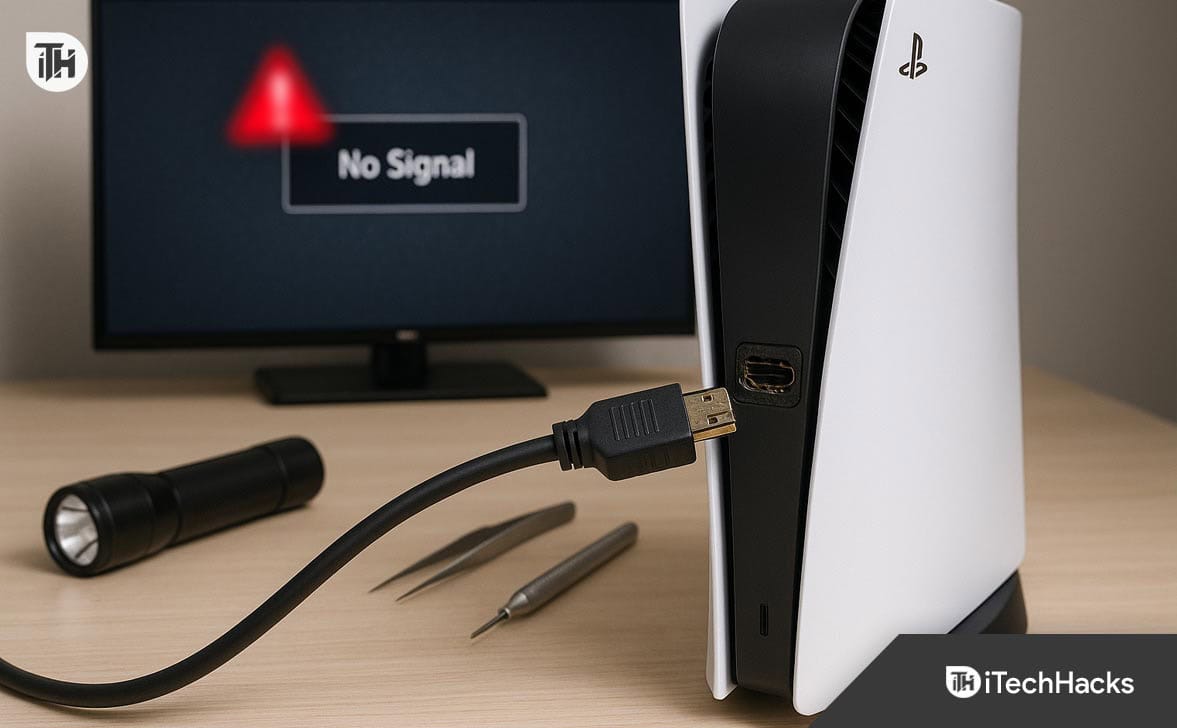
If your PS5 HDMI port is not working, the issue can be physical (damaged port), electrical (blown circuit), or software-related (handshake or resolution error). Below are tested and working methods used by technicians for PS5 HDMI port repair and troubleshooting in 2025.
Switch HDMI Cable and Try Different TV Input
Before opening the console or replacing parts, eliminate the possibility of a bad cable or TV input.
- Use a different HDMI 2.1 certified cable
- Plug the cable into a different HDMI port on your TV
- Connect the PS5 to a different TV or monitor, if available
- If your TV has HDMI-CEC or HDMI Enhanced Format, disable it temporarily from TV settings
Why this works: In many cases, the issue is not the PS5 HDMI port, but a faulty cable or TV’s input mode. In 2025, newer 4K and 8K TVs are more sensitive to HDCP handshake failures.
Boot PS5 into Safe Mode and Reset Display Output
If the HDMI port is functioning electrically but you still see “No Signal,” the problem may be a video mode mismatch between the PS5 and your TV.
- Turn off the PS5 completely.
- Press and hold the Power button until you hear a second beep (~7 seconds).
- Connect the controller via USB and press the PS button.
- In Safe Mode, select:
Option 2 – Change Video Output → Change Resolution → Restart - When the PS5 restarts, it will ask you to choose a resolution. Pick 1080p to test.
Note: This is a crucial step in fixing PS5 HDMI not working due to HDCP or resolution issues, especially with 2025 smart TVs and monitors using HDR/VRR.
Disable HDCP to Resolve Black Screen Errors
Some modern TVs (Sony Bravia, LG OLED, Samsung QLED 2025 series) struggle with HDCP 2.3 compliance, causing PS5 HDMI port to appear faulty.
- If you can access the PS5 settings: Go to Settings → Screen and Video → Video Output → Enable HDCP
- Toggle HDCP Off, then reboot.
Why this matters: Turning off HDCP bypasses content protection, fixing handshake issues that prevent video from appearing. This method is often overlooked but highly effective in 2025.
Inspect the PS5 HDMI Port Physically (Use Light & Magnifier)
If display-related software fixes didn’t work, it’s time to check for physical HDMI port damage.
- Power off and unplug the PS5
- Use a bright flashlight or mobile phone light
Look for:
- Bent, missing, or dirty pins
- Loose fit when cable is inserted
- Port that feels wobbly or sunken inside
If you see any of the above, you’ll likely need a PS5 HDMI port replacement.
Use a Professional HDMI Tester (If Available)
Technicians use HDMI signal testers or multimeters to check if the PS5 is outputting signal voltage.
In 2025, tools like the Portta HDMI 2.1 Tester or AVHzY CT-3 can:
-
Confirm signal output
-
Test pin continuity
-
Diagnose internal port failure without opening the console
This is especially useful if you’re unsure whether the problem is with the port, cable, or TV.
Replace the HDMI Port (When It’s Physically Damaged)
If your inspection shows bent or broken pins, or the port is disconnected from the board, the only real fix is a PS5 HDMI port repair or replacement.
- Disassemble PS5 carefully using iFixit teardown guides
- Locate motherboard and desolder the damaged HDMI port
- Clean pads and replace with an OEM HDMI port
- Solder using a fine-tipped iron or hot air rework station
Tools Required:
- Hot air station
- Leaded solder and flux
- Fine tweezers, isopropyl alcohol, and ESD mat
- Replacement PS5 HDMI port (genuine, not third-party clone)
Warning: This method is not recommended for beginners. A single mistake on the APU or traces can permanently damage the board.
Send Console for Professional PS5 HDMI Port Repair
If you’re not confident with soldering, it’s safer to get the port replaced by professionals.
Average Repair Costs in 2025:
- India: ₹1500 – ₹3500
- USA: $60 – $120 for independent repair shops
- Sony (Out of Warranty): $149 flat rate, console swap
Make sure to choose a repair center that provides:
- BGA rework equipment (for precision)
- Warranty on service
- OEM-grade HDMI ports
Professional PS5 HDMI port replacement is a safer option for most users.
Preventive Fix: Use 90-Degree HDMI Adapter or Cable Lock
To avoid repeat damage after the port is repaired:
- Use a 90-degree HDMI adapter to reduce downward force
- Install strain-relief cable mounts to keep HDMI connection firm
- Avoid placing PS5 vertically near edges or on unstable stands
- Always insert and remove HDMI cables gently
These small practices prevent another PS5 HDMI port repair down the line.
Conclusion
Fixing a PS5 HDMI port not working issue requires careful diagnosis. If basic display resets and cable swaps don’t work, inspect the port physically. A damaged HDMI port is a common fault, especially in early PS5 batches and with heavy usage.
If the damage is confirmed, professional PS5 HDMI port repair or replacement is often the safest and most cost-effective solution. In 2025, repair services will have become more affordable and accessible. But if you have the right tools and soldering skills, you can attempt a replacement yourself with proper ESD protection.
ALSO READ:
- How to Connect PS5 Controller to PC or Laptop (Bluetooth & USB)
- How to Fix Stick Drift on PS5 Controller with Real Working Fixes
- PS5 Won’t Connect to Hotel WiFi? Learn How to Authenticate It Properly
- 14 Ways to Fix Overwatch 2 Crashing, Freezing, Stuttering PC, Xbox, PS4, PS5
- How To Play Minecraft On PS5