- Amex Card, now American Express Gift Card, is a prepaid single-use card that cannot be recharged.
- The card can be purchased online, at stores, or by calling American Express, with denominations from $25 to $500.
- To check the balance, visit https://balance.amexgiftcard.com and enter card details, or use SMS or call customer support for assistance.
The Amex Card was originally introduced as a prepaid credit card under the American Express Group. However, following the pandemic, the branding shifted — today, it’s widely known as the American Express Gift Card. Despite the name change, these cards continue to be accepted at most retailers that take American Express payments.
In this guide, we’ll cover everything you need to know about the Amex Gift Card: what it is, how it works, how to check your balance at balance.amexgiftcard.com, and how to log in for account management.
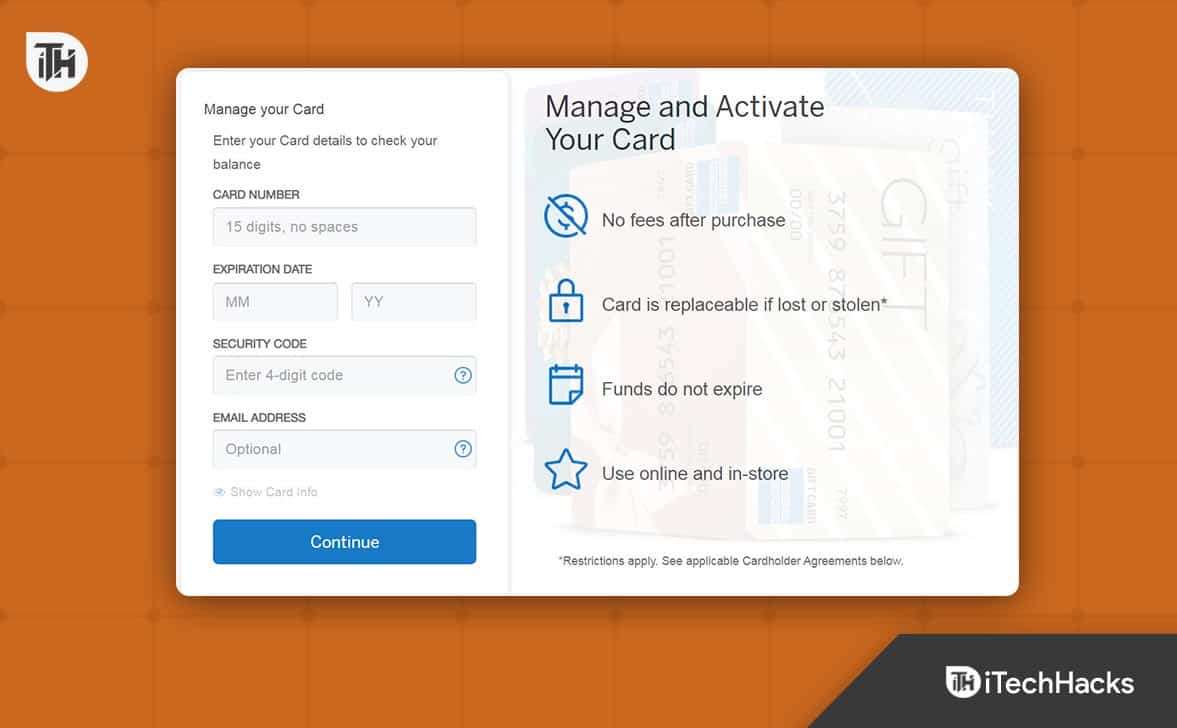
What is the Amex Gift Card?
The American Express Gift Card is a prepaid, single-use gift card issued by American Express. Being single-use means it cannot be reloaded once the original balance is spent. Each time you make a purchase, you may receive a notification showing the remaining balance. However, in some cases, these alerts may not arrive, which can cause uncertainty if a payment is declined at checkout.
When purchasing an Amex Gift Card, you can choose from a range of denominations, typically starting at $25 and going up to $500. Regardless of the amount, once the card’s balance is depleted, it cannot be topped up — making it a convenient but non-reloadable payment option.
How to Purchase Amex Gift Card?

If you wish to purchase an Amex Gift card, you have three options to do so. First of all, you can purchase the Amex Gift Card from its official website, i.e., amexgiftcards.com. Here, you have to fill up the necessary information, such as your Identity Proof, Bank Account, and another card number from where the card will be recharged for initial use. After that, you will receive the gift card via mail.
The second way to purchase an Amex Gift Card is to visit any grocery, drug, or departmental store. There you will see Amex card agents roaming around. You can talk with them and figure out the documents needed. This process is usually the best one because the chances of getting the card are pretty high. Moreover, you won’t get any errors while the application process because the agent will take care of everything.
The third way is to get the card by calling American Express. We have never seen this method being used, but as per certain sources, this is also a method of purchasing the Amex gift card. If you wish you can try this, but the best method is the second one.
Check Amex Gift Card Balance at https://balance.amexgiftcard.com Amex Login
Interestingly, there are again three ways to check your balance on Amex Gift Card. We will be discussing all of them in detail.
Method 1: Using https://balance.amexgiftcard.com
The first and the simplest way to check the balance on your Amex Gift Card is to use the official balance check website of Amex Gift card that is https://balance.amexgiftcard.com. If you don’t know, follow these steps:
- Copy and paste this URL in the address bar: https://balance.amexgiftcard.com
- Now, enter the 15-digit card number, Expiry Date, Security Code, and Your registered email address.
- Click on Continue.

- You will be able to see the balance at the top right corner.
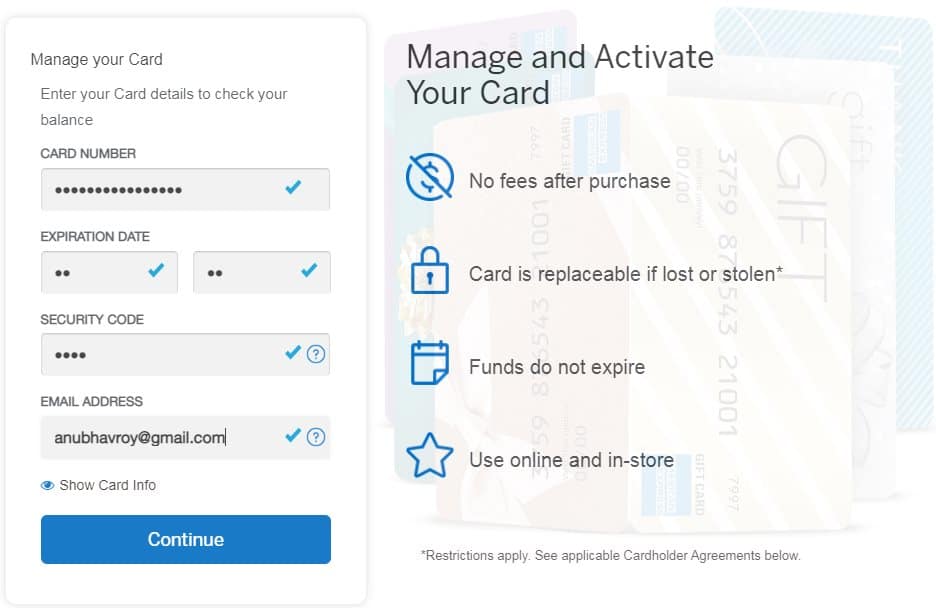
This is by far the easiest method to check your Amex Card balance. If this doesn’t suit for you, the next method is for you.
Method 2: Using SMS
If you have been using the card for some time, you should always receive a message that will have the amount spent and the remaining amount. Search for that message to get a rough idea.
If you can’t find it, you need to send an SMS to the number provided at the back of your Card with text BAL in it. You should then receive an SMS stating the current available balance on your card.
Method 3: Calling Customer Support
Customer support can give you the exact balance of your Amex Gift Card subject to the last spent being made at least 4 hours ago. This is because the system of the customer care executive is updated every 4 hours and not instantly while you make a purchase out of your card. If you wish to use this method of checking Amex card balance, follow these steps:
- Call 1-888-846-4308 from your registered mobile number.
- Keep your ID proof handy and your security code.
- Browse through the IVR to speak with an agent.
- When the agent picks up the call, tell him that you wish to know the balance.
- Provide the necessary details and hear your balance.
How to Login to Amex Gift Card?
Loggin into Amex Gift Card is as simple as checking the balance on the card itself. You just have to go to HTTP://amexgiftcard.com and click on sign in from the top-right corner.
Enter the required details and click on Continue. Within the Amex card dashboard, you can easily check your gift card’s balance and manage controls.
Because the Amex Gift Card is a single use card, it cannot be recharged. More so, being a gift card, it is supposed to be gifted to a person you love or who has helped you with something. Gift cards are not meant for personal use, but no one would complain if you do so.
On the other hand, there are many other cards that allow recharging, such as The Destiny Card, and Sam’s Club Credit Card.
The Bottom Line
Well, that’s all we have here about how you can check the balance on your Amex Gift Card with the help fo https://balance.amexgiftcard.com. We hope this guide has helped you. If you are still facing any issues or have any queries, make sure to comment below.
ALSO READ:
- Home Depot Credit Card Login, Customer Phone Number
- Activate Netspendallaccess com | Steps to Activate Your Debit Prepaid Card
- Cracker Barrel Survey at crackerbarrel-survey.com to Win $100 Gift Card
- Lowes Survey at lowes.com survey Win $500 Gift Card
- How to Activate Gap Credit Card at gap.com activate
- Activate Deepblue Card at deepbluedebit.com Online Login

![Fix Phone Screen Unresponsive Touch on Android & iPhone [Step-by-Step]](https://itechhacks.com/wp-content/uploads/2025/10/Fix-Phone-Screen-Unresponsive-Touch-150x150.jpg "Fix Phone Screen Unresponsive Touch on Android & iPhone [Step-by-Step]")