

How to Restart Windows 11 File Explorer
Windows Explorer is a shell that allows users to explore the File Manager, taskbar, desktop, start menu, and other elements of Windows 11's graphical...

Windows 10 ISO Free Download Full Version 32 or 64 Bit (Installation Guide)
Are you on the lookout for a comprehensive guide on how to download Windows 10 for free? Well, you've landed in the right place!...
How to Check Mouse DPI: Instant DPI Analyzer Windows/Mac
When it comes to customizing your computer experience, knowing your mouse DPI (Dots Per Inch) is key to optimizing speed and precision. DPI affects...
How to Setup & Enable Windows 11 Text-To-Speech Voice Typing
Text-to-Speech (TTS) is a valuable tool available in Windows that converts written text into spoken words. This feature is particularly beneficial for individuals who...
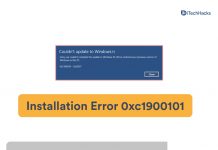
How to Fix Windows 11 Installation Error 0xc1900101
Facing Windows 11 Installation Error 0xc1900101? This common issue can stop you from upgrading to Windows 11. Often, it's caused by outdated drivers, third-party...

How to Fix Microsoft Outlook Won’t Open In Windows 10/11
From Microsoft, Outlook is an excellent email client with many features, power, and reliability. There are times, however, when Outlook may not be able...

WaaSMedicSVC.exe: Windows Update Medic Service in Windows 11
When you boot your PC, several processes start running in the background. One such service that you might notice is the Windows Update Medic...

Top 7 Best Sound Equalizers Software For Windows 11
Windows 11 has its audio mixer but it is quite basic and may not meet the requirements of many users. If you are someone...

Top 10 Best Free Video Editing Software For Windows 11
On the Windows operating system, you can use a variety of video editing tools. You have the option of using free or premium video...

Fix Windows 11 Error 0x8096002A ⚠ No Error Description Found
Windows 11 is the latest iteration of Windows from Microsoft. However, similar to every generation of Windows, Windows 11 is not without its own...




