- Samsung Galaxy Watch Ultra2 users report a bug where VO2 Max readings do not show up after Track Running workouts, though it works after regular Running exercises. Samsung has confirmed this issue, and a fix is planned for a future software update, but no release date has been provided.
- While waiting for the update, users can try a workaround by choosing regular Running instead of Track Running to continue tracking their VO2 Max. This alternative has worked for others experiencing the same problem.
- Important steps include checking GPS settings, keeping the software and Samsung Health app updated, and reporting the issue to Samsung for further assistance. Avoid drastic actions like factory resets, as these may not solve the software-related bug.
If your Samsung Galaxy Watch Ultra2 is not showing VO2 Max after a track running workout, you are not the only one experiencing this problem. Some users have noticed that their watch records distance, pace, heart rate, and GPS data correctly but fails to calculate VO2 Max after completing a Track Running session.
The frustrating part is that regular outdoor running workouts appear to work normally. This means your Galaxy Watch Ultra2 may display VO2 Max after an ordinary run but show nothing when you switch to the dedicated Track Running mode.
Samsung has now acknowledged the problem. Recently, a Samsung Health moderator confirmed that the relevant team had identified the issue and planned to fix it through a future watch software update. However, Samsung has not provided an exact release date.
While waiting for the official fix, there are several things you can check, including a useful workaround that may help you continue tracking your VO2 Max.
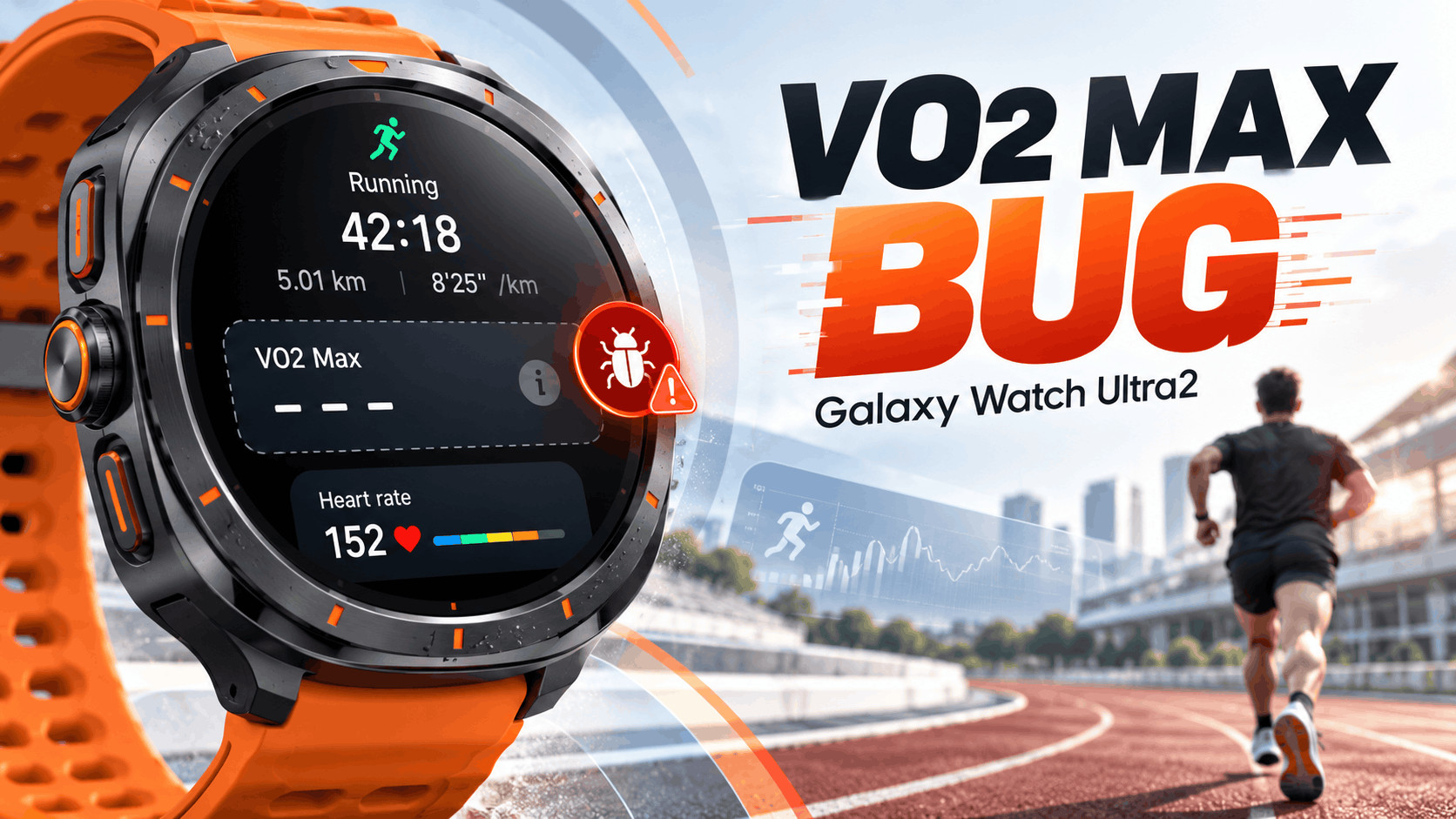
What Is the Galaxy Watch Ultra2 VO2 Max Bug?
VO2 Max is a fitness measurement that estimates the maximum amount of oxygen your body can use during intense physical activity. It is commonly used to assess cardiovascular fitness, aerobic endurance, and running performance.
Samsung Galaxy Watches estimate VO2 Max using workout information, including heart rate and running data. The estimate can help you monitor changes in fitness over time, although it is not as precise as a laboratory test.
Normally, Samsung Health displays your VO2 Max estimate in the workout summary after a qualifying running session.
However, the newly reported Galaxy Watch Ultra2 bug causes that information to disappear after certain track workouts, even when the recorded workout appears to meet Samsung’s measurement requirements.
According to the original Samsung Community report:
- Regular Running workouts generated VO2 Max results without problems.
- Two recent Track Running workouts failed to display VO2 Max.
- The watch recorded sufficient exercise time and apparently stable GPS information.
- The user had previously recorded VO2 Max successfully during track workouts on the original Galaxy Watch Ultra from 2024.
- A Samsung Health moderator subsequently confirmed that the issue had been checked and a software fix was planned.
This suggests the reported problem is associated with how the Galaxy Watch Ultra2 processes certain Track Running workouts rather than a complete failure of its fitness sensors.
However, Samsung has not publicly identified the exact technical cause or confirmed how many devices are affected.
Samsung Confirms the Galaxy Watch Ultra2 VO2 Max Issue
The issue was raised in Samsung’s Korean Community forum on October. A Galaxy Watch Ultra2 owner explained that VO2 Max appeared after normal running exercises but was missing after two Track Running sessions.
The user also shared workout screenshots showing that the watch had recorded the sessions properly.
Interestingly, Samsung Health appeared to indicate that the workouts did not meet the conditions required for VO2 Max measurement, even though the recorded running information suggested otherwise.
On October 26, a Samsung Health moderator responded that the responsible department had confirmed the reported issue and that a correction was planned for a future watch software update.
Important: As of October, Samsung has not announced a specific firmware version or release date for this fix. There is also no confirmation that missing VO2 Max results from previous workouts will automatically appear after the update.
Why Is VO2 Max Missing After Track Running?
Samsung has specific conditions that a workout must satisfy before its watches can calculate a VO2 Max estimate.
According to Samsung’s official Galaxy Watch workout guidance, a qualifying running session requires:
- Running at a speed of at least 4 km/h.
- Maintaining the activity for at least 10 minutes.
- Running on a relatively flat path.
- Having a good GPS signal throughout the workout.
- Recording usable workout and heart-rate information.
If these conditions are not satisfied, VO2 Max may not appear. This can be normal behavior rather than a software problem.
What makes the Ultra2 issue unusual is that the affected user’s track workouts reportedly met the necessary requirements.
The watch nevertheless failed to produce the expected result. The exact reason remains unknown, but Samsung’s acknowledgment indicates that a software correction is necessary.
How to Fix Galaxy Watch Ultra2 Not Showing VO2 Max
There is currently no confirmed user-side fix for the acknowledged Track Running bug. However, the following methods can help you identify the problem, rule out unrelated tracking issues, and continue collecting useful running data.
1. Use Regular Running Instead of Track Running
The most practical temporary workaround is to record your workout using the standard Running activity instead of Track Running.
This is worth trying because the original affected user reported that regular Running workouts continued to calculate VO2 Max correctly.
- Open Samsung Health on your Galaxy Watch Ultra2.
- Go to the Exercise or Workouts section.
- Select Running instead of Track Running.
- Wait until the watch obtains a reliable GPS signal.
- Start your outdoor run and continue for at least 10 minutes at a qualifying speed.
- Finish the workout and open its summary.
- Scroll down to check whether VO2 Max appears.
If the reading appears after a normal Running workout but not after Track Running, your experience is consistent with the acknowledged bug.
Keep in mind: Regular Running may not provide the same track-specific lap or lane-related features. This workaround is most useful when keeping your VO2 Max history updated matters more than those specialized measurements.
2. Check Whether Your Running Workout Meets the Requirements
Before assuming every missing reading is caused by the bug, review the actual workout details.
- Open the Samsung Health app on your phone.
- Find your exercise history.
- Select the affected running session.
- Review the workout duration, speed, GPS route, and heart-rate information.
- Check whether the session appears to satisfy Samsung’s VO2 Max requirements.
A workout lasting more than 10 minutes does not necessarily guarantee an estimate if GPS or heart-rate information was insufficient during part of the activity.
If multiple qualifying Track Running sessions produce no VO2 Max while regular runs work, the software issue becomes a more likely explanation.
3. Check GPS Settings on Your Galaxy Watch Ultra2
VO2 Max estimation depends partly on reliable outdoor movement data. Poor GPS reception can prevent an otherwise normal workout from producing a result.
To check your GPS configuration:
- Open Settings on your Galaxy Watch Ultra2.
- Tap Location and make sure it is enabled.
- Check that Samsung Health has the required location permission.
- Temporarily turn off Power saving mode if it is restricting workout tracking.
- Move to an open outdoor area away from tall buildings or heavy obstructions.
- Allow the watch to acquire GPS before beginning the workout.
Samsung also recommends avoiding metal or magnetic watch straps that can interfere with GPS reception.
These checks can resolve genuine positioning problems. However, improving GPS will not necessarily eliminate the confirmed Track Running software bug.
4. Update Your Galaxy Watch Ultra2 Software
Samsung says the permanent correction is planned for a future watch software update. Keeping your device updated is therefore particularly important.
To check for firmware updates through your phone:
- Open the Galaxy Wearable app.
- Select your Galaxy Watch Ultra2.
- Tap Watch settings.
- Choose Watch software update.
- Tap Download and install.
- Install any available update and allow the watch to restart.
You can also check directly from the watch by opening Settings, selecting Software update, and tapping Download and install.
Make sure the watch has sufficient battery power before starting. Samsung advises having at least 30% charge for software updates.
Remember that an available update may contain only security or stability improvements. Do not assume the VO2 Max bug has been fixed unless Samsung confirms it or testing shows the problem is resolved.
5. Update Samsung Health on Your Phone and Watch
Outdated Samsung Health components can sometimes cause synchronization, display, or workout-processing problems.
Although Samsung has specifically promised a watch software fix, checking application updates is still worthwhile.
- Open the Google Play Store or Galaxy Store on your phone, depending on where Samsung Health is installed.
- Check for an available Samsung Health update.
- On your watch, open the Play Store.
- Go to Manage apps and look for pending updates.
- Update Samsung Health and other relevant watch applications when updates are offered.
- Synchronize your watch and phone after updating.
Then reopen the affected workout in Samsung Health and check whether the result is available.
Application updates are useful maintenance, but they are not a confirmed solution to this particular bug.
6. Restart Your Watch if VO2 Max Is Missing From Every Run
If VO2 Max has stopped appearing during both regular Running and Track Running sessions, you may be dealing with a broader tracking or application issue.
In that situation, restart your Galaxy Watch Ultra2 using its power controls. Wait until the system fully loads, then open Samsung Health again.
You can also restart your paired phone and reconnect the watch before testing another qualifying outdoor run.
Restarting may help clear temporary software problems, but there is no evidence that it permanently resolves Samsung’s acknowledged Track Running defect.
7. Report the Missing VO2 Max Reading to Samsung
If the problem continues, submitting an error report can provide Samsung with additional diagnostic information.
- Open the Galaxy Wearable app on your phone.
- Look for Contact us or the support option that opens Samsung Members.
- Select Error reports.
- Choose your Galaxy Watch and the relevant issue category.
- Explain that VO2 Max is missing after Track Running but works during regular Running.
- Attach screenshots of your workout details if possible.
- Include system logs when the option is available.
- Submit the report.
Samsung recommends sending wearable error reports within five minutes of encountering an issue so that relevant diagnostic logs can be collected. Do not close Samsung Members while those logs are being prepared.
Include your watch software version and Samsung Health version to help the support team understand your setup.
What You Should Avoid While Waiting for Samsung’s Fix
Because this is an acknowledged software issue, aggressive troubleshooting is unlikely to help if the problem occurs only during Track Running.
- Avoid factory resetting immediately: A reset can remove settings and locally stored information without repairing the underlying bug.
- Do not delete your workout history: Preserve your existing fitness records, even when some VO2 Max results are missing.
- Avoid unofficial firmware: Installing unsupported software introduces unnecessary security and stability risks.
- Do not repeatedly extend workouts just to force a reading: Meeting the official requirements does not guarantee success while the bug remains unresolved.
Continue using the watch normally and choose standard Running for qualifying outdoor sessions when you need a VO2 Max estimate.
Common Galaxy Watch Ultra2 VO2 Max Problems
VO2 Max Is Missing From Both Running Modes
If neither running mode produces a result, check the GPS signal, exercise duration, heart-rate recording, and watch software. This symptom is broader than the original Samsung report and may have a different cause.
Samsung Health Shows an Incorrect Workout Requirement Message
This resembles the reported bug when the workout clearly satisfies the stated requirements. Save screenshots of the activity details and report the discrepancy to Samsung.
VO2 Max Appears on the Watch but Not on the Phone
Check whether Samsung Health has synchronized with your watch. Reconnect the devices, reopen the workout history, and make sure the phone application is updated.
Previous Track Runs Still Have No VO2 Max
Samsung has not confirmed whether its planned update will calculate missing values for workouts already completed. Do not rely on historical results being restored automatically.
Frequently Asked Questions
Has Samsung officially confirmed the Galaxy Watch Ultra2 VO2 Max bug?
Yes. A Samsung Health moderator confirmed, that the responsible department had checked the reported issue and planned a correction through a future watch software update.
When will Samsung release the VO2 Max fix?
Samsung has not announced a release date as of October 29, 2026. Owners should monitor Galaxy Watch software updates and Samsung’s official support announcements.
Does VO2 Max work during normal outdoor runs?
Yes, according to the original affected user’s report, normal Running sessions continued to generate VO2 Max estimates. This makes standard outdoor Running a reasonable temporary alternative, although results may vary.
Is the original Galaxy Watch Ultra from 2024 affected?
The reporting user said Track Running had produced VO2 Max readings successfully on their original Galaxy Watch Ultra. However, this does not establish whether all earlier Galaxy Watch models are unaffected.
Will resetting the Galaxy Watch Ultra2 fix missing VO2 Max?
There is no confirmed evidence that a factory reset resolves this specific bug. Resetting should not be your first troubleshooting step when other workout tracking functions are operating normally.
Can the Galaxy Watch Ultra2 measure VO2 Max without carrying a phone?
Yes. The original report involved workouts recorded using the watch independently, without carrying a phone. The Galaxy Watch can collect supported workout measurements using its own sensors and GPS.
Is a missing VO2 Max reading a sign that the watch is defective?
Not necessarily. When Track Running fails but regular Running works, the behavior is consistent with Samsung’s confirmed software issue rather than proof of a hardware defect.
Final Thoughts
The Galaxy Watch Ultra2 not showing VO2 Max after Track Running is a genuine software issue that Samsung has acknowledged. The good news is that regular outdoor Running workouts appear to remain functional, giving affected runners a practical temporary alternative.
For now, check your GPS settings, make sure Samsung Health and the watch software are updated, and try the standard Running mode if you want to continue monitoring your cardiovascular fitness.
Samsung has promised a correction in a future watch software update, but there is no confirmed release date yet. Until that update arrives, there is little reason to factory reset an otherwise properly functioning Galaxy Watch Ultra2 solely because of missing Track Running VO2 Max readings.