- WhatsApp usernames let you share a unique handle like @alextravels instead of your phone number for better privacy. This means people can contact you without knowing your phone number if they've never contacted you before. However, it doesn't change contacts for those who already have your number.
- Usernames are gradually available, and they are optional. They do not replace the need for a phone number on your account or offer total anonymity. While new contacts can use your username to reach you, your identity might still be identifiable through other profile details like your photo.
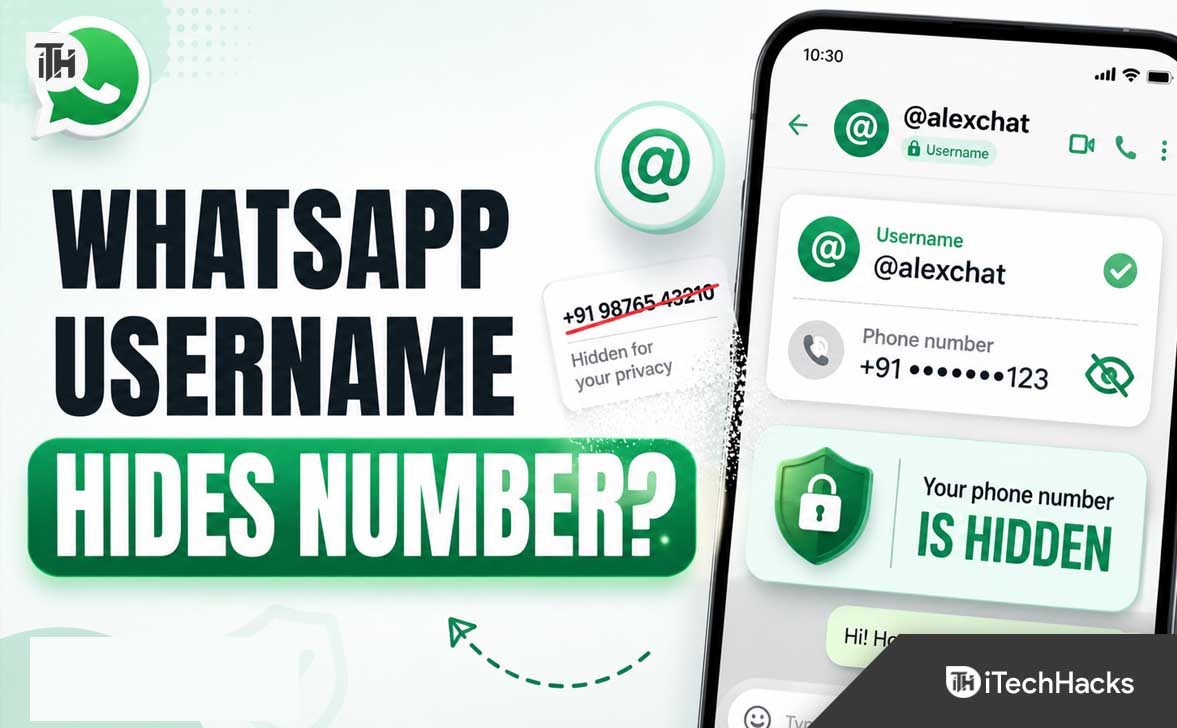
WhatsApp usernames are designed to solve a long-standing privacy problem: giving out your personal number just to message someone new, join a community group, or contact a seller. So, does a WhatsApp username hide your phone number? Yes. On a personal WhatsApp account, it can keep your number private when a new person or business contacts you through your username.
A username is not an erase button for your number. It will not take it back from people who already saved it, make the account anonymous, or work the same way for WhatsApp Business.
What Is a WhatsApp Username?
A WhatsApp username is a unique handle beginning with the @ symbol, such as @alextravels. You can share it instead of a mobile number, allowing someone to start a chat or call without needing your number first.
Meta opened username reservations on June 29, 2026, ahead of broader availability later in 2026. The rollout is gradual, so the option may not appear in every account yet. It is optional.
Does a WhatsApp Username Hide Your Phone Number?
For personal accounts, yes. When you have enabled a username and someone new reaches you with it, they should see your username rather than the phone number linked to your account. It provides a safer way to start a conversation with someone you do not know well.
You can give a username to a marketplace buyer, school group, event organiser, or online community. They can contact you without learning the number attached to your SIM. WhatsApp still requires a number to create and verify your account, but it does not have to be the detail you share with every new person.
This protection matters most at the first-contact stage. It is not retroactive. If someone has your phone number saved, saw it in an earlier chat, or copied it from a past interaction, creating a username cannot remove it from their contacts, screenshots, or memory.
What a WhatsApp Username Does Not Hide
A username is a privacy layer for new connections, not a complete identity reset. It changes how people can reach you, but it does not replace every phone-number based part of WhatsApp.
- Your account still needs a phone number. Registration and verification remain phone-number based.
- Old exposure is not reversed. A username cannot remove your number from existing contacts, chat exports, or screenshots.
- It does not guarantee anonymity. Your profile photo, name, About text, groups, and messages can still reveal information.
- It cannot stop every unwanted message. You may need a username key, blocking, and reporting tools as well.
Choose the handle carefully. A username with your full name, town, workplace, or birth year may hide your number while still making you easy to identify elsewhere online.
Personal WhatsApp vs WhatsApp Business: A Major Difference
WhatsApp Business is the major exception. While a personal username can keep a personal number private from new contacts, WhatsApp’s business guidance says a business username does not hide the business phone number.
That is important for freelancers, small stores, and creators using a personal number for work. Do not assume that a business username creates a private contact channel. If protecting your personal number matters, use a dedicated business number before publishing contact details.
How to Create a WhatsApp Username
If usernames are available for your account, creating or reserving one is straightforward:
- Update WhatsApp through the Play Store or App Store.
- Open Settings and select Account.
- Tap Username, enter the handle you want, and check availability.
- Confirm it, then share the username instead of your number when appropriate.
Some users may see reservations before usernames can be used fully in chats. Reserving a name protects your preferred handle, and WhatsApp should notify you when it is ready for your account.
Use a Username Key for Extra Protection
WhatsApp also provides an optional username key. It acts like an extra code attached to your handle. When enabled, someone who knows only your username may not be able to message you unless they also know the key.
This is useful when you place a username in a public bio, share it in a large group, or use it for customer enquiries. Give the key only to people you want to contact you. It is not a replacement for blocking or reporting, but it can reduce random contact attempts.
How to Keep Your WhatsApp Number Private
A username is a solid start, but your broader privacy settings remain important. Review them before you post your handle publicly.
- Limit who can see your profile photo, About text, last seen, and online status.
- Use WhatsApp’s privacy checkup to review account, group, and profile controls.
- Enable two-step verification and add a recovery email you control.
- Never share the six-digit registration code or your two-step verification PIN.
- Block and report accounts that impersonate people, pressure you, or send scam links.
- Be selective about joining large open groups where you do not know every participant.
Choose a distinct username without unnecessary clues about your identity or location.
Common WhatsApp Username Problems
The Username Option Is Missing
Update WhatsApp first. If Username is still absent under Account settings, the feature probably has not reached your account. It is rolling out gradually, so reinstalling the app or using an unofficial modified version will not unlock it and can put your account at risk.
Your Preferred Username Is Taken
Usernames must be unique. Try a clean variation using a period, underscore, topic, or professional descriptor. Avoid adding sensitive details such as your phone digits or full birth date simply to make a name available.
Unknown People Still Message You
A username can hide your number but cannot prevent every incoming message. Turn on a username key where available, limit where you publish your handle, then block or report unwanted accounts.
Frequently Asked Questions
Can people search for my WhatsApp username?
WhatsApp says it will not have a public directory or username suggestions. Someone generally needs to know your exact username to contact you, which is more private than a searchable social-media handle.
Can I use WhatsApp without revealing my number to everyone?
With a personal username, you can share the handle with new people rather than your number. It cannot hide the number from people who already know it or reverse earlier sharing.
Does a WhatsApp username make me anonymous?
No. It protects your phone number in eligible new-contact situations, but your identity can still be revealed by your username, profile, groups, or messages.
Do I need a WhatsApp username?
No. It is optional, but useful if you often speak with customers, sellers, or new group members.
Will a WhatsApp Business username hide my business number?
No. WhatsApp states that a business username does not hide a business phone number. It is an easier contact handle, not a business-number privacy tool.
Final Thoughts
So, does a WhatsApp username hide your phone number? Yes. For personal accounts, it can keep your number private when a new person contacts you using your username. That is a valuable upgrade for anyone who does not want to give a personal number to every stranger, buyer, seller, or group member.
Just remember the limits: a phone number is still required for the account, old contacts do not lose information they already have, and WhatsApp Business usernames do not hide business numbers. Pick a non-identifying handle, enable a username key when available, and review your normal privacy settings for the strongest protection.
ALSO READ: