- bbc.com/tvcode is the official and easiest method to sign in to BBC iPlayer on smart TVs, Firestick, Roku, and consoles using a one-time TV code.
- A registered BBC account is required to complete the sign-in process. You can create one at bbc.com/account/register before or during activation.
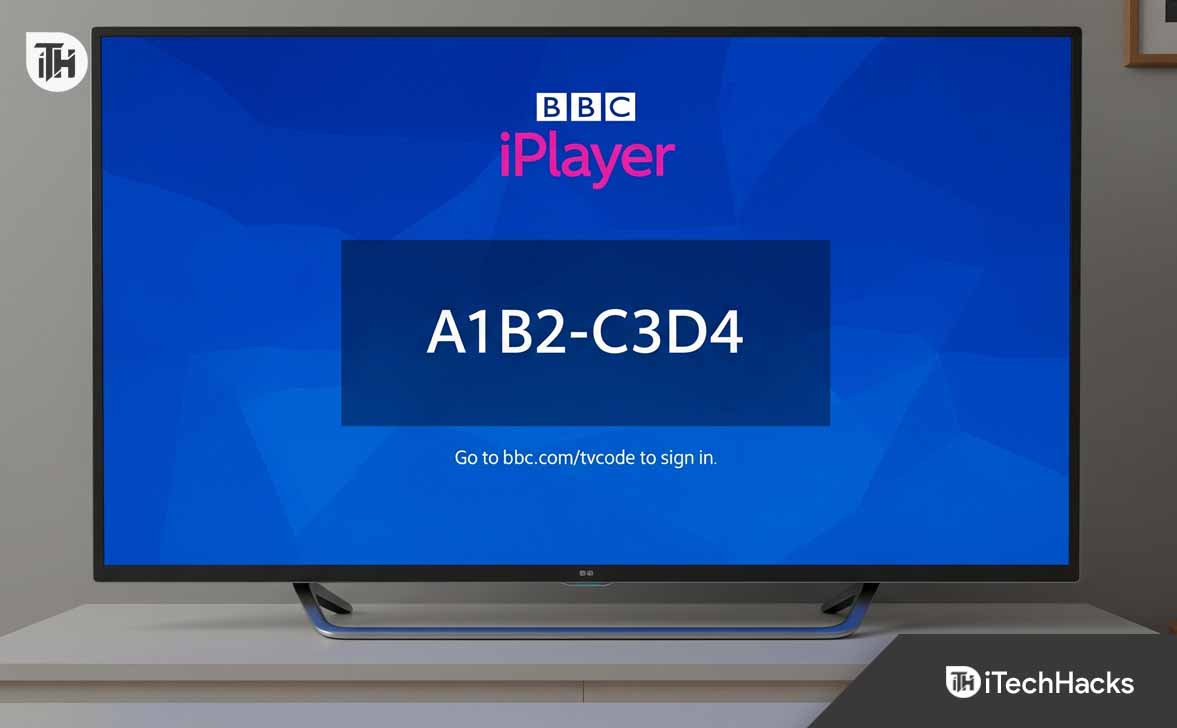
- Each supported device displays a unique 8-digit code, which must be entered at bbc.com/tvcode on a separate phone or computer to authenticate access.
If you’re trying to watch BBC iPlayer on a smart TV, Firestick, or gaming console and your screen is asking for a code, you’re in the right place. To sign in, you need to visit bbc.com/tvcode
on your phone or computer and enter the unique code shown on your TV screen. This guide explains exactly how to do that step by step for all major smart TVs and devices.
Whether you’re using a Samsung Smart TV, LG TV, Android TV, or even a PlayStation, this article will walk you through the real working process of signing in via the BBC TV Code system. We’ll also cover common issues, supported devices, and how to register your BBC account.
What Is bbc.com/tvcode?
bbc.com/tvcode (or sometimes referred to as bbc com/tv code or bbc.com tv code) is the official page to link your smart TV or streaming device with your BBC account.
Instead of manually entering your username and password using a remote, you:
- Visit bbc.com/tvcode on your phone or PC.
- Enter the 8-digit TV code shown on your TV screen.
- Sign in with your BBC account.
- Your TV will automatically log in.
This process ensures fast, secure authentication for BBC iPlayer and other BBC apps on smart devices.
Devices That Use the bbc.com/tvcode Sign-in System
BBC’s tv code sign-in system is supported across a wide range of smart devices. Here are the most common ones:
Supported Smart TVs:
- Samsung Smart TV (Tizen OS)
- LG Smart TV (webOS)
- Sony Bravia (Android TV)
- Panasonic Smart TVs
- Philips Smart TVs
Streaming Devices:
- Amazon Fire TV / Firestick
- Roku
- Apple TV
- Google Chromecast with Google TV
Gaming Consoles:
- PlayStation 4 / 5
- Xbox One / Series X/S
If your device supports BBC iPlayer, chances are it will prompt you to sign in using the bbc.com/tvcode method.
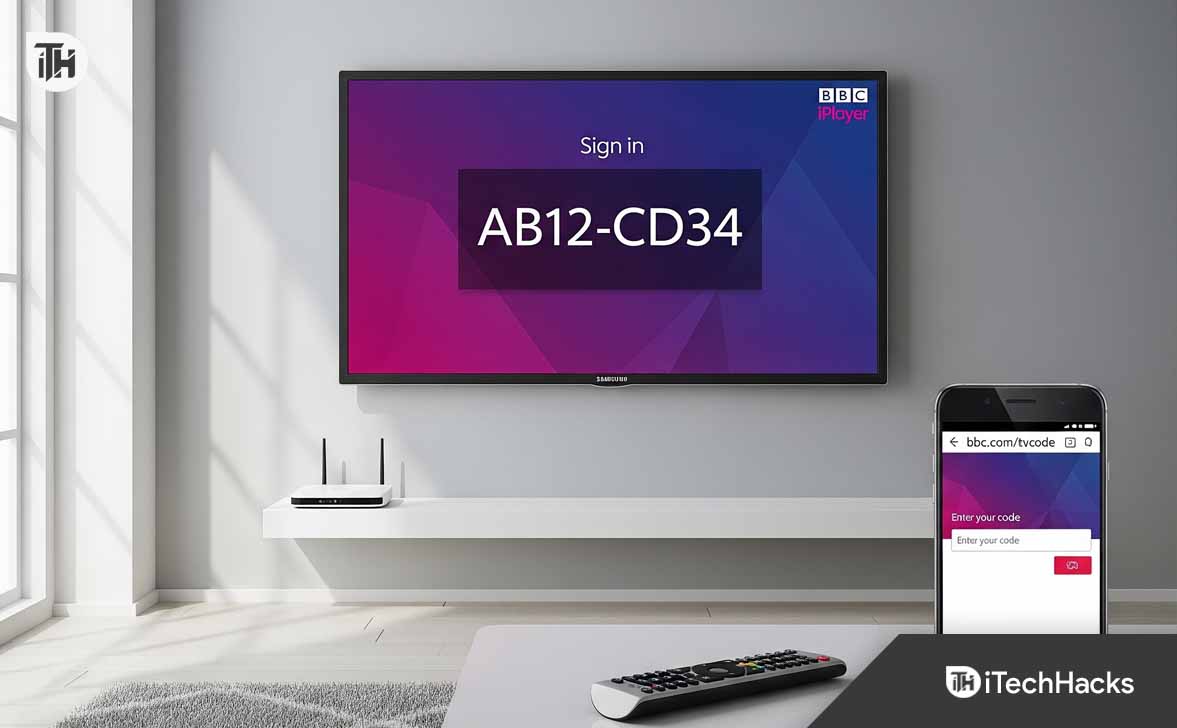
Sign in with BBC TV Code at bbc.com/tvcode 2025
Here’s how to sign in to BBC iPlayer on your smart TV using the bbc tv code process:
Step 1: Open BBC iPlayer on Your TV
- Navigate to the BBC iPlayer app on your TV.
- It will display a message like “Sign in on your TV” along with an 8-character TV code.
Step 2: Visit https://www.bbc.com/tvcode
- On your phone, tablet, or PC, go to bbc.com/tvcode
- The page may also show as bbc.com/tv code, bbc com/tvcode, or bbc iplayer/tv code depending on how you enter it, but they all redirect to the same page.
Step 3: Enter the Code Displayed on Your TV
- Type in the 8-digit code exactly as shown.
- Hit “Sign in” or “Continue”.
Step 4: Log in to Your BBC Account
- If you’re not already logged in, the site will ask for your BBC account email and password.
- Once authenticated, you’ll see a confirmation.
Step 5: Your TV Will Automatically Refresh
Within 5–10 seconds, your TV will automatically sign in and take you to the BBC iPlayer home screen.
How to Register for a BBC Account
If you don’t have an account yet, you can create one before or during the bbc.com/tvcode register process:
- Visit bbc.com/account/register
- Select your age group (Under 13, 13–15, 16+)
- Fill in your email, password, date of birth, and postcode
- Click “Register”
- Confirm your email via the link BBC sends
Once registered, use the same credentials at bbc.com/tvcode to link your TV.
How to Use bbc.com/tvcode on Samsung Smart TV
If you’re using a Samsung TV running Tizen OS, follow these steps to activate BBC iPlayer via TV code:
- Open the BBC iPlayer app on your Samsung Smart TV.
- An 8-digit BBC iPlayer TV code will be displayed on your screen.
- On your phone, tablet, or PC, go to bbc.com/tvcode
- Enter the TV code exactly as shown.
- Log in with your BBC account credentials.
- Wait a few seconds—the app on your Samsung TV will automatically refresh and sign in.
📌 Important: Make sure your Samsung TV is updated to the latest Tizen OS. Older firmware may prevent the app from working correctly or completing the authentication.
How to Use bbc.com/tvcode on LG Smart TV (webOS)
For LG TVs running webOS, here’s how to activate iPlayer using the bbc com/tvcode method:
- Open the LG Content Store and install the BBC iPlayer app (if it’s not already installed).
- Launch the app—an 8-digit BBC TV code will appear on screen.
- On a separate device (phone or computer), go to bbc.com/tvcode
- Enter the code and log in with your BBC account.
- After successful authentication, your LG TV will automatically refresh and grant you access to all BBC iPlayer content.
📌 Troubleshooting Tips:
If you see an error like “bbc tv code not working”, restart your LG TV and re-open the app. Ensure your TV is connected to a stable Wi-Fi network and that webOS is fully updated.
Device-Specific Sign-In Instructions Using bbc.com/tvcode
Samsung Smart TV (Tizen OS)
- Press the Home button on your Samsung remote.
- Go to Apps, search for BBC iPlayer, and install it.
- Open the app. An 8-digit bbc iplayer tv code will appear.
- Use your phone or PC to visit bbc.com/tvcode.
- Enter the code, sign in, and your TV will auto-link within seconds.
Make sure your Samsung TV firmware is up-to-date. Some older models may have trouble loading iPlayer unless updated.
LG Smart TV (webOS)
- Access the LG Content Store from the home screen.
- Search and install BBC iPlayer.
- Launch it to generate the bbc com/tv code.
- Enter the code at bbc.com/tvcode on a second device.
- Log in with your BBC account and return to the TV screen.
- LG TVs may prompt for a webOS update if the app doesn’t launch correctly.
Amazon Fire TV or Firestick
- From the home screen, select the search icon.
- Type BBC iPlayer, install it.
- Open the app, and note the bbc.com/tvcode displayed.
- Visit the sign-in page on your mobile or desktop.
- Enter the code and log in.
- Check that the Firestick system software is up-to-date to avoid sign-in errors.
Roku Devices
- Open the Roku Channel Store.
- Add BBC iPlayer to your device.
- Launch the app and get your bbc tv code.
- Enter that code at bbc.com/tvcode register and sign in.
- Some older Roku models may experience performance issues with iPlayer.
Apple TV
- Go to the App Store and install BBC iPlayer.
- Open the app and locate the bbc iplayer/tv code.
- Use a second device to visit bbc.com/tvcode.
- Sign in, and your Apple TV should refresh and authenticate automatically.
- BBC iPlayer requires tvOS 14 or later.
PlayStation (PS4, PS5) & Xbox (One, Series X/S)
- Navigate to the TV & Video section.
- Download and open the BBC iPlayer app.
- Note the 8-character bbc.com tv code.
- On your phone or computer, go to bbc.com/tvcode.
- Enter the code, log in, and your console will be linked.
Ensure your console is connected to the internet and has the latest firmware updates.
bbc.com/tvcode Not Working? Troubleshooting Tips
Sometimes the bbc.com/tvcode register process fails. Here’s how to fix it:
1. Code Expired or Invalid
- Codes typically expire after a few minutes.
- Restart the BBC iPlayer app to generate a fresh code.
2. Internet Connection Issues
Ensure both your TV and the device used to open bbc.com tv code have working internet access.
3. Not Receiving Sign-In Confirmation
Check that you’re logged in with the same BBC account on both your phone and the TV code page.
4. Browser Cache Problems
Clear browser cache or try using Incognito Mode.
Can You Use bbc.com/tvcode on Multiple TVs?
Yes. You can link multiple TVs to the same BBC account. Repeat the bbc com/tvcode process for each device. This is common in households with:
- Separate TVs in bedrooms or kitchens
- Different smart TVs or consoles
- Note: The BBC account tracks watch history across devices.
FAQs
Q1. Why is bbc.com/tvcode not loading on my browser?
Try using a different browser or switch to Incognito Mode. Clear cookies and ensure you are not using a VPN if located in the UK.
Q2. Can I register for a BBC account during the tv code process?
Yes. You’ll be prompted to log in or register when entering your TV code. Just follow the on-screen instructions to create your account.
Q3. Is BBC iPlayer available on older smart TVs?
Some older TV models may not support the latest BBC iPlayer app. If your TV can’t generate a code or crashes, consider using a Firestick or Chromecast instead.
Conclusion
Using bbc.com/tvcode is the fastest and most secure way to sign in to BBC iPlayer on your smart TV or streaming device without typing passwords manually. Whether you’re on a Samsung, LG, Firestick, or PlayStation, the process is simple: open the app, get the code, and enter it on your phone. Just make sure your BBC account is registered and your device is online. Once linked, you’ll get seamless access to all BBC iPlayer content.
ALSO READ: