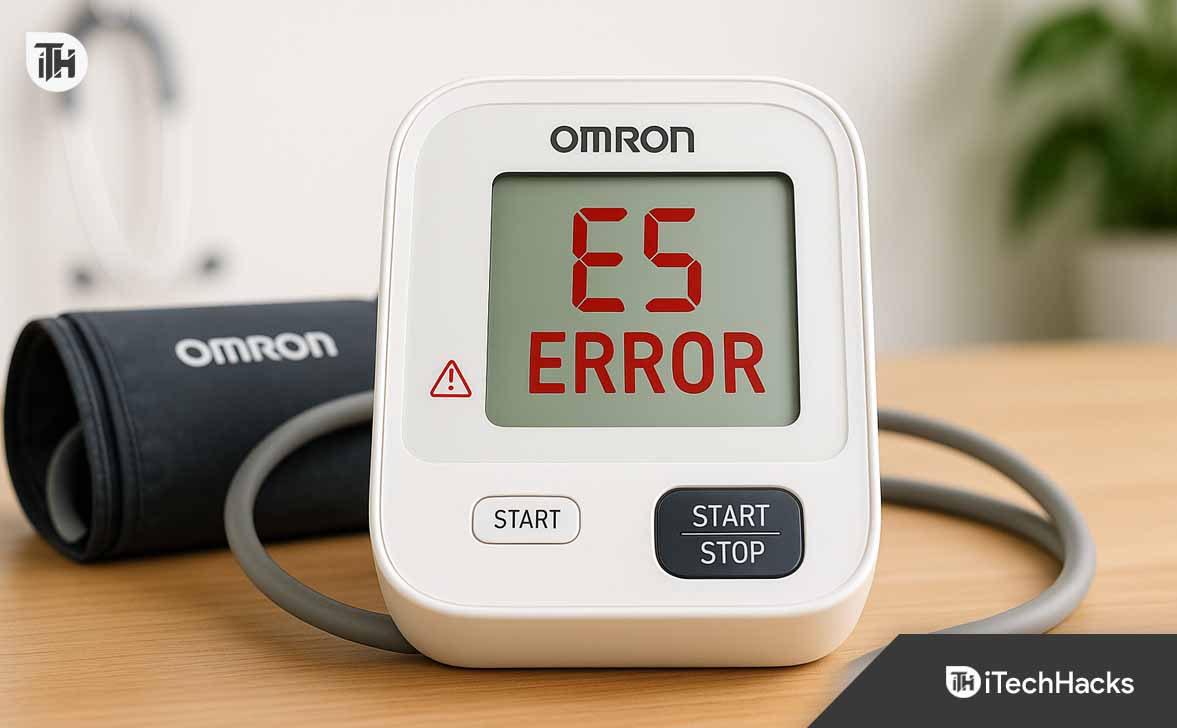
- The Omron E5 error on a blood pressure machine often results from a loose cuff, air leaks, or user movement during measurement. Ensuring the cuff is properly placed and the device remains still can help solve this issue.
- Troubleshooting involves checking for proper cuff size and fit, inspecting for any tube damage, verifying battery strength, and keeping the machine parts clean and free from dust.
- If the error persists despite addressing these details, it may indicate a need for professional servicing from Omron, ensuring the device's accuracy and longevity.
Blood pressure monitors have become a common household medical device, and Omron is one of the most trusted brands worldwide. However, many users face a common issue when their monitor displays the Omron E5 error. This error can be frustrating, especially if you rely on your BP machine daily.
If you’re searching for how to fix the E5 error in BP machine, this article covers everything in detail. From understanding what the Omron E5 error means, its causes, and how to troubleshoot it effectively, you’ll find all the answers here.
Common Causes of Omron E5 Error
To fix the problem, you first need to understand why your Omron BP monitor is showing this error. Here are the most common causes:
- Improper cuff placement – If the cuff isn’t wrapped tightly around the arm, it won’t inflate properly.
- Movement during measurement – Shifting or talking during the test often leads to the Omron E5 error.
- Air leakage in cuff or tube – Small leaks prevent proper pressurization.
- Clogged or bent air tube – A twisted or blocked tube stops airflow.
- Weak batteries – Low battery power may cause pressure errors.
- Defective cuff bladder – Over time, the inflatable bladder inside the cuff can wear out.
- Faulty valve or sensor inside Omron E5 machine – Rare, but possible if the unit is old or damaged.
How to Fix Omron E5 Error in BP Machine (Step-by-Step Guide)
Correct the Cuff Fit and Placement (Most Common Fix)
A loose or mis-positioned cuff is the #1 reason for Omron error E5.
Do this:
- Bare skin only. Remove shirts/sleeves—don’t place the cuff over clothing.
- Height & alignment. Position the lower edge ~1″ (2–3 cm) above your elbow crease. The tube should run straight down the inner arm.
- Snug, not strangling. Wrap the cuff so that two flat fingers can slide under the top edge—no looser.
- Right size matters.
-
-
Typical adult standard cuffs suit ~22–32 cm arm circumference.
-
Large cuffs suit ~32–42 cm.
-
Check your cuff’s printed size range; if your arm falls outside it, readings fail and e5 error in BP machine is common.
-
-
Arm supported at heart level. Rest your forearm on a table so the cuff is at the same height as your heart.
Why it works: An undersized/loose cuff forces the pump to overwork, while a too-large cuff under-pressurizes—both can throw Omron E5 error.
Tip: If several people in your home measure BP, keep two cuffs (standard + large). Cuff swapping that mismatches arms is a frequent hidden cause of Omron E5.
Sit Correctly and Keep Completely Still
Movement, talking, or a tense arm can cause pressure fluctuations that trigger Omron E5 error even if the cuff is perfect.
Proper measuring posture:
- Chair + back support, feet flat. No crossing legs.
- Rest 5 minutes before starting.
- Elbow supported, palm up, cuff at heart level.
- No talking, no phone, no head turns. Stay quiet for the 30–60 seconds it takes.
- Relax the hand and shoulder. Muscle tension stiffens the artery and confuses the pump/valve behavior.
Correct posture removes most motion-related Omron error E5 triggers.
Inspect, Reseat, and Straighten the Air Tube
A slightly pulled-out connector or a subtle kink is all it takes to cause the Omron E5 error.
- Disconnect both ends (monitor and cuff).
- Straighten and untwist the full length; feel for flattened sections or tight bends.
- Check the barbed cuff nipple and monitor port. Cracks or loose fit = air loss.
- Firmly re-seat the tube until it’s snug. You should not see any exposed ribbed section at the monitor port.
If you find a crushed section or split at the cuff end, replacing the tube/cuff is the clean fix. A compromised tube almost guarantees recurring e5 error in BP machine.
Perform a Simple Cuff Leak Test
Aging cuffs can develop pinholes you can’t see. That slow leak produces Omron E5 error because the pump never stabilizes target pressure.
DIY leak test (no tools):
- Attach the cuff and tube to the monitor as usual.
- Wrap the cuff around something firm (e.g., a rolled towel) to mimic an arm.
- Start a measurement and listen closely while holding the cuff:
- A faint hiss near the seam, tube base, or Velcro area indicates a pinhole or seam leak.
- If the monitor keeps inflating far longer than normal before throwing Omron error E5, that also suggests a leak.
Gently press along the cuff bladder while it’s inflated—listen for changes in hissing.
Result: Any audible leak or obvious failure to hold pressure means the cuff/bladder has failed. Replace with a compatible Omron-branded cuff. Third-party cuffs often fit, but off-spec bladders can perpetuate Omron E5 problems.
Replace the Batteries (Load Matters)
Many users test batteries by turning the device on and assume they’re fine. But under pump load, weak cells sag and valves misbehave—classic recipe for Omron E5 error.
Best practice:
- Install a fresh set of identical alkaline batteries (AA/AAA per model).
- Match brand and age—avoid mixed old/new batteries.
- Ensure polarity (+/–) is correct, and the contacts are clean and springy.
- If your model supports it, try an original AC adapter to rule out power instability.
If the E5 vanished after a battery swap, you’ve confirmed a load-sag cause.
Hard Reset the Monitor
Minor firmware/valve timing glitches happen. A reset can clear a stuck state that keeps re-surfacing as Omron E5 error.
Reset sequence:
- Power off the monitor.
- Remove batteries (and unplug the AC adapter if used).
- Wait 2 minutes.
- Reinsert batteries and power up.
- Sit quietly for 60–90 seconds, then measure again with ideal posture.
If the Omron E5 clears post-reset and returns days later, treat it as a sign of borderline batteries or an intermittent tube/cuff issue to revisit.
Verify Cuff Size and Swap if Necessary
Using a cuff outside its printed range is a silent saboteur. If your arm circumference is at the edge of the cuff rating, inflation dynamics can drift and trigger Omron error E5.
Measure your arm:
- Wrap a flexible tape around the midpoint of your upper arm.
- Compare to the cuff’s printed range.
- If you’re at the upper end (e.g., 32 cm on a 22–32 cm cuff), try the next size up.
A quick cuff swap is often the permanent cure for chronic e5 error in BP machine.
Eliminate Hidden Motion Sources
Some motion isn’t obvious:
- Wobbly table under the elbow → subtle vertical movement.
- Rolling office chairs → micro-shifts.
- Vibration from fans/AC units touching the table.
- Clenching the fist or flexing the bicep unconsciously.
- Talking or turning your head during inflation.
Stabilize the setup so the only thing happening is inflation. This alone fixes many Omron E5 cases.
Environmental and Timing Checks
While Omron devices are robust, measuring in edge conditions can increase Omron E5 occurrences.
- Cold rooms: Stiff hoses and a tense arm raise failure rates. Warm up the room/arm.
- Immediately post-exercise: Heart rate and vasomotor changes can complicate inflation. Rest 10–15 minutes.
- After caffeine/smoking: Wait 30 minutes for steadier readings.
- Full bladder: It can raise BP and make you fidget. Use the restroom first.
Reducing these variables makes the device’s job easier and cuts Omron error E5 frequency.
Clean and Inspect Ports (No Liquids Inside!)
Dust or lint near the air port can compromise the tube’s seal.
- Power off and remove batteries.
- Dry wipe around the monitor’s air port and the cuff’s barbed nipple.
- No sprays or liquids into the port—ever.
- Reseat the tube fully after you clean.
If debris was preventing a flush connection, you’ll often see Omron E5 error vanish right away.
Try a Known-Good Cuff (If Available)
If you have access to a second cuff (friend/family/backup):
- Connect the known-good cuff to your monitor.
- Measure in good posture.
- If the reading succeeds, your original cuff/tube is the culprit.
- If Omron E5 persists even with a good cuff, the monitor’s internal valve/pressure sensor may need service.
This A/B test isolates cuff vs. device fast.
Preventing Future Omron E5 Errors
Once you’ve fixed the E5 error in BP machine, it’s best to prevent it from happening again. Here are preventive measures:
- Use the correct cuff size – Small cuffs cause pressure errors; large cuffs inflate improperly.
- Check batteries regularly – Replace them every 6–12 months.
- Keep the device clean – Dust and dirt can affect sensors.
- Store properly – Avoid folding or pressing the cuff bladder when storing.
- Follow Omron guidelines – Use only original accessories.
By following these tips, you can reduce the chances of Omron E5 error appearing again.
When to Contact Omron Support
If you’ve tried all troubleshooting steps and the Omron error E5 still appears, it may be a hardware fault. Contact Omron support in the following cases:
- Persistent error despite correct cuff placement.
- Air tube or connector seems fine, but inflation fails.
- Device doesn’t start even with new batteries.
- Multiple error codes appear alongside E5 error in BP machine.
Omron has regional service centers and authorized dealers where you can get repairs or replacements.
Omron E5 Error vs Other Common Omron Errors
To avoid confusion, here’s how the Omron E5 error compares with other common error codes:
- E1 error – Air plug disconnected.
- E2 error – Movement or irregular heartbeat detected.
- E3 error – Cuff pressure too high.
- E5 error – Air pressure problem during inflation (cuff/tube issues).
This makes it clear that Omron E5 is specifically tied to air pressure and cuff inflation problems.
Expert Tips for Accurate BP Readings
Even if you fix the Omron E5 error, poor measurement habits can lead to inconsistent readings. Follow these tips for accurate results:
- Rest for at least 5 minutes before measurement.
- Avoid caffeine, alcohol, or smoking 30 minutes prior.
- Empty your bladder before checking blood pressure.
- Always measure at the same time of day for consistency.
- Record your readings to track long-term health.
Good habits not only prevent the Omron E5 error but also ensure your readings are reliable.
FAQs on Omron E5 Error
1. What does E5 mean on Omron BP monitor?
The Omron E5 error means the device encountered an air pressure issue, usually due to cuff problems, tube kinks, or movement during measurement.
2. How do I fix Omron error E5 at home?
You can fix it by checking cuff placement, ensuring no tube blockage, replacing weak batteries, and remaining still during measurement.
3. Can a broken cuff cause Omron E5 error?
Yes, a damaged cuff bladder or leaking tube is one of the main causes of the E5 error in BP machine. Replacing the cuff often solves it.
4. Is Omron E5 error a sign of device failure?
Not always. Most cases are due to user-related issues like movement or loose cuffs. Only if the error persists after troubleshooting should you consider service or replacement.
5. How to prevent Omron E5 error from reoccurring?
Use the correct cuff size, replace batteries on time, store the device carefully, and always sit still during measurement.
Conclusion
The Omron E5 error can be frustrating, but it’s usually not a sign of a dead machine. Most of the time, it happens due to improper cuff placement, air leakage, or movement during measurement. By carefully checking the cuff, tube, batteries, and following the troubleshooting steps, you can fix the Omron error E5 at home.
If the problem continues, professional servicing may be required. With proper use and maintenance, your Omron BP monitor will continue to give accurate readings without showing the E5 error in BP machine.
ALSO READ:
- How to Split Your Screen In Windows 11: Enable & Use
- Snapchat Keeps Crashing or Failed Loading? How to Fix on Android and iPhone
- How to Fix Apple Pay Not Working on iPhone, iPad, or Apple Watch
- How to Fix Javascript Void 0 Error in Windows 11 Chrome, Firefox, IE
- Instagram Disabled Accounts Can’t Be Contacted? Here’s How to Fix It




![Fix Phone Screen Unresponsive Touch on Android & iPhone [Step-by-Step]](https://itechhacks.com/wp-content/uploads/2025/10/Fix-Phone-Screen-Unresponsive-Touch-150x150.jpg "Fix Phone Screen Unresponsive Touch on Android & iPhone [Step-by-Step]")