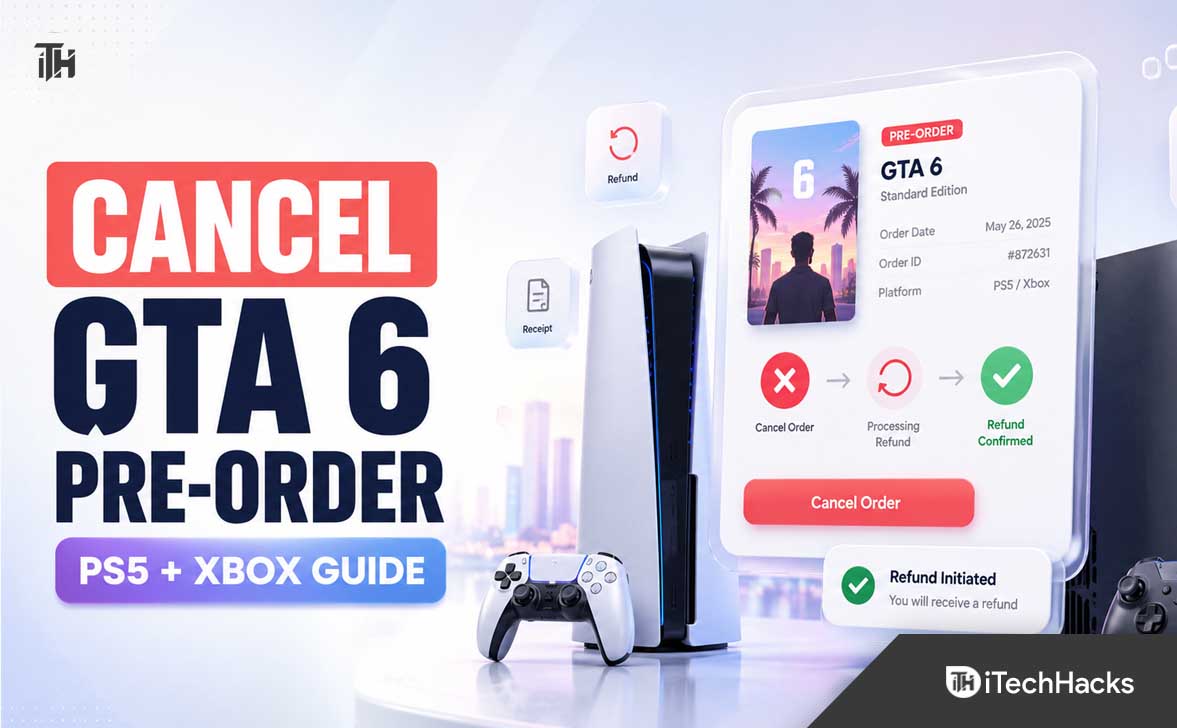
- If you pre-ordered GTA 6 but want to cancel, you can do so through the PlayStation Store or Xbox Store, depending on where you purchased it, but be sure to cancel before the game downloads or preloads to remain eligible for a refund.
- On PlayStation, you need to request a refund from PlayStation Support if your game has not started downloading; for Xbox, cancel the order directly via your Microsoft order history at least 10 days before the release date.
- Ensure you haven’t started preloading and check the account used for purchase. If cancellation succeeds, your refund usually goes back to the original payment method, but make sure to do it before preloading or within the specified cancellation window.
Pre-ordered Grand Theft Auto VI but changed your mind, picked the wrong edition, or want to wait for reviews? You can usually cancel a digital GTA 6 pre-order and request your money back, but the exact process differs between PlayStation Store and the Xbox Store.
GTA 6 pre-orders opened on June 25, 2026, and the game is currently scheduled to launch on November 19, 2026. That gives most players plenty of time to review their purchase, provided they cancel before preloading or downloading the game.
This guide explains how to cancel a GTA 6 pre-order on PS5 and Xbox Series X|S, what happens to your refund, and what to do if the cancellation option is missing.
Before You Cancel Your GTA 6 Pre-Order
First, confirm where you bought the game. This article covers digital copies purchased directly through PlayStation Store or the Microsoft/Xbox Store. If you ordered a physical GTA 6 disc, collector’s edition, or console bundle through Amazon, GameStop, Walmart, Best Buy, or another retailer, you must use that retailer’s cancellation policy instead.
Also check whether the game has started downloading. Preloads often begin a few days before launch, and downloading the main game files can remove your refund eligibility on PlayStation. Turn off automatic downloads before the preload period if you think you may cancel later.
How to Cancel a GTA 6 Pre-Order on PlayStation Store
For a GTA 6 digital pre-order made through PlayStation Store, you will normally need to submit a refund request through PlayStation Support. Unlike Xbox, PlayStation may not show a simple Cancel Order button directly on your PS5 console.
Step 1: Confirm the Purchase on Your PlayStation Account
Sign in to the same PSN account you used to buy GTA 6. Check your transaction history, email receipt, or PlayStation Store purchase list to confirm the edition you purchased, such as Standard, Deluxe, or Ultimate Edition.
Having the purchase confirmation ready makes the support request easier. You should also make sure you have access to the email address linked with your PSN account.
Step 2: Make Sure GTA 6 Has Not Downloaded or Preloaded
PlayStation’s refund rules are strict for digital games. If you paid more than 14 days before the release date, you can generally cancel before release as long as the main game has not started downloading or preloading. If you bought it within 14 days of release, the request normally must be made within 14 days of purchase and before the main content is downloaded.
On PS5, check the Downloads/Uploads section. If GTA 6 preload has started, cancel the download immediately. However, deleting a download does not always restore refund eligibility, so it is best to contact PlayStation Support as soon as possible.
Step 3: Contact PlayStation Support
Visit the PlayStation Support refund section for your country or region and choose the option for a PlayStation Store refund. You may be asked for your PSN Online ID, Sign-In ID email address, date of birth, and the name of the purchase you want refunded.
Explain clearly that you want to cancel your GTA 6 pre-order. Keep your request short and accurate. For example: “I would like to cancel and refund my Grand Theft Auto VI pre-order. The game has not been downloaded or preloaded.”
What Happens After a PlayStation GTA 6 Cancellation?
If PlayStation approves your request, the refund is generally sent back to the original payment method where possible. In some regions or with certain payment methods, the amount may be credited to your PlayStation wallet instead.
You will also lose access to any pre-order content that was made available before launch. This may include bonus items, early cosmetic packs, or other digital extras linked to the order.
How to Cancel a GTA 6 Pre-Order on Xbox Store
Xbox makes pre-order cancellation simpler in most cases. You can usually cancel directly from your Microsoft account order history without contacting an agent first.
Step 1: Open Your Microsoft Order History
Open a browser on your phone, computer, or Xbox console and sign in to the Microsoft account used to purchase GTA 6. Go to your Order history page.
Look for your Grand Theft Auto VI order. Be careful if you bought more than one edition, a bundle, or separate add-ons, as each purchase may appear as its own order.
Step 2: Select GTA 6 and Choose Cancel Item
Open the GTA 6 order and select Cancel item. Follow the confirmation prompts until the cancellation is completed. Xbox Support says digital game pre-orders can generally be canceled up to 10 days before launch.
Once the cancellation goes through, save the confirmation email or take a screenshot of the cancellation screen. This is useful if your bank statement still shows a pending charge for a short period.
Step 3: Check Your Payment Method
After you cancel, check your Microsoft order history for the updated status. Depending on when the charge was taken and how you paid, your bank, card provider, PayPal account, or Microsoft account balance may take time to reflect the change.
If the Cancel item option is not available, the launch date may be too close, the order may already have been processed, or the purchase may require a refund request instead. In that situation, use the Xbox refund request page and provide the order details.
Why You May Not Be Able to Cancel GTA 6
A GTA 6 pre-order cancellation can fail for a few common reasons:
- The game has started preloading: This is especially important for PlayStation Store purchases.
- You are outside the cancellation window: Xbox pre-orders should be canceled at least 10 days before release when possible.
- You used a different account: Check family accounts, alternate PSN profiles, or another Microsoft account.
- You bought a physical edition: The retailer, not Sony, Microsoft, or Rockstar, controls the cancellation.
- You redeemed bonus content: Pre-order rewards may affect refund eligibility or be removed after cancellation.
Should You Cancel or Change Your GTA 6 Edition?
If you only want a different GTA 6 edition, canceling the original order before buying another edition is usually the safest option. This avoids accidentally paying twice or keeping duplicate pre-orders active on the same account.
Do not rely on simply removing GTA 6 from your console library or deleting the game from your downloads list. Removing a game from your console does not cancel the purchase. You must cancel the order through PlayStation Support or your Microsoft account order history.
Final Thoughts
Canceling a GTA 6 pre-order is straightforward when you act early. On PlayStation Store, avoid downloading or preloading the game and contact PlayStation Support with your purchase details. On Xbox Store, open Microsoft order history, find GTA 6, and select Cancel item well before the launch date.
The safest move is to cancel before the GTA 6 preload begins. That protects your refund eligibility, prevents unnecessary support delays, and lets you re-order later if you decide you still want to play on launch day.
ALSO READ: