- **Alexa+ is an improved version of Amazon’s Alexa, available for free to Amazon Prime members in regions with Prime benefits, enhancing natural conversation abilities and complex task handling.**
- **To activate Alexa+ with Prime, ensure your Alexa device is registered to your Prime-associated Amazon account, and use voice command "Alexa, upgrade to Alexa+," or activate via Alexa.com or the Alexa app.**
- **If Alexa+ isn’t available despite having Prime, confirm compatible device usage, account linkage, updated app, and feature availability based on your country before paying for a separate Alexa+ subscription.**
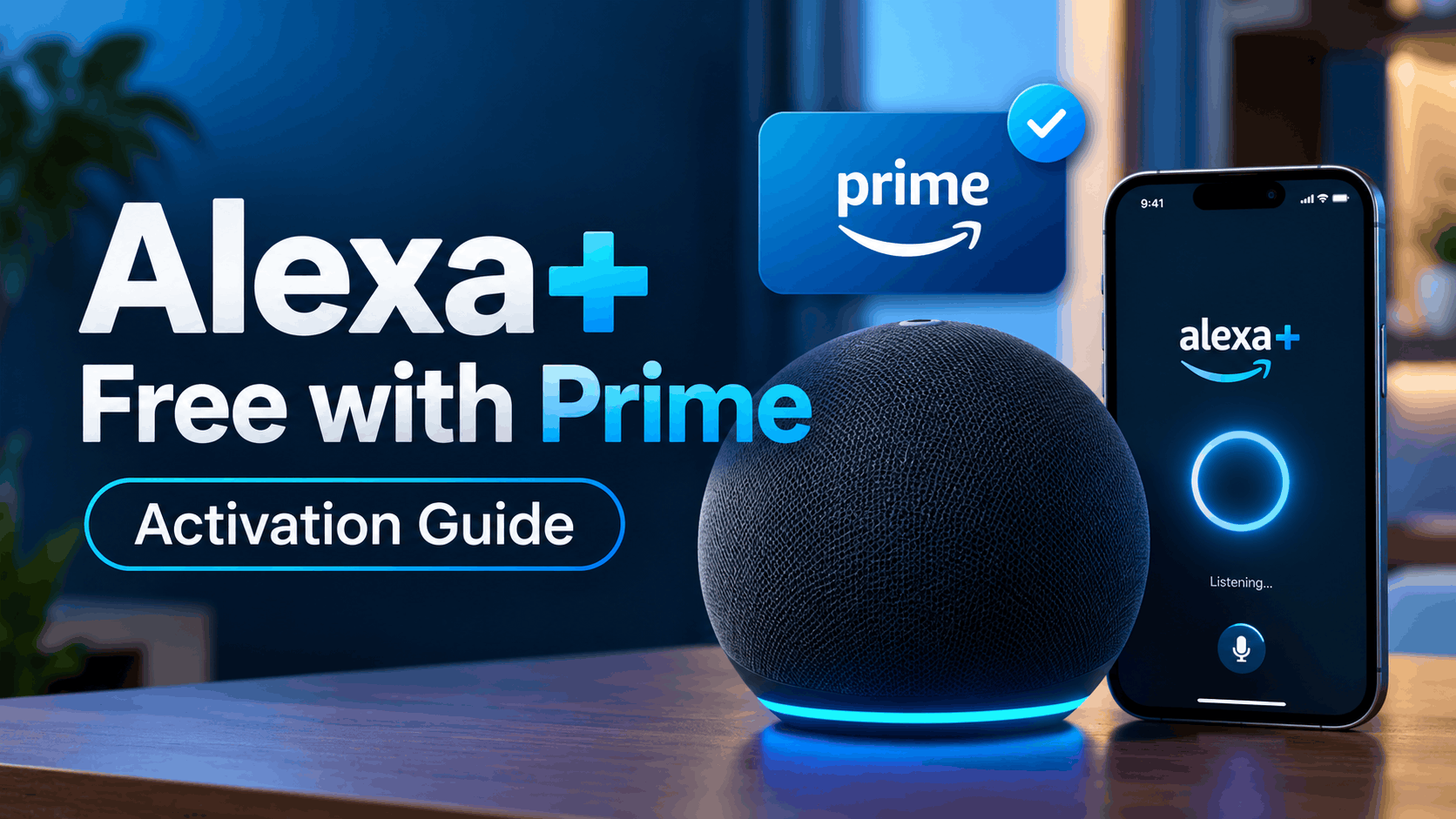
Amazon Alexa has received one of its biggest upgrades yet with Alexa+, a more conversational and capable version of the familiar voice assistant. The good news for Amazon Prime members is that the full Alexa+ experience is included with Prime at no additional cost in supported regions.
If you already pay for Amazon Prime, you generally do not need to purchase a separate Alexa+ subscription. You simply need to make sure Alexa is using the same Amazon account as your Prime membership and then activate or upgrade to Alexa+ on a compatible device.
In this guide, we will explain how to activate Alexa+ free with Amazon Prime, how to check whether your account and device are eligible, and what to do if Alexa+ does not appear even though you have Prime.
What Is Alexa+?
Alexa+ is Amazon’s newer generation of Alexa. It keeps familiar features such as timers, alarms, music playback, shopping lists, smart home controls, and weather updates, but adds much more natural conversations and the ability to handle more complicated requests.
Instead of requiring carefully worded commands, Alexa+ is designed to understand normal conversation and remember the context of what you were discussing. You can ask a question, follow up with another question without repeating everything, change the subject, and continue the conversation more naturally.
Alexa+ can also help with tasks such as:
- Managing compatible smart home devices
- Creating Alexa routines using conversational commands
- Planning meals, trips, events, and schedules
- Searching and comparing products
- Managing calendars and reminders
- Discovering music and creating playlists
- Making restaurant reservations through supported services
- Researching topics through Alexa.com
- Continuing conversations between Alexa devices and the Alexa app
Amazon has also expanded Alexa+ beyond Echo speakers. Depending on your country and device, it can be accessed through compatible Echo devices, Fire TV, the Alexa mobile app, and Alexa.com.
Is Alexa+ Really Free With Amazon Prime?
Yes. Amazon Prime members can use the full Alexa+ experience without paying an additional Alexa+ subscription fee in regions where the Prime benefit is available.
In the United States, Alexa+ became fully available to Prime members in 2026. Amazon currently lists the standalone Alexa+ plan at $19.99 per month for users who want unlimited Alexa+ access without a Prime membership.
Prime members instead receive unlimited Alexa+ access as part of their existing membership, including access across compatible Alexa-enabled devices, Alexa.com, and the Alexa app.
There is also a limited free Alexa+ chat experience for non-Prime customers through Alexa.com and the Alexa app. This is different from the full unlimited Alexa+ experience included with Prime.
What You Need Before Activating Alexa+ With Prime
Before trying to upgrade your Echo or other Alexa device, check a few basic requirements. Most Alexa+ activation problems are caused by account, regional, or device compatibility issues rather than the Prime subscription itself.
- An active Amazon Prime membership
- An Amazon account eligible for Alexa+ in your country
- A compatible Alexa-enabled device if you want voice access
- The latest Alexa app version
- Current firmware installed on your Echo or Fire TV device
- The Alexa device registered to the same Amazon account that has Prime
- An active internet connection
The last point is particularly important. If your Echo is registered under one Amazon account but your Prime membership belongs to another, Alexa may not recognize the Prime benefit.
How to Activate Alexa+ Free With Amazon Prime
Amazon has made the activation process relatively simple. For eligible Prime members in the United States, one of the easiest methods is simply asking Alexa to perform the upgrade.
Method 1: Say “Alexa, Upgrade to Alexa+”
If you have a compatible Alexa-enabled device, start with the voice activation method.
- Make sure your Echo or Alexa-enabled device is connected to the internet.
- Confirm that it is registered to the Amazon account containing your Prime membership.
- Say “Alexa, upgrade to Alexa+”.
- Listen for the response or follow any instructions displayed on your Echo Show.
- Complete any account setup prompts that appear.
If your account and device are eligible, Alexa should begin the Alexa+ setup process. You should not need to enter payment information for a separate Alexa+ subscription when the service is being activated through an eligible Prime membership.
Once activated, try asking Alexa a more conversational question followed by several related requests. Alexa+ is designed to maintain context during a conversation instead of requiring the wake word and full context every time.
Method 2: Activate Alexa+ Through Alexa.com
If the voice command does not work, activating through the web is another straightforward option.
- Open Alexa.com in your browser.
- Sign in using the Amazon account connected to your Prime membership.
- Look for the Alexa+ experience or upgrade option.
- Follow the on-screen instructions if setup is required.
- Start a conversation to confirm Alexa+ is active.
Alexa.com is more than an activation page. Amazon has developed it into a browser-based Alexa experience where you can ask questions, research topics, plan activities, work with information, and continue conversations started on other supported Alexa devices.
Using the website can also help determine whether the problem is your Echo or your Amazon account. If Alexa+ works through Alexa.com but not on your speaker, the Echo itself may need an update or may not support Alexa+.
Method 3: Use the Alexa App
Alexa+ is also integrated with the Amazon Alexa mobile experience. Make sure you are running the newest version of the Alexa app before checking for the new experience.
- Update the Amazon Alexa app from the App Store or Google Play.
- Open the Alexa app.
- Confirm that you are signed in with the Amazon account that has Prime.
- Check for Alexa+ prompts or the updated Alexa experience.
- Follow any upgrade instructions shown for your account.
You may also be able to use Alexa+ directly through the app. One useful feature is the ability to start a conversation on your phone and continue it later through another compatible Alexa device.
Method 4: Alexa+ on Fire TV
Fire TV works slightly differently from Echo devices. In the United States, Amazon began automatically upgrading compatible Fire TV devices to an Alexa+ experience in 2026.
For supported Fire TV devices, no separate Alexa+ app needs to be installed. Eligible devices can receive the upgrade automatically through a software update.
Interestingly, some Alexa+ functionality on compatible Fire TV devices is available at no additional cost even without Prime. However, Prime membership or an Alexa+ subscription provides broader Alexa+ access across Echo devices and other supported platforms, along with additional functionality.
How to Check Whether Alexa+ Is Activated
Alexa may not always announce the upgrade in an obvious way, especially if your device was updated automatically. You can test several Alexa+ capabilities to see whether the newer experience is running.
Try asking something conversational such as:
- “Alexa, help me plan dinner for four people tonight.”
- “Make it vegetarian.”
- “Give me a shopping list for that.”
Alexa+ should be able to understand that the second and third requests relate to the original conversation. This stronger contextual awareness is one of the biggest differences between Alexa+ and the older Alexa experience.
You can also sign in to Alexa.com with the same Amazon account and check whether the full Alexa+ experience is available there.
Alexa+ Not Showing Even Though You Have Amazon Prime?
If you have Prime but cannot activate Alexa+, do not immediately subscribe to the standalone Alexa+ plan. Check the following issues first.
1. Make Sure You Are Using the Correct Amazon Account
This is one of the most important things to check. Your Alexa device needs to be associated with an account that qualifies for the Prime Alexa+ benefit.
Open the Alexa app and verify which Amazon account is currently being used. If your household has multiple Amazon accounts, it is easy for an Echo to be registered under a different account than the one paying for Prime.
2. Update Your Echo or Alexa Device
Alexa+ requires compatible hardware and current software. An older Echo may continue using the original Alexa experience even if the Amazon account itself has Alexa+ access.
Keep your Echo connected to Wi-Fi and power so it can download available updates. You can also restart the device after updating if the new Alexa experience does not appear immediately.
3. Update the Alexa App
An outdated Alexa app can cause missing features or make account settings harder to access. Open the App Store or Google Play and install the latest available Alexa app update.
After updating, completely close and reopen the app before checking Alexa+ again.
4. Check Your Country
Alexa+ availability is still different depending on location. The United States has full Alexa+ availability, while Amazon has expanded the service through additional countries during 2026, including the UK, Canada, Mexico, Brazil, Germany, Austria, Italy, Spain, France, Australia, India, and Japan.
Some countries are still using an Early Access rollout rather than the fully released model. That means two Prime customers in different countries may see different activation options.
5. Your Device May Not Support Alexa+
Having Prime does not make every Alexa device compatible with Alexa+. Amazon notes that devices which are not compatible with Alexa+ can remain on the original Alexa experience.
If Alexa+ works on Alexa.com or your phone but not your Echo, compatibility is a likely reason. Check your exact Echo model in Amazon’s current Alexa+ compatibility information before resetting anything.
6. Restart the Device
If your Echo is compatible but still appears to be using the older Alexa version, unplug it from power, wait around 30 seconds, and reconnect it.
This forces the device to reconnect to Amazon’s services and can help after an account or software update.
7. Avoid Paying Twice
If Amazon shows a standalone Alexa+ subscription even though you already have Prime, verify your account before completing the purchase. Eligible Prime members should receive Alexa+ without an additional Alexa+ subscription charge.
Check that your Prime membership is active and that you are signed into the correct Amazon account.
Alexa+ Availability in India
Amazon began rolling out Alexa+ in India on September 16, 2026 through an Early Access program. During the Early Access period, Alexa+ is available free to eligible users.
After Early Access ends, Amazon says Alexa+ will remain included for members of the standard Prime plan. However, Prime Lite and Prime Shopping Edition are treated differently. Alexa+ is expected to be offered separately for those plans and for non-Prime customers, with Amazon announcing a price of ₹2,000 per month.
So, if you are in India and cannot activate Alexa+ despite having an Alexa device, the rollout status of your account may currently matter more than the device itself.
Do You Need a New Echo for Alexa+?
Not necessarily. Alexa+ works with a range of compatible Alexa-enabled hardware, so you should check your existing Echo before buying anything new.
Amazon has continued releasing newer Echo hardware designed around Alexa+, but a new device is not automatically required simply because Alexa+ is available. Unsupported older devices can continue running the original Alexa.
If your current Echo performs normally but never receives Alexa+, check its model and compatibility before assuming something is wrong with your Prime account.
What Happens If You Cancel Amazon Prime?
The full Alexa+ experience is provided as a Prime membership benefit. Therefore, if you cancel Prime and your membership expires, you should not expect to keep unlimited Prime-based Alexa+ access indefinitely.
Depending on your country, you may still have access to a limited free Alexa+ chat experience or be given the option to subscribe to Alexa+ separately. In the United States, the standalone unlimited Alexa+ plan is currently $19.99 per month.
Frequently Asked Questions
Is Alexa+ free for all Amazon Prime members?
Alexa+ is included at no additional cost for eligible Amazon Prime members in supported markets. Availability and rollout status can vary by country.
How do I activate Alexa+ with Prime?
On a compatible Alexa device, say “Alexa, upgrade to Alexa+”. You can also sign in to Alexa.com using the Amazon account connected to your Prime membership.
Do I need to enter a credit card to activate Alexa+ with Prime?
You should not need a separate paid Alexa+ subscription when accessing the benefit through an eligible Prime membership. Your existing Amazon payment information may still be associated with your Amazon account.
Why is Alexa+ asking me to pay when I already have Prime?
Check whether Alexa is signed into the same account as your Prime membership. Also verify your country, Prime plan type, device compatibility, and whether Alexa+ has fully launched for your account.
Can I use Alexa+ without an Echo?
Yes. Alexa+ can be accessed through Alexa.com and the Alexa app where available. Amazon has designed conversations to move between supported devices and platforms.
Can my family use Alexa+ through my Prime membership?
Amazon says Prime members receive Alexa+ access for the household across supported Alexa-enabled devices, Alexa.com, and the Alexa app. Account and household configuration can affect which personalized information each person can access.
Is Alexa+ the same as normal Alexa?
No. Alexa+ builds on Alexa but is designed for longer conversations, better context awareness, personalization, more advanced questions, and more complex actions. Devices that cannot run Alexa+ can continue using the original Alexa experience.
Final Thoughts
If you already have Amazon Prime, activating Alexa+ should not require another monthly subscription. The quickest method is to use a compatible Alexa device and say “Alexa, upgrade to Alexa+”. You can also sign into Alexa.com using your Prime account to access Alexa+ and confirm that your account is eligible.
If Alexa+ does not appear, first verify the Amazon account connected to your device, update the Alexa app and device software, check hardware compatibility, and confirm Alexa+ availability in your country. Avoid subscribing separately until you have confirmed that your existing Prime membership is being recognized correctly.
With Alexa+ now expanding across Echo devices, the Alexa app, browsers, and Fire TV, Amazon is making it a much larger part of the Prime membership. For existing Prime members with compatible hardware, the upgrade is effectively another included benefit rather than another service you need to pay for separately.
Is this conversation helpful so far?