- The IRCTC shows a “Concession Not Applicable” error when the selected discount cannot be applied to the current train booking due to mismatches with train type, quota, class, or passenger details.
- You can fix this by removing the concession, selecting General quota, correcting passenger information, using the Divyaang booking process, or booking at a railway reservation counter if online verification is needed.
- For senior citizens, the earlier fare discounts have been withdrawn and lower berths are still considered, but not at a reduced fare; Tatkal bookings do not allow concessions, and student concessions are not available online.
The “Concession Not Applicable” error in IRCTC usually appears while entering passenger details or attempting to continue to the payment page. It means the concession selected for a passenger cannot be used with the chosen train, reservation quota, travel class, passenger details, or online booking method.
This message is particularly confusing because IRCTC may show concession-related options even when the selected booking does not qualify for a discounted fare. The error is generally caused by a railway rule conflict rather than a problem with your bank account, payment method, or IRCTC login.
In most cases, you can fix the IRCTC concession not applicable error by removing the concession selection, changing the booking quota to General, correcting the passenger’s age or category, or completing the reservation through a Passenger Reservation System counter when online concession booking is unavailable.
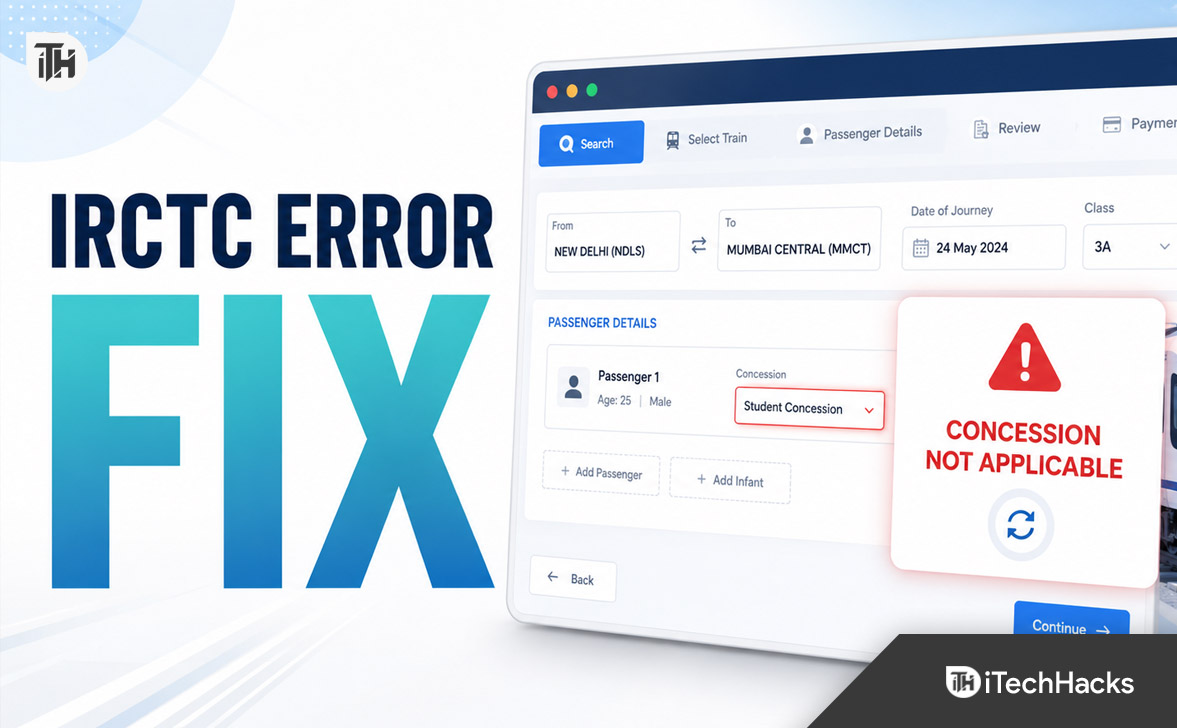
What Does “Concession Not Applicable” Mean in IRCTC?
A railway concession is a reduction in the basic passenger fare provided to eligible categories under Indian Railways rules. Eligibility may depend on the passenger’s age, disability category, railway-issued identification, purpose of travel, train type, class, quota, and booking channel.
The “Concession Not Applicable” message means that IRCTC cannot apply the selected discount to the current reservation. The system stops the booking because one or more conditions required for that concession have not been satisfied.
The wording may also appear as “Concession is not applicable for this train,” “Senior citizen concession not allowed,” or “Concession not applicable for selected quota.” These messages generally point to the same issue: the passenger or booking combination does not qualify for the selected concession.
Quota and Concession Are Not the Same
A reservation quota controls which pool of seats IRCTC checks, while a concession controls how the fare is calculated. General, Tatkal, Ladies, Lower Berth or Senior Citizen, Divyaang, and Foreign Tourist are examples of booking quotas or passenger categories that may appear during the reservation process.
Selecting a Lower Berth or Senior Citizen quota does not automatically provide a senior citizen fare discount. Lower-berth allotment is a seating facility subject to availability, while the discontinued senior citizen concession was a reduction in the basic fare.
Indian Railways continues to provide lower-berth consideration for eligible senior citizens, women aged 45 years and above, and pregnant women, subject to availability. This facility is separate from the senior citizen ticket discount.
Why You See the Concession Not Applicable Error in IRCTC
1. The Selected Concession Is Not Available Online
Not every railway concession can be claimed through the IRCTC website or Rail Connect app. Some concession categories require physical verification of certificates, authorization letters, medical documents, or other original records at a railway reservation counter.
IRCTC’s official e-ticket FAQ states that student concession is not available for online e-tickets. It identifies Divyaang passengers and eligible journalist passengers holding railway-issued photo identity cards as categories that may use their applicable concessions during online booking.
If you select or attempt to apply an unsupported category online, IRCTC may show the concession not applicable error even when you are otherwise eligible under railway rules. In that situation, changing browsers or payment methods will not solve the problem because the restriction is linked to the booking channel.
2. Senior Citizen Fare Concession Is Withdrawn
Many passengers see this error while trying to obtain the earlier senior citizen ticket discount. Before its withdrawal, eligible male senior citizens could receive a 40 percent reduction in the basic fare, while eligible female senior citizens could receive a 50 percent reduction.
IRCTC’s official Senior Citizen Concession notice states that this fare concession was withdrawn with effect from March 20, 2020. Therefore, entering an eligible senior citizen’s age does not currently guarantee a discounted ticket fare.
Do not confuse the withdrawn fare discount with lower-berth priority. An eligible passenger may still receive a lower berth or use the applicable lower-berth quota when seats are available, but the ticket is normally charged at the applicable full fare.
3. You Are Booking Under Tatkal Quota
Concessions are generally not allowed with Tatkal reservations. If a concession has been selected in the saved passenger details, master list, or passenger form, IRCTC may prevent you from proceeding after you switch the quota to Tatkal.
IRCTC’s official Tatkal booking guide specifically states that senior citizen concession is not allowed in the Tatkal quota. Its Tatkal FAQ also confirms that concessions are not permitted for Tatkal bookings.
To complete the reservation, remove the concession option and book the passenger at the displayed Tatkal fare. Changing to Premium Tatkal will generally not restore a concession because it is also a special, higher-fare booking arrangement.
4. The Wrong Quota Has Been Selected
The selected quota may not support the concession you are trying to use. For example, a Divyaang concession booking should normally be initiated through the appropriate Person with Disability or Divyaang quota rather than through an incompatible quota.
The official IRCTC guide for passengers with disabilities instructs users to select the Person with Disability option from the quota menu before continuing with the booking.
Always review the quota displayed above the passenger form. IRCTC sometimes retains the previously selected quota when you return to the train list, change the date, or search again within the same session.
5. Passenger Age or Gender Is Incorrect
IRCTC validates passenger details against the conditions associated with certain quotas and concessions. An incorrect age, gender, or date of birth can make an otherwise eligible passenger appear ineligible.
This commonly happens when a passenger has been imported from the IRCTC master list with outdated information. It can also happen when the user enters the passenger’s birth year incorrectly or chooses the wrong gender from the passenger form.
Check the passenger’s details carefully instead of repeatedly clicking Continue. Repeated attempts with the same incorrect information will normally produce the same concession not applicable error.
6. Railway-Issued Concession Details Are Missing or Invalid
Online Divyaang concession booking requires more than selecting a disability-related option. The passenger must satisfy the applicable railway conditions and use the required railway-issued identification or concession details.
A certificate number entered with an incorrect character, an expired record, a mismatch in the passenger’s name, or a category that has not been registered correctly can prevent the concession from being accepted. A general disability certificate or UDID record may not automatically work as an online railway concession record in every booking situation.
Make sure the name, date of birth, identification number, concession category, and accompanying escort details match the railway record. Avoid adding spaces, abbreviations, initials, or alternative spellings unless they appear that way in the approved record.
7. One Passenger in a Group Is Not Eligible
A mixed booking can cause confusion when one passenger qualifies for a special category and the others do not. The system may reject the booking if a concession is mistakenly selected for every passenger or if the chosen quota has restrictions on who can be included.
Review the concession field separately for each person. Do not apply a senior citizen, Divyaang, journalist, or escort-related option to another traveller merely because both passengers are being booked under the same PNR.
When the rules for a combined reservation are unclear, try booking the eligible passenger separately. This helps determine whether the error is caused by a specific passenger or by the overall train and quota combination.
8. The Train or Class Does Not Support the Selected Option
Some trains, reservation arrangements, and travel classes may not offer every quota or concession. Availability can also differ between two classes on the same train.
A concession may work in Sleeper or another permitted class but fail in a premium class or special booking category. Similarly, a train may show regular availability while having no seats allocated to the selected quota.
Check another class on the same train or select an alternative train under the General quota. Do not assume the concession is available across every train simply because the passenger is eligible.
9. IRCTC Has Retained Old Passenger or Session Data
IRCTC may occasionally retain an earlier quota, passenger selection, or concession value after you modify a search. The passenger page can then submit a combination different from what you intended.
This is more likely when multiple IRCTC tabs are open, the login session has been active for a long time, or the browser restores an older form. App cache issues can produce similar behaviour after an IRCTC Rail Connect update.
Start a fresh booking session before assuming that your account has a permanent problem. However, use technical troubleshooting only after checking the concession rules because clearing the cache cannot make an ineligible concession valid.
How to Fix Concession Not Applicable Error in IRCTC
Method 1: Remove the Concession and Book at Normal Fare
This is the fastest solution when you do not need an eligible online concession or when you are attempting to use the withdrawn senior citizen fare discount.
- Return to the IRCTC passenger details page.
- Find the concession field for each passenger.
- Select “No Concession,” “None,” or the equivalent normal-fare option.
- Check the passenger’s age and gender.
- Continue to the fare review page.
- Confirm that the displayed fare is acceptable before paying.
This method works because it removes the concession validation from the reservation request. IRCTC can then calculate the passenger’s fare using the selected train, class, and quota without checking concession eligibility.
Removing the concession does not necessarily remove lower-berth consideration for eligible passengers. Lower-berth allotment remains subject to seat availability and the reservation rules applied by the system.
Method 2: Change the Quota to General
If you accidentally selected Tatkal, Premium Tatkal, or an incompatible quota, repeat the search using General quota.
- Return to the train search or journey planner page.
- Enter the source, destination, and journey date again.
- Select General as the quota.
- Choose the required train and travel class.
- Enter the passenger details again.
- Apply a concession only when it is supported for online booking.
Changing the quota works when the concession error is caused by a special reservation category. Remember that General quota does not guarantee that a fare concession will be available, but it removes restrictions associated with Tatkal and other incompatible quotas.
Method 3: Correct the Passenger Information
Passenger information should match the identification or concession record that will be used during the journey. Even a small mismatch can affect concession validation.
- Check the passenger’s complete name.
- Confirm the age applicable on the date of travel.
- Verify the selected gender.
- Check the identification or concession number.
- Remove unnecessary spaces or typing mistakes.
- Confirm whether an escort is permitted and correctly added.
If the passenger was selected from your master list, remove that passenger from the current form and enter the details manually. After the booking issue is resolved, update the saved master-list record to prevent the same error during future reservations.
Method 4: Use the Correct Divyaang Booking Process
Passengers eligible for an online disability concession should begin the reservation using the appropriate quota and verified details.
- Sign in to the official IRCTC website or Rail Connect app.
- Search for the required route and date.
- Select the Person with Disability or Divyaang quota.
- Choose a train and class that show availability under that quota.
- Enter the passenger information exactly as recorded.
- Add escort details only when the concession category permits an escort.
- Review the concession and fare before proceeding to payment.
If the quota does not appear or the railway-issued details are not recognized, do not substitute another concession category. Use a PRS reservation counter or contact IRCTC support for account and booking assistance.
Method 5: Book Through a Railway Reservation Counter
A PRS counter is the correct option when the concession cannot be processed as an IRCTC e-ticket. This may apply to student concessions and other categories requiring certificates, letters, forms, endorsements, or manual verification.
Carry the original identity proof and all concession-related documents. Depending on the category, you may also need a prescribed railway concession form, institution certificate, medical certificate, authorization, or railway-issued card.
Visit the counter before the intended journey date rather than waiting until online availability becomes limited. Counter staff can confirm whether the category, train, class, and journey purpose qualify under the applicable rules.
Method 6: Start a Fresh IRCTC Session
Use this method when the selected concession should be permitted but the website appears to be submitting old information.
- Sign out of your IRCTC account.
- Close all IRCTC tabs.
- Open a new browser window.
- Sign in again and create a fresh train search.
- Avoid using the browser’s Back button during booking.
- Enter the passenger details manually.
Using a new session clears temporary booking selections stored in the current page flow. It is particularly useful when the displayed quota and the quota shown on the passenger page do not match.
Method 7: Clear the IRCTC Rail Connect App Cache
If the problem appears only in the mobile app, clear its temporary cache and reopen it. On Android, open Settings, go to Apps, select IRCTC Rail Connect, open Storage, and tap Clear Cache.
Do not select Clear Data unless you are prepared to sign in again and reconfigure the app. After clearing the cache, update IRCTC Rail Connect from the official app store and restart the phone.
You can also try the official IRCTC website in a browser. If the same concession error appears on both platforms, the cause is probably an eligibility or booking-rule restriction rather than an app fault.
Method 8: Try Another Train or Travel Class
Select another train operating on the same route and check availability under the required quota. You can also test a different class on the original train.
This method is useful when the concession or quota is valid but unavailable for a particular train-class combination. Compare the fare shown before proceeding because changing classes can significantly affect the total ticket cost.
Method 9: Contact IRCTC Support
Contact support when an eligible online concession continues to fail after you have verified the quota, passenger details, and railway-issued identification.
IRCTC’s current contact page directs passengers to its eQuery system for ticket-related questions. Passengers within India can also call 14646, while separate numbers are provided for callers outside India.
When submitting a complaint, include the train number, journey date, source and destination, class, quota, concession category, exact error text, and a screenshot. Do not include passwords, OTPs, complete card numbers, UPI PINs, or other sensitive payment information.
Best Practices to Prevent IRCTC Concession Errors
- Check the concession rules before selecting a special quota.
- Do not expect the withdrawn senior citizen fare discount to apply automatically.
- Use General quota unless you specifically qualify for another quota.
- Remember that Tatkal bookings do not support concessions.
- Keep passenger names and identification details consistent.
- Update incorrect information saved in the IRCTC master list.
- Use the official IRCTC website or Rail Connect app.
- Avoid opening the same booking in multiple browser tabs.
- Take a screenshot before refreshing an unexpected error.
- Use a PRS counter when document verification is required.
Common IRCTC Concession Problems and Their Fixes
Senior Citizen Concession Not Applicable for This Train
This does not necessarily mean that the passenger’s age is incorrect. The earlier senior citizen fare concession has been withdrawn since March 20, 2020, so the passenger may need to book at the normal fare.
Select No Concession and continue with the booking. Eligible senior citizens can still receive lower-berth consideration subject to availability, but that does not reduce the fare.
Concession Not Applicable in Tatkal
This is expected under the Tatkal booking rules. Remove the concession and pay the applicable Tatkal fare, or return to the train list and choose General quota if regular booking is still available.
Divyaang Concession Is Not Being Accepted
Confirm that you selected the Person with Disability or Divyaang quota. Check the railway-issued identification details, passenger name, disability category, and escort information.
If the details are correct but the record is rejected, try a fresh session on the official website. Visit a PRS counter or contact IRCTC when the identification needs verification or correction.
Student Concession Is Not Showing Online
IRCTC’s official FAQ states that student concession is not available for e-ticket booking. A student who qualifies under the applicable railway rules should use a PRS reservation counter with the required institution documents and concession form.
The Error Appears After Selecting a Saved Passenger
The saved master-list record may contain a concession preference or outdated passenger information. Remove the saved passenger, enter the information manually, and select No Concession unless the category is supported.
The Website Works but the App Shows the Error
Update the Rail Connect app, clear its cache, sign in again, and repeat the search. Continue through the official website when the booking works correctly there.
Frequently Asked Questions
Why does IRCTC show “Concession Not Applicable”?
IRCTC shows this error when the selected passenger concession cannot be combined with the train, quota, class, passenger details, or online booking method. It can also appear when the concession category requires counter verification.
How do I remove a concession in IRCTC?
Return to the passenger details page and locate the concession field beside the passenger. Select No Concession or None, verify the passenger information, and continue to the fare review page.
Is senior citizen concession available in IRCTC in 2026?
IRCTC’s official notice continues to state that the senior citizen fare concession was withdrawn with effect from March 20, 2020. Lower-berth facilities for eligible senior citizens are separate from the withdrawn fare discount.
Can senior citizens get a lower berth without a fare concession?
Yes. Indian Railways provides automatic lower-berth consideration and reserved lower-berth accommodation for eligible categories, subject to availability. This affects berth allotment, not the ticket’s fare calculation.
Is concession available on Tatkal tickets?
No concession is permitted under the regular Tatkal booking rules. Remove the concession option and pay the Tatkal fare, or select General quota instead.
Can I claim student concession through the IRCTC app?
No. The official IRCTC e-ticket FAQ says student concession is not available for online e-tickets. Eligible students should check the document requirements and book through a railway reservation counter.
Can Divyaang passengers book concession tickets online?
Eligible Divyaang passengers holding the required railway-issued photo identity details can use the applicable online concession process. They should select the Person with Disability quota and enter information matching the approved railway record.
Will clearing the IRCTC app cache fix the error?
Clearing the cache can fix stale session data or an app display problem. It cannot make an unsupported concession eligible, restore the withdrawn senior citizen discount, or allow a concession under Tatkal quota.
Can I book without the concession?
Yes. Select No Concession and complete the reservation at the applicable fare. Check the final passenger details and fare carefully before making payment.
Should I create a new IRCTC account?
Usually not. The concession not applicable error is generally linked to the booking combination or passenger details rather than the IRCTC account itself.
Where should I report an incorrect concession error?
Use IRCTC’s official eQuery service or call 14646 within India. Include the exact error message and booking details, but never share your password, OTP, UPI PIN, or complete payment information.
Final Thoughts
The Concession Not Applicable error in IRCTC is usually a rule-based booking restriction rather than a temporary payment or server failure. Start by checking the quota, passenger information, concession category, train, and class.
For most senior citizen bookings, remove the concession and continue at the normal fare because the earlier fare discount remains withdrawn. For Tatkal bookings, no concession should be selected. Eligible Divyaang passengers should use the correct Person with Disability quota and matching railway-issued details.
When a concession requires manual certificate verification or is unavailable through e-ticketing, visit a PRS reservation counter with the original documents. Technical steps such as restarting the session, updating the app, or clearing its cache should be used only after confirming that the selected concession is actually permitted.
ALSO READ: