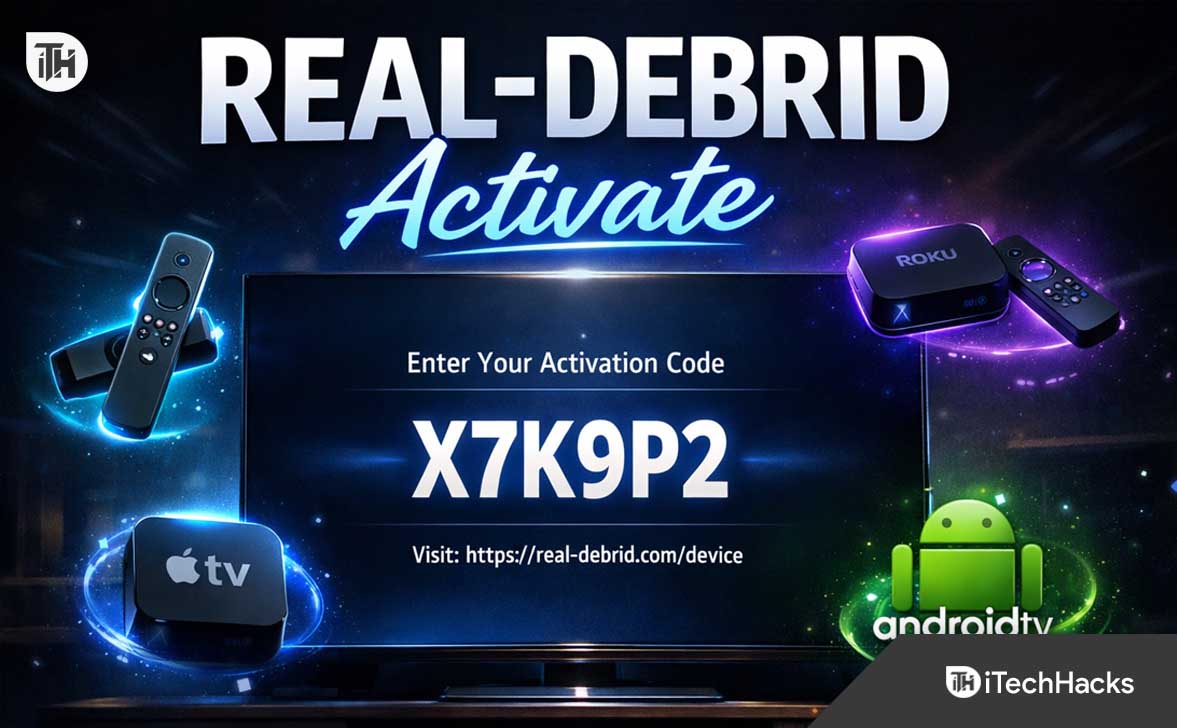
- Real-Debrid activation works through a device code system, not a standalone app on Roku, Firestick, Smart TV, or Apple TV.
- Firestick and Android TVs offer the simplest setup, while Roku and Apple TV typically require screen mirroring or an external streaming device.
- Once activated correctly, Real-Debrid unlocks premium HD and 4K links, improving speed, reliability, and reducing buffering significantly.
If you stream movies or TV shows using third-party apps, you have probably heard that Real-Debrid can dramatically improve streaming quality. Fewer buffering issues. More 1080p and 4K links. Faster loading times. More reliable sources.
But here is the confusing part for most users: there is no official Real-Debrid app for Roku, Firestick, Smart TV, or Apple TV.
So how exactly do you activate Real-Debrid on these devices?
This detailed guide explains the complete working methods for activating Real-Debrid on Roku, Firestick, Android Smart TV, non-Android Smart TVs, and Apple TV. Every method below is practical, tested, and explained clearly so even beginners can follow without technical knowledge.
What Is Real-Debrid and Why People Use It
Real-Debrid is a premium unrestricted downloader. It works with compatible streaming apps and provides access to high-quality, premium host links.
Instead of relying on free public streaming links that often buffer or fail, Real-Debrid connects your app to premium file hosts. The result:
- More HD and 4K links
- Higher streaming stability
- Faster playback start time
- Less buffering
- Better overall reliability
Important clarification: Real-Debrid does not host or stream content directly. It enhances supported streaming apps by unlocking premium links.
Before Activating Real-Debrid on Any Device
Before you start, make sure you have:
- An active Real-Debrid subscription
- Your Real-Debrid username and password
- A compatible streaming app such as Kodi or another app that supports Real-Debrid integration
- A stable internet connection
- A phone or computer browser for device authorization
The activation process works through a device authorization system. You will enter a code shown on your TV device into the Real-Debrid website using a browser.
How to Activate Real-Debrid on Firestick (Most Popular Method)
Amazon Firestick is the easiest and most reliable device for Real-Debrid users because it allows installation of compatible streaming apps.
Step 1: Install Kodi or a Compatible Streaming App
From the Firestick home screen:
- Select Find
- Click Search
- Type Kodi
- Download and install it
If you already use another supported app, you can use that instead.
Step 2: Open the App and Go to Account Settings
Inside Kodi or your streaming app:
- Go to Settings
- Select Add-ons or Account settings
- Choose Real-Debrid
- Select Authorize
You will now see a device activation code displayed on your TV screen.
Step 3: Enter the Code on the Real-Debrid Website
On your phone or computer:
- Open your browser
- Go to https://real-debrid.com/device
- Log into your account
- Enter the code shown on Firestick
- Click Continue
Within seconds, your Firestick app will confirm that Real-Debrid is successfully connected.
Step 4: Verify It Is Working
Search for a movie or show inside the app. You should now see links labeled RD or Real-Debrid. These are premium links.
If you see multiple high-quality options like 1080p and 4K, activation was successful.
How to Activate Real-Debrid on Roku
Roku does not support third-party apps like Kodi natively. This means you cannot directly install Real-Debrid compatible apps on Roku.
However, there are two reliable workarounds.
Method 1: Screen Mirroring from Android
Step 1: Enable Screen Mirroring on Roku
- Go to Settings
- Select System
- Choose Screen Mirroring
- Set to Prompt or Always Allow
Step 2: Activate Real-Debrid on Your Android Device
- Install Kodi or compatible streaming app
- Authorize Real-Debrid using the device code method
- Confirm premium links appear
Step 3: Mirror to Roku
- Open Screen Cast on your Android device
- Select your Roku device
- Start streaming
Your Roku TV will now display the mirrored stream.
Method 2: Use an HDMI Streaming Device
The most stable and recommended method is to connect:
- Firestick
- Android TV box
- Google TV device
Install your streaming app on that device and activate Real-Debrid as explained in the Firestick section.
This avoids mirroring lag and provides better performance.
How to Activate Real-Debrid on Android Smart TV
If your Smart TV runs Android TV or Google TV, activation is straightforward.
Step 1: Install Kodi
- Open Google Play Store
- Search for Kodi
- Install the app
Step 2: Authorize Real-Debrid
- Open Kodi
- Go to Settings
- Select Real-Debrid
- Click Authorize
You will see a device code.
Step 3: Enter the Code Online
- Visit https://real-debrid.com/device
- Log in
- Enter the code
- Confirm
Within seconds, your Smart TV is connected.
How to Activate Real-Debrid on Samsung or LG Smart TV
Samsung TVs use Tizen OS. LG TVs use webOS. These systems do not support Kodi installation directly.
Working options include:
- Using Firestick connected via HDMI
- Using Android TV box
- Screen mirroring from Android phone
Direct installation is not supported, so external device method is the most reliable solution.
How to Activate Real-Debrid on Apple TV
Apple TV does not officially support Kodi in the App Store. However, there are still usable methods.
Method 1: Use a Supported App
If your Apple TV streaming app includes Real-Debrid integration:
- Open the app
- Go to Settings
- Select Real-Debrid
- Choose Authorize
Enter the device code at https://real-debrid.com/device.
Method 2: AirPlay from iPhone or iPad
- Install compatible streaming app on iPhone
- Authorize Real-Debrid inside the app
- Enable AirPlay
- Select Apple TV
Your stream will mirror to Apple TV.
Method 3: Use an HDMI Device
Connect Firestick or Android TV box to your TV and activate Real-Debrid there. This is usually smoother than AirPlay.
How to Confirm Real-Debrid Is Properly Activated
After activation:
- Search for content inside the app
- Check for RD labeled links
- Select high-quality link
- Test playback
If playback starts quickly and quality is stable, your activation is successful.
Common Real-Debrid Activation Problems and Working Fixes
Code Expired Error
Device codes expire quickly. Generate a new code and enter it immediately.
Account Not Showing Premium Status
Check your subscription expiry date inside Real-Debrid account dashboard.
No Premium Links Showing
- Re-authorize Real-Debrid
- Clear app cache
- Restart device
- Update app
Buffering Issues Even After Activation
- Check internet speed
- Choose smaller file size
- Restart router
- Close background apps
Best Practices for Stable Real-Debrid Streaming
- Use wired Ethernet if possible
- Keep apps updated
- Restart streaming device weekly
- Do not share account with many users
- Choose links with moderate file sizes for smoother playback
Is Real-Debrid Safe to Use?
Real-Debrid itself is a premium file host aggregator. Safety depends on how it is used and which apps you connect it with. Always use official activation page and avoid suspicious third-party login requests.
For privacy protection, many users prefer using a VPN while streaming.
Final Thoughts
Activating Real-Debrid on Roku, Firestick, Smart TV, and Apple TV is not complicated once you understand the device authorization method.
Firestick and Android TV provide the easiest direct installation experience. Roku and Apple TV require mirroring or an external HDMI device for best results.
Once properly activated, you will notice better streaming quality, more reliable links, and reduced buffering. Follow the steps carefully, use official website for activation, and always verify subscription status if links stop appearing.
With the right setup, Real-Debrid can significantly improve your streaming experience across all major devices.
ALSO READ: