- Social media platforms like Facebook, Instagram, TikTok, and X have settings to help hide what you have liked from others, but they do not offer complete invisibility because some activities are meant to be public. You can protect your privacy by using options like "Protect your posts" on X or setting your Instagram account to private, which limits who can see your likes.
- By switching the privacy settings on your Facebook profile, including reaction preferences, and making TikTok liked videos private, you can control who sees your likes. Additionally, you can hide the number of likes on Instagram posts and keep your interests more discreet by moving from liking to saving posts.
In the age of social media, privacy is a moving target. We scroll and double-tap without thinking, only to realize that our digital footprint is visible to friends, family, and colleagues. Whether it’s a niche hobby or a controversial opinion, the anxiety of having your “Like” history broadcast to the world is real. In 2026, social platforms use these interactions not just to feed algorithms, but often to signal your interests to your connections, making true privacy difficult to achieve.
If you are tired of looking over your digital shoulder, this guide is for you. While total invisibility is hard, most platforms offer settings to minimize your exposure. We will break down the specific privacy tools for Instagram, X (Twitter), Facebook, and TikTok, explaining exactly what you can hide and the workarounds to browse without leaving a public trace.
How to Hide Your Likes on Facebook, Instagram, and X (Step-by-Step)
This article will list various troubleshooting steps and privacy settings to help you stop people from seeing what posts you’ve liked on different platforms.
Hide Likes on X (Twitter)
For years, the “Likes” tab on an X profile was public, leading to many high-profile controversies. However, privacy shifts have changed this. As of late 2024 and continuing into 2026, X has made Likes private by default for many users, but verifying your settings is crucial to ensure your tab is gone.
- Launch the X (Twitter) app on your phone or desktop.
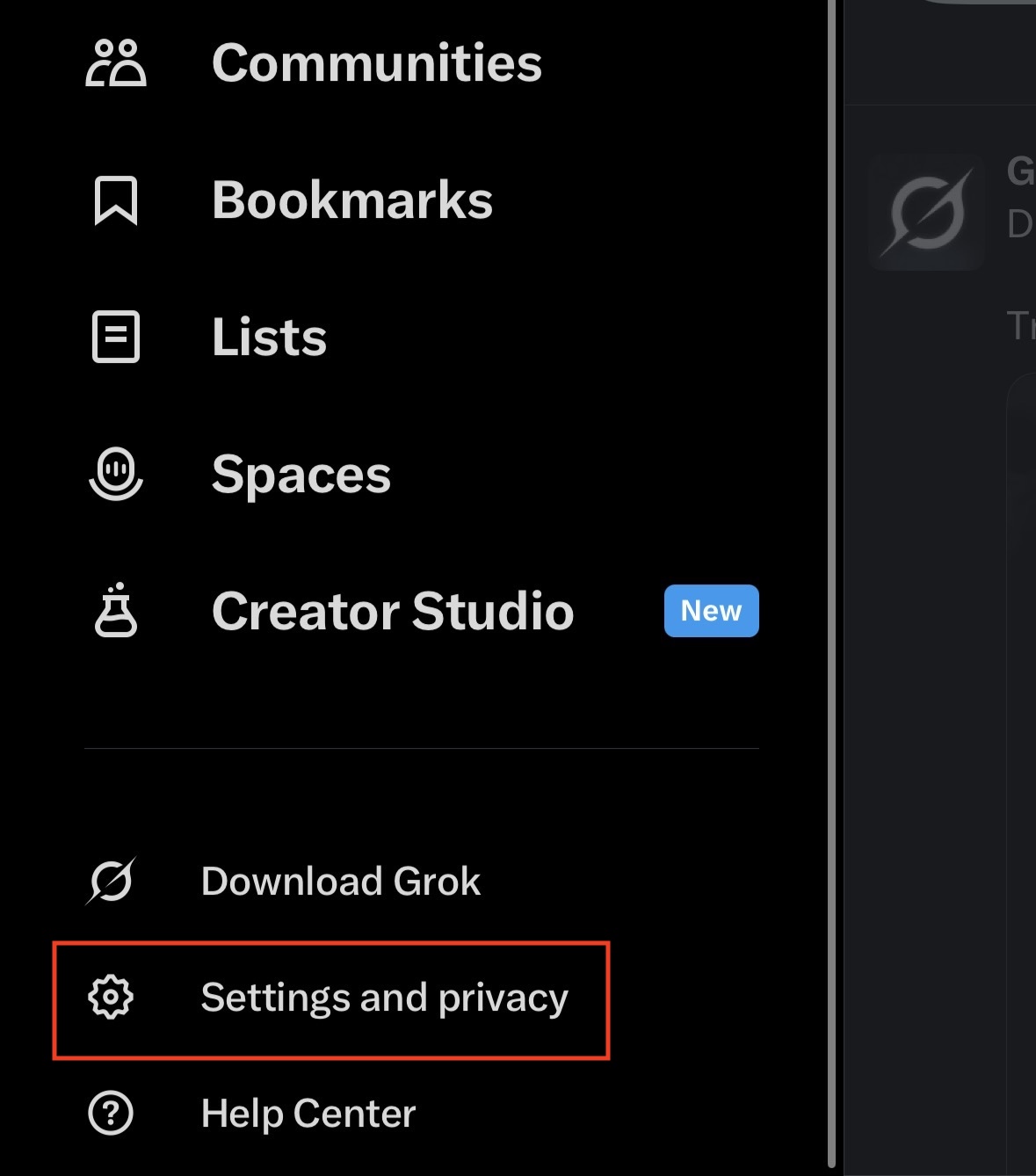
- Tap your profile picture in the top left, then select Settings and privacy.

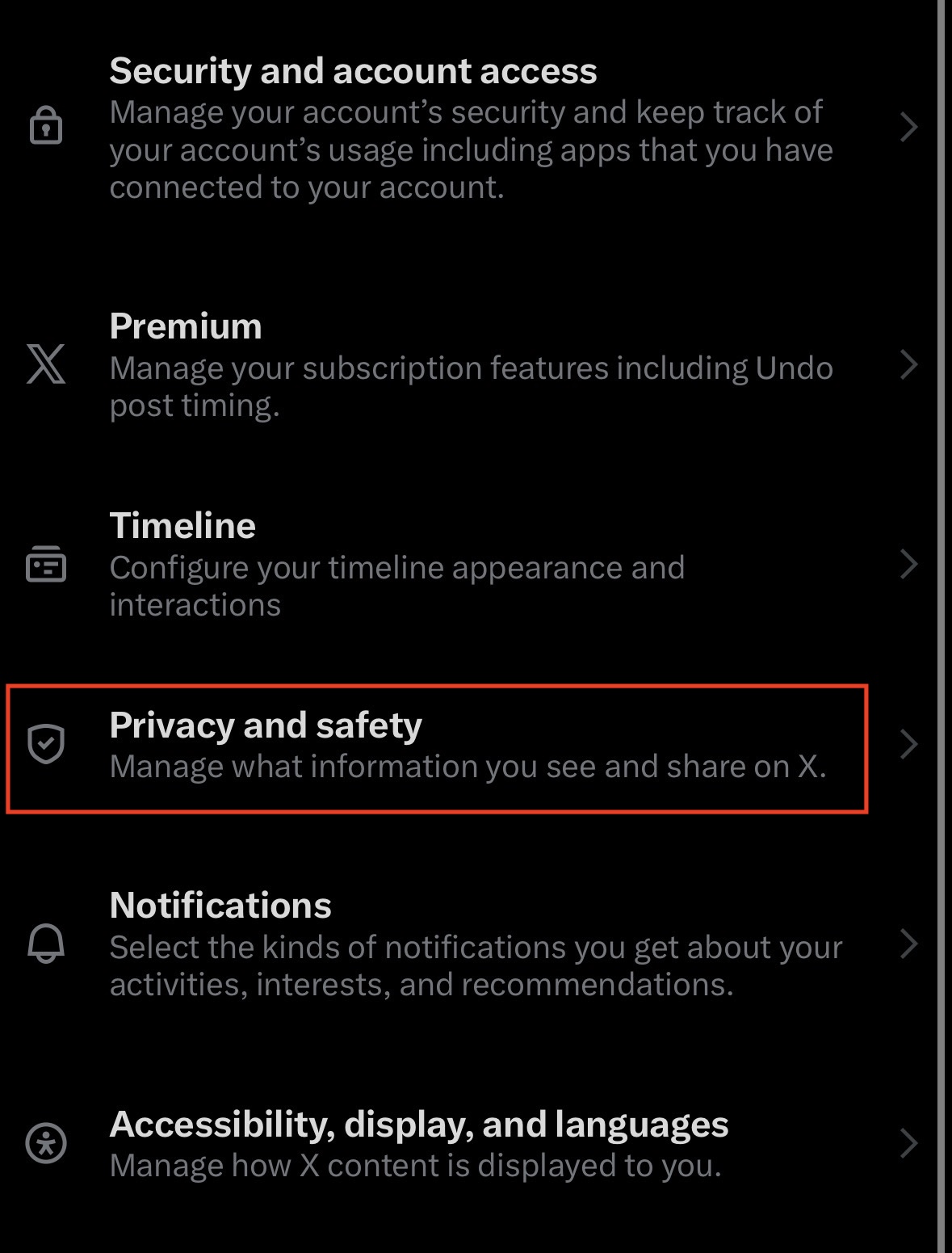
- Tap on Privacy and safety.

- Now, from here tap on Audience and tagging.

- Turn on the toggle next to Protect your posts.

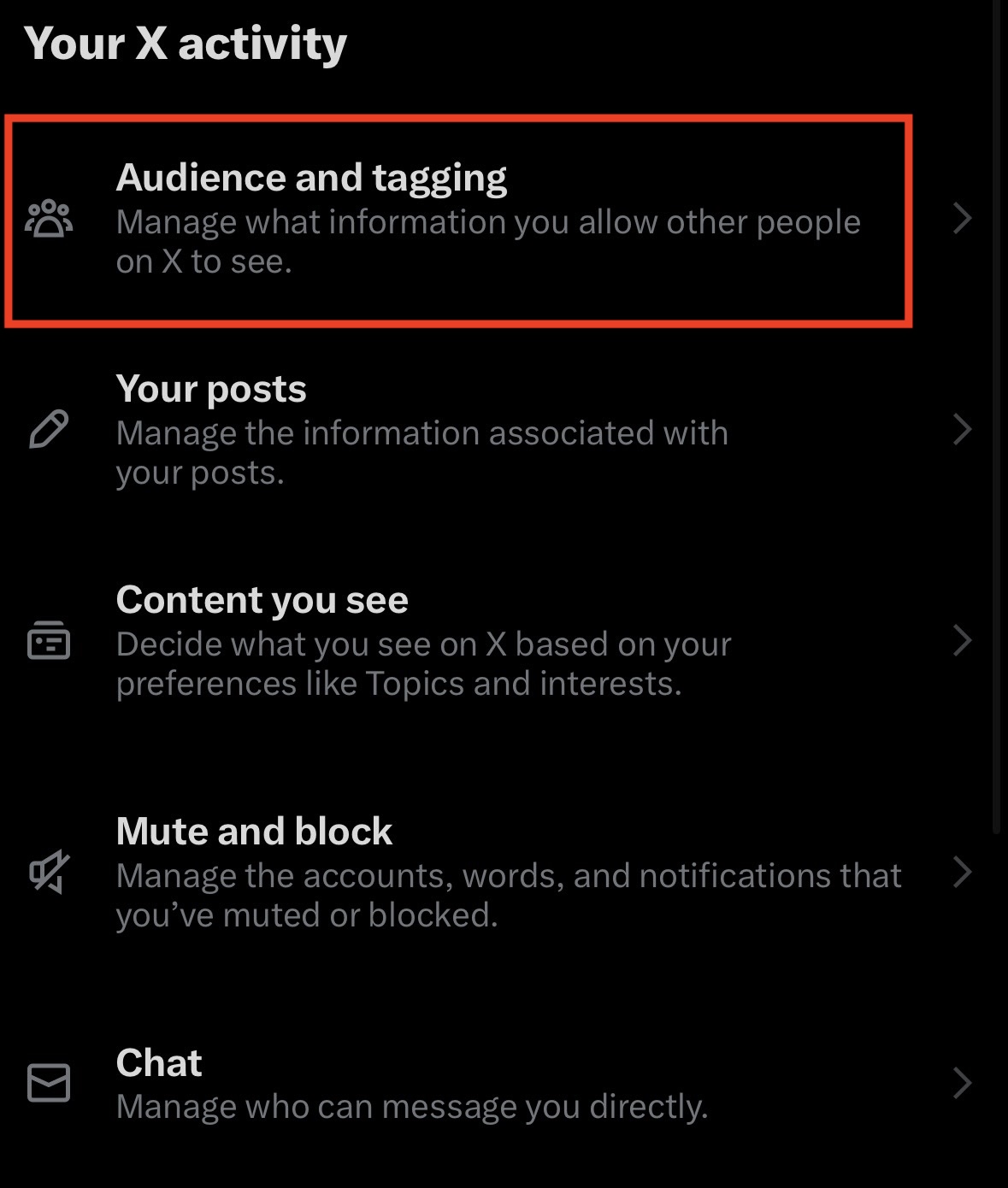
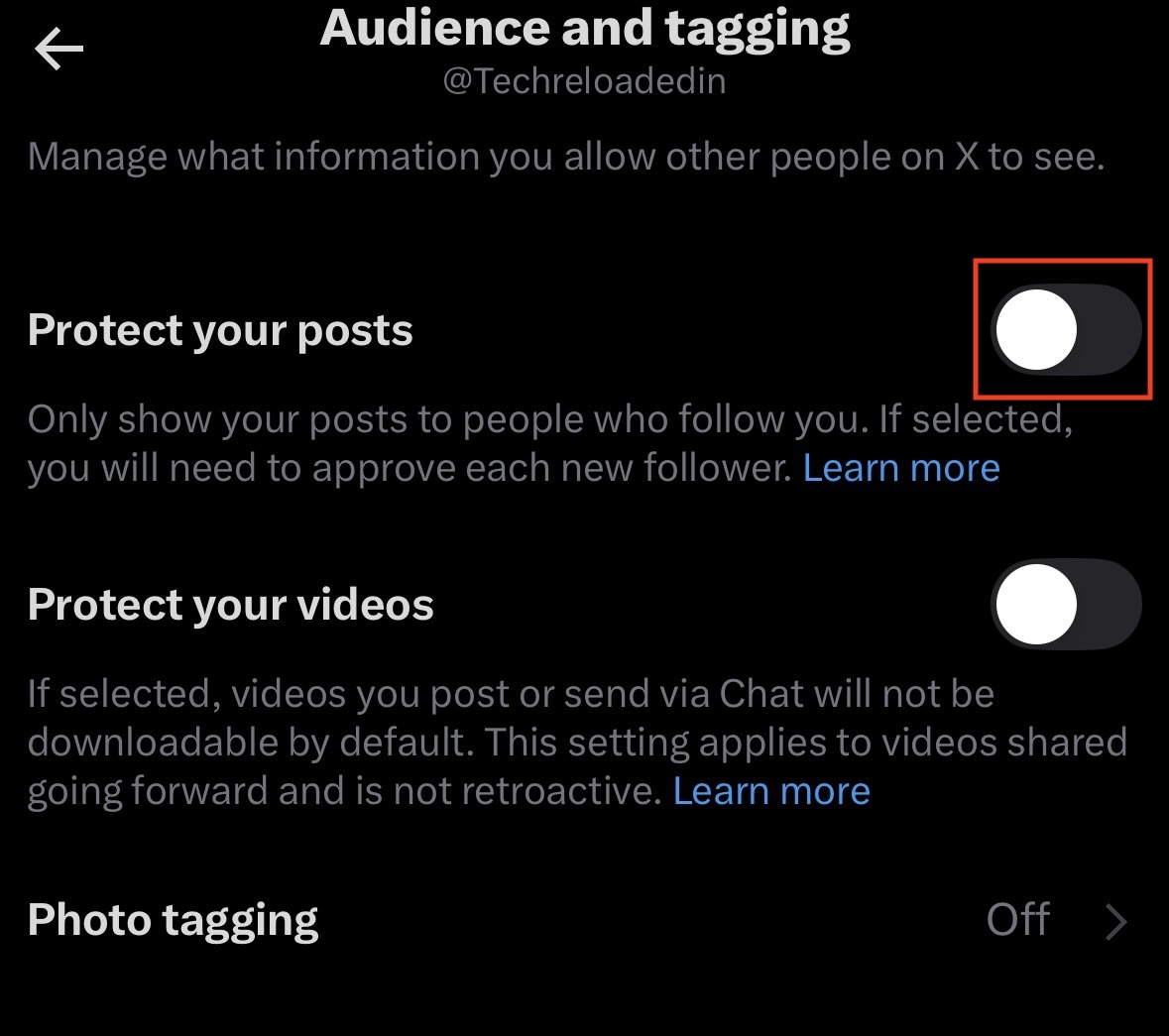
This will hide your posts and likes from all the non-followeres on X. Only your followers will now be able to see your likes.
Manage Likes on Instagram
Instagram does not have a “Hide My Like Activity” button that makes you invisible. If you like a public post, your username will appear in the “Liked by…” list on that post. However, you can control who sees this by controlling who follows you, or by hiding the like counts on your own posts to reduce the focus on metrics.
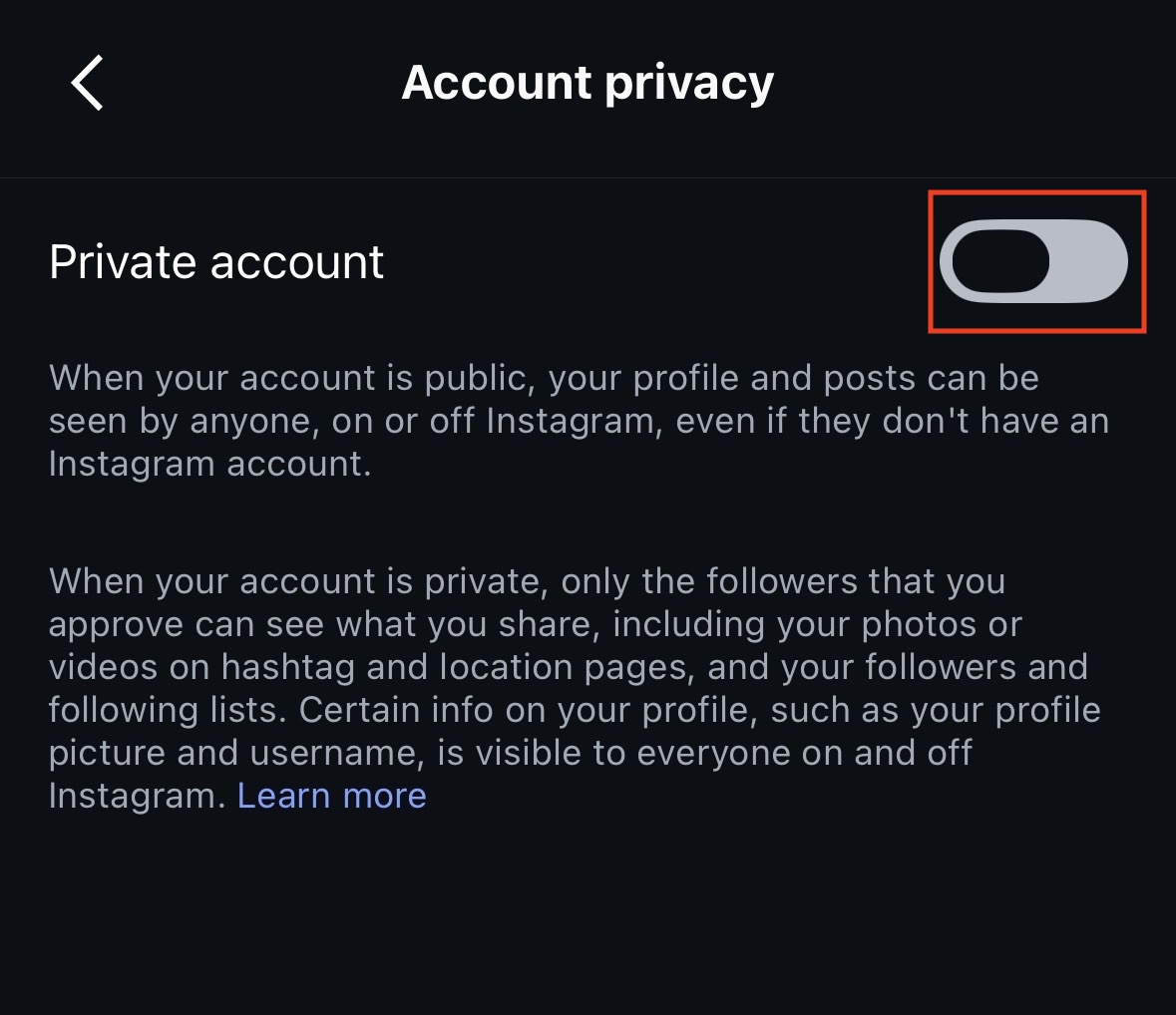
- This is the only way to prevent strangers from seeing your likes on private accounts. Go to Settings and privacy > Account privacy > Toggle Private account to On.

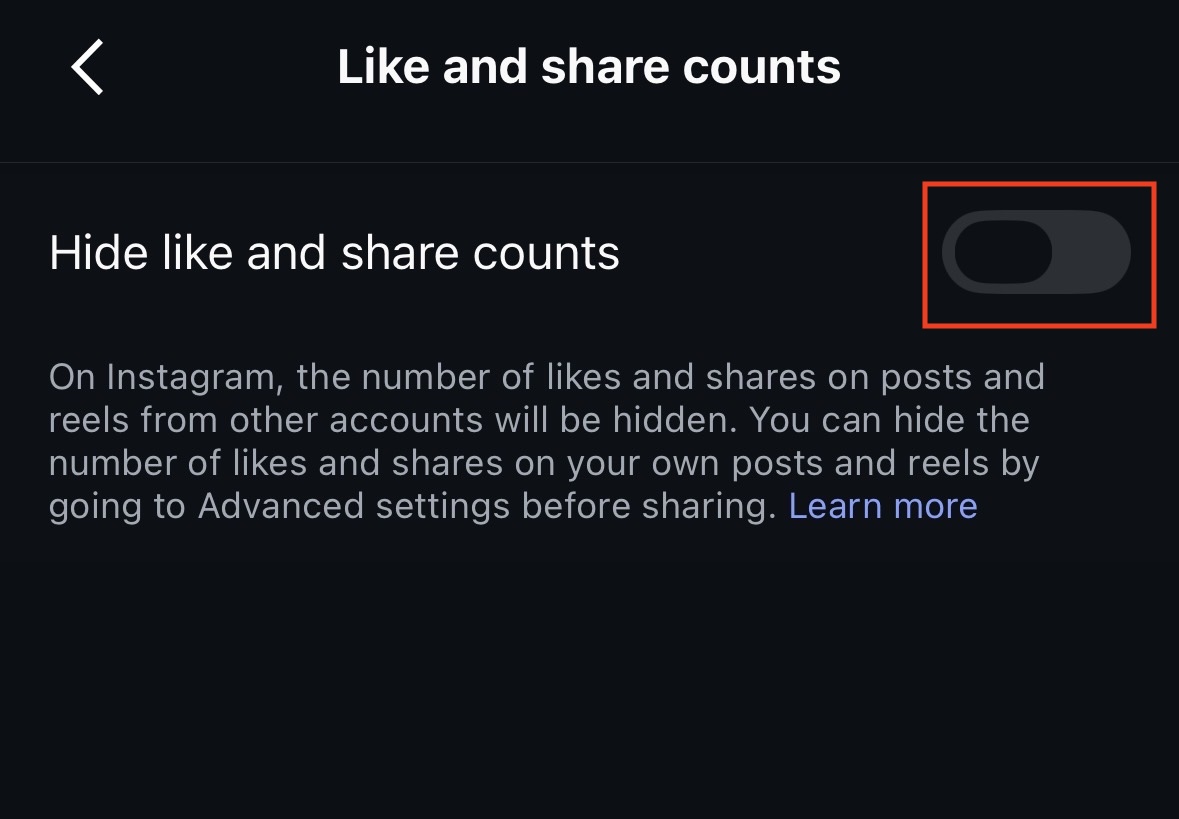
- To stop people from seeing how many likes you get (but not what you like), go to Settings and privacy > Like and share counts > Toggle Hide like and share counts to On.

- If you want to engage without public scrutiny, consider creating a “Finsta” (secondary private account) for liking niche content, keeping your main profile professional.
Hide Likes on Facebook
Facebook is the platform where your activity (“John liked this”) is most likely to pop up in your friends’ feeds. Fortunately, Facebook offers granular control over who sees your “Likes” (Pages you follow) and your reaction history.
- Go to your Profile page on the Facebook app.
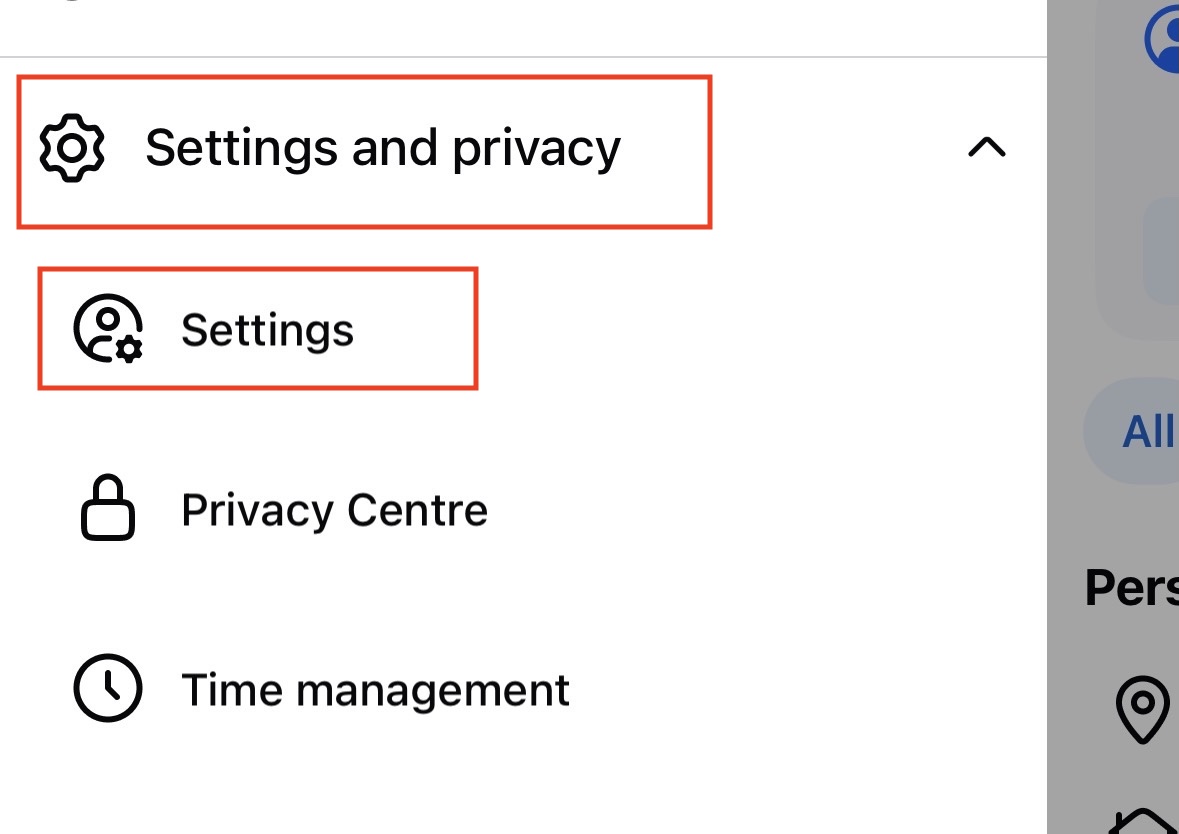
- Tap on the Menu option on the top left corner.
- Select Settings and Privacy > Settings.

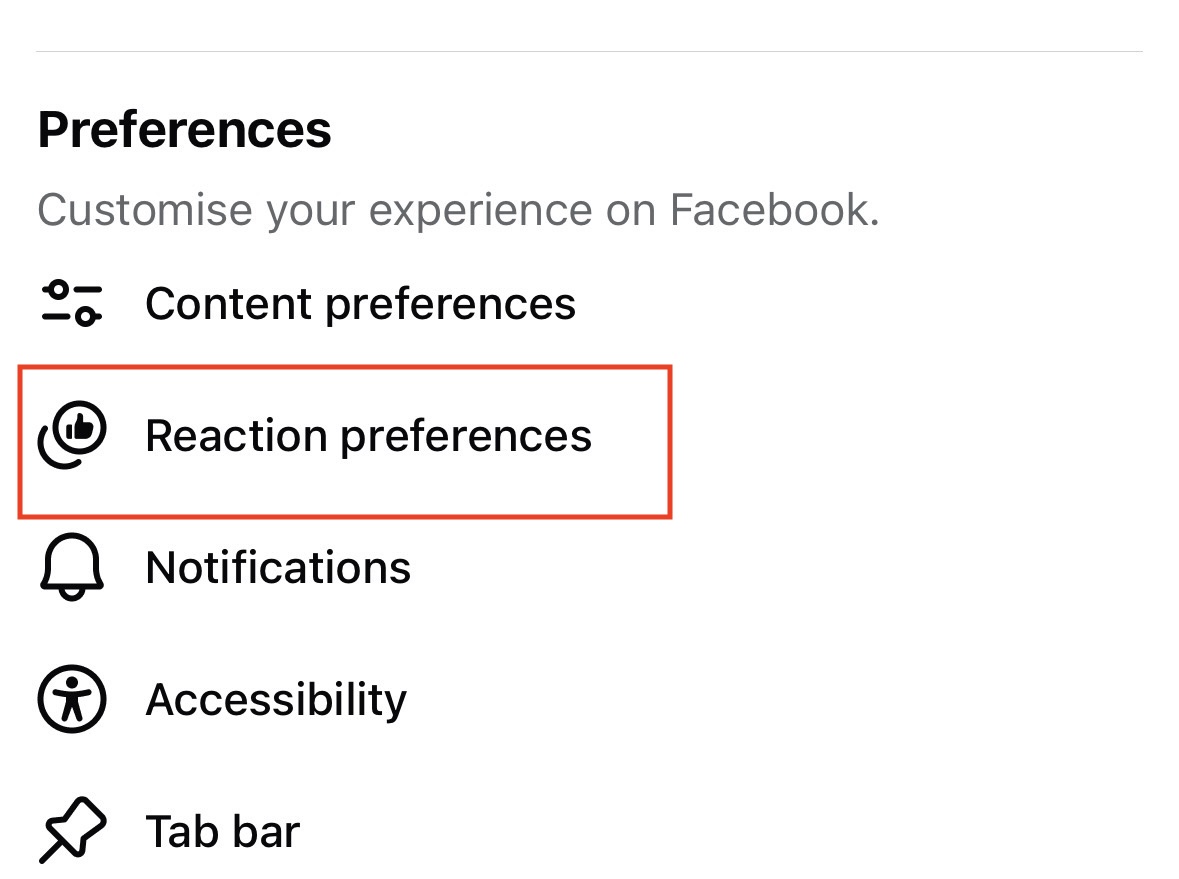
- Now, tap on Reaction Preferences.

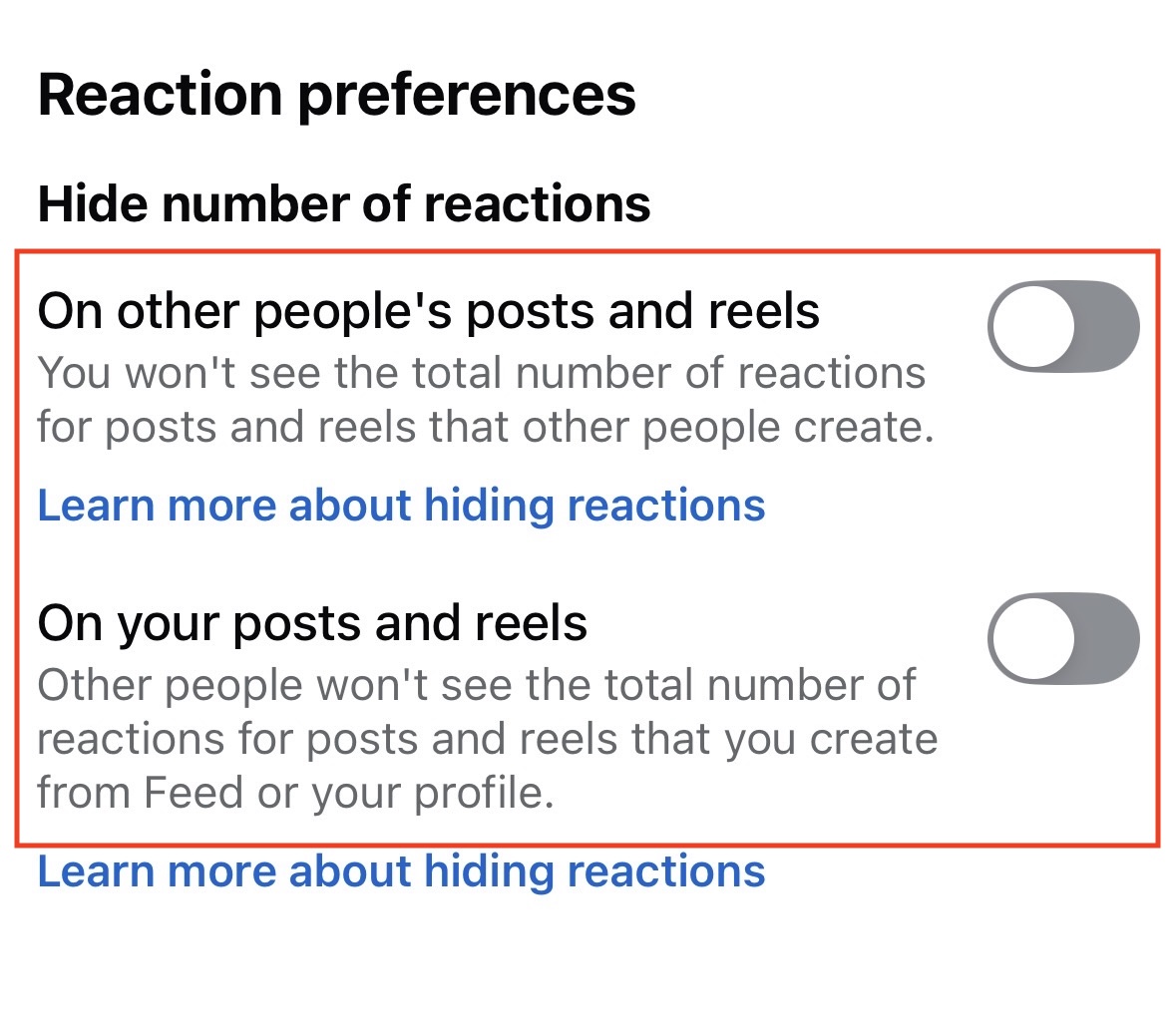
- Turn on the toggle for both the options under Hide Number of Reactions.

Hide Liked Videos on TikTok
TikTok allows you to completely hide your liked videos tab from your profile. This is highly recommended as TikTok likes often reveal a very personal “For You” page algorithm.
- Go to your Profile tab in TikTok.
- Tap the three lines in the top right corner.
- Select Settings and privacy.
- Tap on Privacy.
- Scroll down to the “Interactions” section and tap on Liked videos.
- Switch the setting from “Everyone” to Only me.
- The heart icon tab on your profile will now appear with a crossed-out eye symbol to you, and will be completely invisible to visitors.
Use “Save” Instead of “Like” (The Ultimate Workaround)
If your goal is to bookmark content to view later, but you don’t want to leave a public footprint, stop using the Like button altogether. Every major platform has a “Save” or “Bookmark” feature that is inherently private.
- On Instagram, tap the Ribbon icon on the bottom right of a post. It goes to your “Saved” folder, visible only to you.
- On X (Twitter), tap the Bookmark icon on a tweet. Bookmarks are private and never notify the author or your followers.
- On TikTok, tap the Bookmark icon (yellow ribbon) instead of the heart.
- Algorithms still use “Saves” to understand your interests, so your feed improves, but no other human can see this activity.
Remove Past Likes (Cleaning History)
If you are worried about past likes haunting you, you can bulk-unlike content.
- On Instagram, go to Your activity > Likes. You can select multiple posts and tap Unlike to remove your name from them.
- On TikTok, go to your Liked tab (now private) and tap the hearts to unlike videos if you want to influence your algorithm.
- On X (Twitter), you can manually unlike posts, or use third-party tools (be careful with permissions) to “nuke” your like history.
Final Words
Stopping people from seeing what you have liked is more about damage control than total invisibility. While platforms like TikTok and X have introduced robust privacy tools in 2026 to hide your “Likes” tab, the fundamental nature of social media is public interaction. If you like a public post on Instagram or Facebook, your name becomes public data attached to that post. The most effective strategy is a combination of settings: set your Page likes to “Only Me,” hide your TikTok favorites, and shift your behavior from “Liking” to “Saving” or “Bookmarking.” By following the steps in this guide, you can reclaim a significant portion of your privacy and scroll without fear of judgment.
ALSO READ: