


iPhone Voicemails Missing After iOS 26 Update – How to Fix It
Updating your iPhone is supposed to be an exciting experience, bringing fresh features, enhanced security, and a smoother interface. However, for many users, the...

Alarms Access is OFF Won’t Disappear? Here’s How to Fix It
You pick up your iPhone to set an alarm for the next morning, or perhaps you are just glancing at your lock screen, and...
iPhone 17 Bluetooth Not Working After Update? Try These Fixes
The iPhone 17 is a marvel of modern engineering, boasting the blazing-fast A19 chip and next-generation connectivity standards. Yet, even with Bluetooth 6.0 technology,...

iPhone 16 Car Bluetooth Audio Not Working? Fixes That Actually Work
Is your iPhone 16 not connecting for car Bluetooth audio? You are not alone. The iPhone 16 is a powerhouse of connectivity, featuring the...

iPhone 17 Pro Signal Issues: How to Fix Network & Connectivity Problems
The iPhone 17 Pro is a marvel of modern engineering, boasting the blazing fast A19 Pro chip, a stunning ProMotion XDR display, and next-generation...

Parental Controls Keep Resetting on iPhone or iPad? How to Stop It Permanently
If parental controls on your iPhone or iPad keep resetting, it can feel like Screen Time is completely unreliable. You may carefully block apps,...

How to Remove the Liquid Glass Effect from App Icons on iOS 26
Apple's iOS 26 introduced the "Liquid Glass UI" and its signature Liquid Glass icons, replacing the flat design of the past decade with refractive,...

Apple Maps Not Showing Favorite Locations When Adding Stops
Apple Maps is great for simple navigation, but it can get annoying when it suddenly stops showing your saved places at the exact moment...

iPhone Not Charging? Fix a Faulty Charging Port in 7 Simple Steps
The iPhone is arguably the most essential tool in modern life, serving as our primary camera, communication device, GPS, and entertainment hub. However, all...
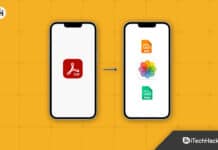
How to Convert Photo to PDF on iPhone or iPad 2026
Converting your photos to PDF gives you many benefits like smaller file size, compatibility with every device, and can also be encrypted. So, it’s...