

- The WhatsApp "Unavailable for 1 Hour" error is a temporary security measure that happens if there are repeated verification attempts, incorrect code entries, or unusual activity. It’s essential to wait for the countdown to finish and not repeatedly request new codes during this time.
- To fix this error, you should: wait until the timer ends, verify your phone number and country code, restart your phone, ensure your SIM card can receive SMS, and request a new code once the waiting period ends. If SMS isn’t successful, choose the voice-call option for verification.
Trying to sign in to WhatsApp and suddenly seeing an “Unavailable for 1 hour” message can be frustrating, especially when you have the correct phone number and your SIM card is working normally.
This error usually appears during phone number verification or account registration. In most cases, it is a temporary security restriction triggered after repeated verification attempts, incorrect codes, frequent code requests, or activity WhatsApp considers unusual.
The important thing is not to keep requesting verification codes while the timer is active. Doing so may not help and can sometimes result in a longer waiting period. Below, we explain what the WhatsApp “Unavailable for 1 Hour” verification error means and the safest ways to regain access to your account.
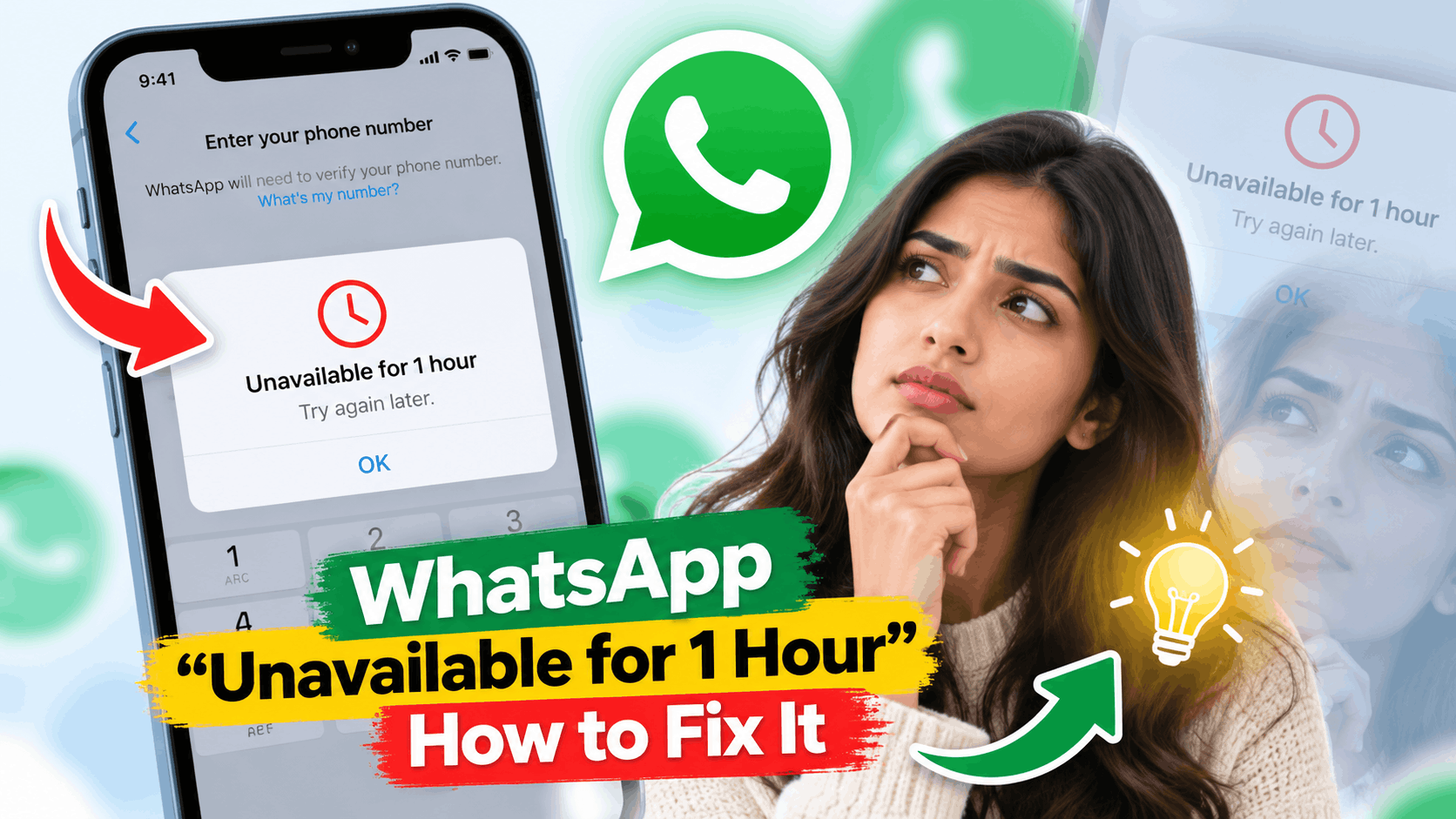
WhatsApp requires you to verify ownership of your phone number when registering an account or moving your account to another phone. Verification normally happens using a six-digit code delivered through SMS or a phone call.
If WhatsApp detects too many verification attempts within a short period, it can temporarily prevent additional attempts. You may then see a countdown or a message indicating that verification is unavailable for a specific amount of time.
This is primarily a security and anti-abuse measure. It helps prevent someone from repeatedly requesting codes in an attempt to take over another person’s WhatsApp account.
WhatsApp officially warns users not to guess registration codes because incorrect attempts can result in a temporary lockout. WhatsApp also requires users to wait for the displayed verification timer to finish before requesting another code.
There isn’t always one specific reason. The restriction can be triggered by several conditions during registration or verification.
- Too many SMS verification requests: Requesting multiple codes within a short period can trigger rate limiting.
- Incorrect verification codes: Repeatedly entering the wrong six-digit code can temporarily lock verification.
- Repeated login attempts: Registering or re-registering the same number several times may trigger additional security checks.
- Network or SIM problems: Poor cellular reception can delay an SMS, causing users to request several codes unnecessarily.
- Switching phones repeatedly: Multiple registration attempts across different devices may result in additional verification checks.
- Call or SMS blocking: Spam filters and call-blocking applications can prevent verification messages or calls from reaching your phone.
- Unusual registration activity: WhatsApp may temporarily restrict registration when its systems detect potentially suspicious activity.
It is also possible to receive several WhatsApp verification messages after requesting multiple codes. Remember that newer codes can replace previous verification codes, so entering an older code may fail.
1. Wait for the Full One-Hour Timer
If WhatsApp explicitly says verification is unavailable for one hour, the first thing you should do is wait until the entire countdown finishes.
Avoid repeatedly closing WhatsApp, reinstalling it, changing your phone number, or requesting another verification code during this period. There is no reliable trick for bypassing a server-side verification timer.
WhatsApp’s official registration guidance specifically recommends waiting for the progress timer to finish before trying to request another SMS or phone call.
What Should You Do During the Waiting Period?
- Keep your SIM card inserted in the phone.
- Make sure the SIM has cellular reception.
- Check that regular SMS messages can reach your number.
- Confirm that your phone has a working internet connection.
- Do not keep guessing the six-digit verification code.
Once the countdown reaches zero, reopen WhatsApp and make one clean verification attempt.
2. Check Your Phone Number and Country Code
A surprisingly common reason for WhatsApp verification problems is an incorrectly formatted phone number.
Open WhatsApp and select your country from the country list. WhatsApp should automatically insert the appropriate country code. Then enter your mobile number carefully.
Do not manually add unnecessary international dialing prefixes or leading zeros. For example, if your local mobile number starts with a zero that is not part of its international format, that zero may need to be removed.
Double-check the number before requesting another code because sending codes to the wrong number and repeatedly retrying can create additional problems.
3. Restart Your Phone Before Trying Again
Once the waiting period has expired, restart your Android phone or iPhone before requesting another verification code.
A restart can reconnect your device to the cellular network and clear temporary network or application problems that may interfere with receiving SMS messages.
WhatsApp itself recommends turning the phone off, waiting around 30 seconds, and turning it back on when troubleshooting registration problems.
After restarting, confirm that cellular signal bars appear and that mobile data or Wi-Fi is working before opening WhatsApp.
4. Check Whether Your SIM Can Receive SMS Messages
WhatsApp cannot complete normal first-time phone-number registration if your number cannot receive its verification code.
Ask someone to send a regular SMS message to the same number. If the message doesn’t arrive, the problem may be with your mobile carrier, SIM card, network coverage, or device rather than WhatsApp.
You should also check whether you can receive normal phone calls. Both are useful because WhatsApp may offer voice-call verification after the SMS option fails or its timer expires.
5. Request the Code Only Once
After the “Unavailable for 1 Hour” timer disappears, request an SMS verification code once and wait.
Do not repeatedly tap Resend SMS because the message doesn’t arrive immediately. Depending on your carrier and network conditions, SMS delivery can sometimes be delayed.
When the verification message arrives, enter the six-digit code shown in the newest WhatsApp verification SMS.
Never randomly guess the verification code. WhatsApp specifically warns that guessing registration codes can result in a temporary lockout.
6. Try the WhatsApp Voice Call Option
If SMS verification still doesn’t work, wait until WhatsApp makes the phone-call verification option available.
On the verification screen, look for Didn’t receive a code?, Call me, or Voice Call, depending on your WhatsApp version and device.
WhatsApp will call your number using an automated system and provide the unique verification code. Write down the code and enter it into WhatsApp.
Android users may also be offered missed-call verification in some circumstances. This method requires appropriate phone and call-log permissions so WhatsApp can verify the incoming call automatically.
7. Turn Off SMS and Call Blocking Temporarily
Spam protection applications, call blockers, security applications, and carrier-level filters can sometimes interfere with WhatsApp verification.
Temporarily disable third-party call-blocking or SMS-filtering apps. Also check whether your phone is automatically blocking unknown callers.
This becomes particularly important if SMS verification works poorly and you plan to use the voice-call option instead.
Once WhatsApp verification is complete, you can restore your normal spam and call-filtering settings.
8. Switch Between Wi-Fi and Mobile Data
Although the registration code itself may arrive through your cellular service, WhatsApp also requires a working internet connection to complete registration.
If you’re connected to unreliable Wi-Fi, temporarily switch to mobile data. If mobile data isn’t working properly, connect to a stable Wi-Fi network instead.
You can quickly test the connection by opening your browser and loading a website. If websites don’t load normally, fix the internet connection before attempting WhatsApp verification again.
If you use a VPN, proxy, or private DNS service, temporarily disabling it is also a reasonable troubleshooting step. This isn’t a guaranteed fix for the timer itself, but it can eliminate an unnecessary network variable once verification becomes available again.
9. Update WhatsApp
Make sure you’re running the latest official version of WhatsApp.
Android users should open the Google Play Store, search for WhatsApp, and tap Update if an update is available. iPhone users can check the App Store for available WhatsApp updates.
Avoid unofficial or modified versions of WhatsApp when troubleshooting account registration. Use the official application distributed through supported app stores or WhatsApp’s official channels.
10. Use Email Verification If WhatsApp Offers It
WhatsApp now supports email-based registration codes in certain situations, but this option has important limitations.
Email verification may be available when you’re re-registering an existing WhatsApp account and previously added and verified an email address with that account. It isn’t a universal replacement for phone verification.
For first-time account registration, WhatsApp says verification must normally be completed through SMS or a phone call.
You also still need an active SIM associated with the WhatsApp number. Therefore, adding an email address does not allow you to recover an account after permanently losing access to its phone number.
11. Avoid Reinstalling WhatsApp Repeatedly
Users sometimes uninstall WhatsApp as soon as the one-hour error appears. This usually isn’t necessary because reinstalling the application doesn’t automatically remove a verification restriction maintained by WhatsApp.
If you eventually decide to reinstall WhatsApp as part of broader troubleshooting, make sure your important conversations are backed up first whenever you still have access to the account.
Repeated installation and registration attempts are unlikely to make an active countdown disappear faster.
12. Wait Longer If the Verification Lock Keeps Returning
If the one-hour restriction returns after another failed verification attempt, stop requesting codes for a while.
The displayed timer should be treated as the minimum waiting period before another attempt. WhatsApp states that there is no way to accelerate certain verification lockouts caused by repeated incorrect code attempts.
Wait for whatever countdown WhatsApp displays rather than trying unofficial bypass methods, changing the phone’s clock, clearing app data repeatedly, or using third-party verification services.
What If WhatsApp Says “Login Not Available Right Now”?
This is different from a normal verification countdown.
According to WhatsApp, a “Login not available right now” message during registration can sometimes indicate suspicious activity or a possible Terms of Service issue. WhatsApp recommends trying again later and using the Contact Us option when it is available.
However, inability to receive SMS or phone calls can also cause registration problems without meaning that your account has violated WhatsApp’s rules. Check your SIM, cellular network, number formatting, and verification-code delivery before assuming the account itself has been restricted.
What If Someone Else Is Requesting Your WhatsApp Code?
If verification messages suddenly appear even though you didn’t request them, someone may have entered your phone number while attempting to register WhatsApp.
Never give the six-digit registration code to anyone. WhatsApp states that re-registering an account using the legitimate six-digit code can log other devices out of the account.
Once you regain access, review your linked devices and enable WhatsApp’s additional account-security features. Where available, setting up two-step verification, an email address, and a passkey can provide additional protection.
Common WhatsApp Verification Mistakes to Avoid
When you’re locked out of an important messaging account, it is tempting to try everything at once. With WhatsApp verification, that can make troubleshooting harder.
- Don’t guess random six-digit verification codes.
- Don’t request SMS codes repeatedly.
- Don’t share your verification code with anyone.
- Don’t pay websites claiming they can bypass WhatsApp verification.
- Don’t use someone else’s phone number for your account.
- Don’t repeatedly reinstall WhatsApp while a timer is running.
- Don’t change your phone’s date or time hoping to bypass the countdown.
- Don’t assume an older verification code will still work after requesting a newer one.
Frequently Asked Questions
The message generally indicates that WhatsApp verification is temporarily unavailable. Repeated code requests, incorrect verification codes, or unusual registration activity can contribute to temporary restrictions. Wait for the displayed timer to expire before trying again.
Can I bypass the WhatsApp one-hour verification timer?
There is no legitimate method for bypassing a WhatsApp verification countdown. Changing your phone’s time, reinstalling WhatsApp, or clearing application data should not be treated as ways to bypass a server-controlled restriction.
Will reinstalling WhatsApp remove the one-hour error?
Usually not. If the restriction is associated with the verification process on WhatsApp’s systems, reinstalling the application won’t make the timer expire faster.
Why am I not receiving the WhatsApp verification SMS?
Check your country code, phone number, cellular reception, SIM status, SMS filtering, and ability to receive ordinary text messages. You can also wait until WhatsApp offers phone-call verification.
Can WhatsApp send my verification code by email?
In some cases, yes. WhatsApp can offer email verification when re-registering an existing account if you previously added and verified an email address. First-time registration still requires phone-based verification.
What happens if I enter the wrong WhatsApp code too many times?
WhatsApp may temporarily prevent additional verification attempts. If a waiting period appears, don’t continue guessing codes. Wait for the specified period and request a fresh code afterward.
Should I contact my mobile carrier?
If normal SMS messages or calls aren’t reaching your number, contacting your carrier is worthwhile. A carrier-side SMS restriction, inactive SIM, poor service, or network problem can prevent WhatsApp verification codes from arriving.
Final Thoughts
The WhatsApp “Unavailable for 1 Hour” verification error is usually something you should wait out rather than aggressively troubleshoot. When a countdown appears, allow it to finish completely and avoid requesting additional verification codes in the meantime.
Once the restriction expires, restart your phone, confirm that your SIM can receive calls and SMS messages, check the phone number and country code, and request one fresh verification code. If SMS doesn’t arrive, use WhatsApp’s voice-call option when it becomes available.
Most importantly, never guess verification codes or share a WhatsApp registration code with another person. If the waiting period repeatedly returns despite using the correct number and a working SIM, use the support option provided inside WhatsApp rather than relying on unofficial verification or bypass services.