- Movavi Video Converter lets you easily change video and audio formats, supporting over 180 different media types like MP4, MOV, MKV, and AVI.
- The software is simple to download and install on both Windows and Mac. The conversion process is straightforward, involving a few simple steps to convert files from MKV to AVI format.
- While the software offers a free seven-day trial, it requires purchasing an activation key for continued use. The user-friendly interface and quick conversion speed make it a handy tool for video format conversion.
Videos can be watched and stored in numerous formats. There are various video formats available for the people. Some of the well-known formats are MP4, MOV, FLV, MKV, and AVI. However, it is not possible to get the video which you wish in a favorable format. You could have a video in MP4 format, but you wanted it in MOV. In such situations, one can make use of Movavi Video Converter. Using this video converter, you can convert video and audios files from different formats to another format which is favorable for you. There are more than 180 media formats such as AVI, MP4, MOV, MPEG, MKV, MP3, WAV, FLAC, available for the users. And Movavi Video Converter can convert MKV to AVI any file between these media formats.
Here, we are going to review the process of converting the videos from MKV to AVI format, using Movavi Video Converter. But first, let’s understand more about MKV and AVI media formats.
The first thing that you should know about MKV file format is that it is not an encoding format but, a container file. MKV stands for Matroska Multimedia Container. You can store audio and video files in MKV. MKV file format is mainly known for its compatibility with high-end devices which means that you can run these files on Blu-ray Players, Sharp LED/LCD TVs, etc. Also, these files consume more space as compared to AVI file format.
Where else, AVI is a video format which is developed by Microsoft. Even this format can contain audio as well as video files. But, they consume less space on your hard disc than MKV to AVI file format does!
Downloading this software on Windows PC or Mac is very easy. Visit its official website using ‘https://www.movavi.com’ this link. There, you will find different software for Windows and Mac users. To download Movavi Video Converter on my Windows PC, all I had to do was click on the ‘Download for Free’ option, and the EXE file started to download.
Once the EXE file was downloaded, I could easily install it by double-clicking on the downloaded EXE file. Once installed, I was asked to install the latest drivers and download software OpenGL implementation. However, it was totally optional and not compulsory. This software was running on my PC even though I neglected the download suggestions.
To convert a file from MKV to AVI format, the steps involved are quite simple to understand and execute.
Step 1- Launch ‘Movavi Video Converter‘ on your PC/Mac.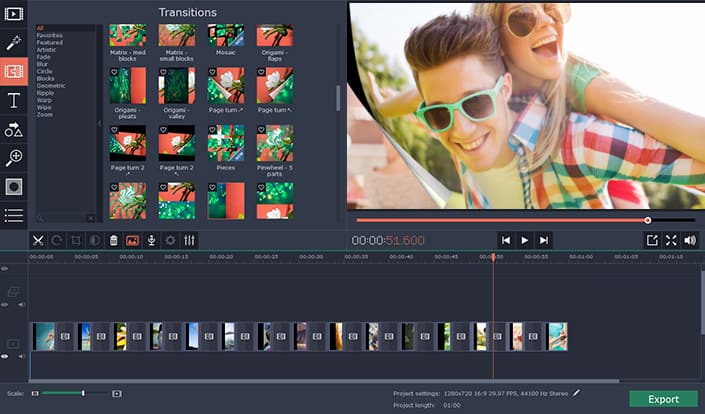
Step 2- Click on ‘Add Media’ in the top right corner of your screen and select whether you wish to add video or audio files. And then, search for your file from the dialog box which appears on your screen. The file must be in MKV format.
Step 3- Now, select the output format as AVI from the ‘Videos’ section which you will find at the bottom of the window.
Step 4- To know where the converted file will be saved, click on ‘Save to’ which you will find below the section where you chose the output format. You can change the location from C drive to the location where your original file was saved.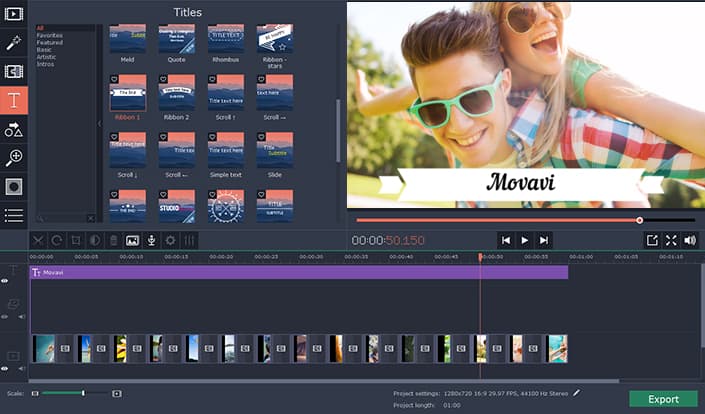
Step 5- Once everything is set, click on convert to initiate the conversion.
Once the converting process is completed, the AVI file will be saved in the location where you have chosen.
Since I have a decent hardware on my PC, it took about 10 to 15 seconds to convert a video of 25MB from MKV to AVI format. Also, I was able to convert more than 1 file at a time. However, this software is free to download but is free to use only for a 7-days trial period. After your trial period expires, you have to purchase the activation key. The lifetime subscription of this software for personal use starts from $39.95 and for business, purpose starts from $59.95.
If you are using the trial version, then a watermark of this video editor will be visible on your converted video for the first 10 seconds. You need to purchase the activation key to get rid of this watermark. What I liked about Movavi Video Converter is that it is not a bulky converter. Its size is around 40MB but, does everything that a bulky converter can do! Also, it has a user-friendly interface which made it really easy for me to convert files from MKV to AVI format.
This is what I feel about Movavi Video Converter and the method of converting files from MKV to AVI. What do you think about it? Please let us know about it in the comments section below.